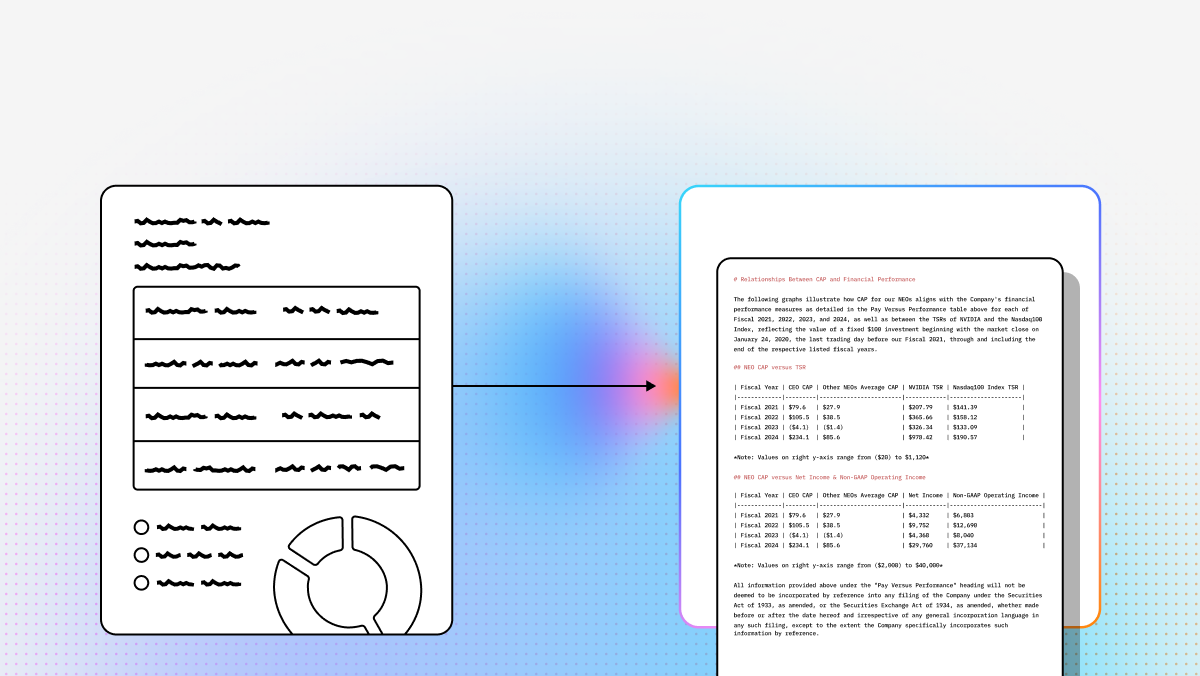
Optical Character Recognition (OCR) is undergoing a massive shift. For decades, OCR was a brittle technology that depended on rigid templates and fragile rules. The moment a document changed layout, introduced nested tables, or mixed text with charts and formulas, many legacy systems started to fail. Today, developers and technical teams are moving toward a more capable model: Agentic Document Processing.
For modern AI applications, the goal is no longer just to read text from pixels. The real challenge is preserving document meaning and structure so that downstream LLM systems can reason over clean, reliable inputs. Whether you are building a RAG pipeline, automating claims processing, parsing financial disclosures, or extracting data from multilingual forms, the best OCR tools now need to understand layout, reading order, tables, and multimodal content.
In this guide, we compare seven standout OCR platforms across open-source and enterprise categories. That includes newer AI-native options like LlamaParse and DeepSeek-OCR, lightweight document parsers like Docling, and major cloud services such as Amazon Textract, Google Cloud OCR, Azure OCR, and Abbyy. By the end, you should have a practical sense of which platform best fits your stack, workload, and operational constraints.
OCR Comparison Table
| Company | Capabilities | Use Cases | APIs & Deployment | Setup Considerations |
|---|---|---|---|---|
| LlamaParse | Layout-aware structure extraction, multimodal math/chart parsing, clean Markdown output. | Finance, healthcare records, insurance claims requiring high structural fidelity. | API/SDK-driven; cloud-first with select local deployment options. | Ideal for engineering teams building custom API-first extraction pipelines. |
| DeepSeek-OCR | Open-source transformer OCR, token compression, vLLM & Hugging Face support. | Large-scale GPU OCR, microservices, multimodal text/chart/formula extraction. | Self-hosted model service; integrates with standard open-source inference stacks. | Best for teams with GPU infrastructure needing full control and MIT license flexibility. |
| Docling | Lightweight, Markdown-first parsing for digital PDFs using native text layers. | Digital PDF conversion, fast local text extraction, lightweight RAG ingestion. | Open-source Python library; easy to embed in local/on-prem services. | Low-overhead choice for local processing of clean digital PDFs. |
| Amazon Textract | Managed OCR, table extraction, form/key-value parsing, handwriting recognition. | Financial forms, healthcare intake, automated invoice & receipt processing. | Managed AWS API; native integration with S3, Lambda, and Comprehend. | Best for AWS-native teams wanting serverless scaling and zero model ops. |
| Google Cloud OCR | Multilingual OCR, GenAI custom extractors, specialized document processors. | Multilingual extraction, domain-specific forms, cloud analytics pipelines. | Document AI APIs; direct pipelines to Cloud Storage and BigQuery. | Great for GCP ecosystems needing broad language support and custom AI extractors. |
| Azure OCR | Prebuilt/custom models, hidden layer text detection, diverse script support. | Enterprise forms, multilingual OCR, rapid application prototyping. | Azure Document Intelligence APIs; simple key-based cloud authentication. | Approachable for Microsoft-centric teams wanting managed, low-friction setup. |
| Abbyy | Mature template-driven extraction, enterprise data capture, guided onboarding. | High-volume invoice processing, legacy archives, structured enterprise forms. | Enterprise cloud APIs for large-scale document intelligence programs. | Suited for legacy enterprises prioritizing guided onboarding and predictable templates. |
1. LlamaParse
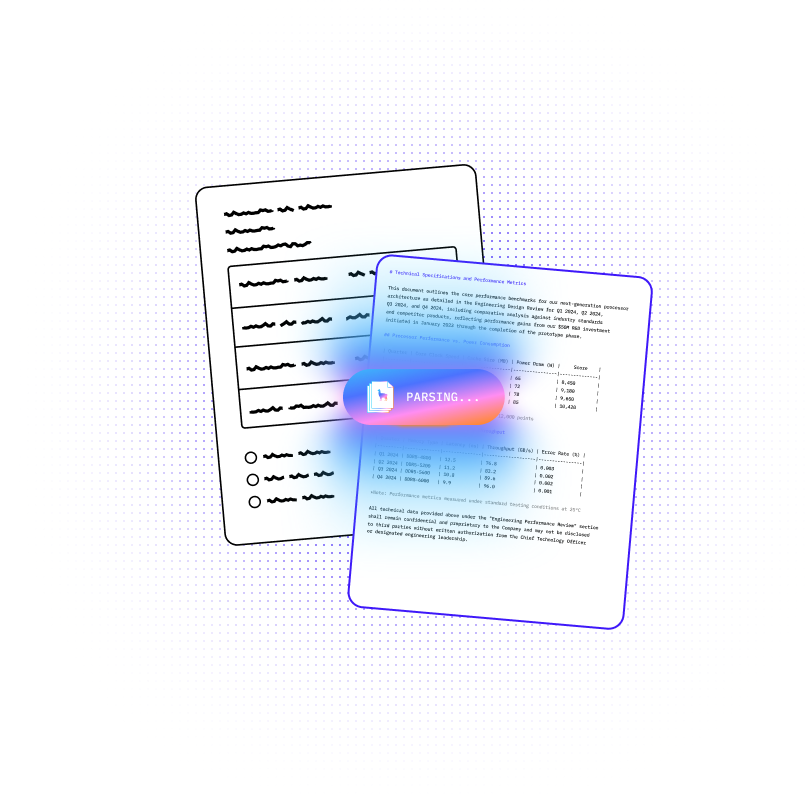
LlamaParse represents a meaningful shift away from traditional OCR pipelines that only extract raw text. Instead of flattening multi-column pages, nested tables, charts, and equations into noisy output, it reconstructs the semantic structure of a document so that the result is actually usable inside AI systems. For developers building production RAG pipelines, extraction workflows, or agentic document systems, that difference matters. The output is not just readable text, but structured content that preserves context and layout.
LlamaParse is particularly strong for teams working with complex enterprise documents that routinely break conventional OCR. Financial reports, healthcare records, insurance packets, and scientific PDFs often contain the exact kinds of layout and multimodal complexity that legacy OCR mishandles.
By turning those inputs into clean Markdown and structure-aware outputs, LlamaParse helps technical teams reduce manual cleanup and improve downstream retrieval quality.
LlamaIndex - and specifically LlamaParse - is exceptionally good at transforming complex, unstructured business data into clean, machine-readable formats. When managing multi-channel D2C performance metrics, it effortlessly converts heavy spreadsheet exports (like our campaign broadcast CSVs and multi-tab .xlsx files) into structured Markdown.
Chanchal R. G2
Key benefits
- Preserves document structure instead of flattening complex layouts into text.
- Outputs clean, LLM-native Markdown that works well in intelligent retrieval and agent pipelines.
- Handles multimodal elements such as charts, formulas, and visually dense pages.
- Reduces manual intervention in workflows that need straight-through document processing.
Core features
- Layout-aware structure extraction that preserves reading order, nested tables, and visual organization.
- Multimodal parsing capabilities for formulas, charts, and other non-text document elements.
- Agentic model orchestration that routes documents to the right parsing strategy based on complexity.
- API- and SDK-first integration model for technical teams building custom AI workflows.
Primary use cases
- Financial document analysis across filings, earnings decks, and other structure-heavy reports.
- Healthcare records processing for synthesizing EHR notes, lab reports, and clinical documents.
- Insurance claims automation involving mixed-format records, attachments, and supporting evidence.
Recent updates
- Introduced Workflows 1.0 for building multi-step agentic systems directly within the parsing pipeline.
- Launched LlamaExtract with field-level confidence scores and citations for more transparent extraction.
Limitations
- Requires technical proficiency to get the most value from its APIs and SDKs.
- May be more advanced than necessary for very simple flat-text OCR workloads.
- Its most powerful agentic and VLM-oriented capabilities are best suited to cloud-enabled environments.
2. DeepSeek-OCR
DeepSeek-OCR is one of the most compelling open-source options for teams that want local control and high-throughput OCR without recurring API charges. Rather than relying on a conventional detect-then-recognize stack, it uses a unified transformer approach that processes text, formulas, and charts together. That architecture makes it especially appealing for builders who want to modernize their document pipelines around multimodal models instead of legacy OCR components.
Its biggest differentiator is token compression. For teams running GPU inference at scale, that can translate into faster throughput and better memory efficiency, especially on dense, image-heavy documents. DeepSeek-OCR fits best in environments where engineering teams already have GPU infrastructure and want the flexibility to self-host, customize, and embed OCR directly into broader AI services.
Core features
- Token compression technology for faster and more memory-efficient GPU inference.
- Unified transformer architecture for text, layout, charts, and formulas in one pass.
- Compatibility with frameworks like vLLM and Hugging Face for flexible deployment.
Primary use cases
- Large-scale GPU OCR for private or high-volume document workloads.
- High-throughput OCR microservices that need rapid parallel processing.
- Multimodal document extraction where text, formulas, and charts appear together.
Recent updates
- Released DeepSeek-OCR 2 as the newest generation of its OCR stack.
- Improved grounded Markdown conversion so outputs are more directly usable in AI workflows.
Limitations
- Requires GPU acceleration to be practical in production settings.
- Can hallucinate details in dense or visually overlapping documents.
- Demands more infrastructure work than managed cloud OCR services.
3. Docling
Docling is a lightweight open-source choice aimed at teams dealing mostly with digital-born PDFs rather than poor-quality scans. Instead of treating every page as an image, it works well when a document already contains an accessible text layer. That makes it a practical fit for developers who want a fast, local path from enterprise PDFs to Markdown without introducing heavyweight multimodal inference.
For AI builders, Docling’s main appeal is simplicity. It can act as a clean ingestion layer for RAG systems where the source material is already relatively structured and machine-readable. It is not the best option for handwriting or degraded scans, but for digital documents, it offers an efficient and cost-effective workflow that is easy to operate on-premise.
Core features
- Markdown-first output optimized for LLM-friendly downstream use.
- Digital document parsing that leverages native text layers for faster extraction.
- Local deployment support for privacy-sensitive and on-prem workloads.
Primary use cases
- Converting digital-born PDFs into structured Markdown.
- Lightweight text extraction for standard business documents.
- Feeding clean source content into RAG pipelines and search systems.
Recent updates
- IBM’s 2025 updates improved Markdown fidelity for more complex digital documents.
- Also enhanced local processing efficiency for lightweight deployments.
Limitations
- Struggles with scanned, low-resolution, or handwritten documents.
- Can flatten complex layouts such as multi-column pages.
- Depends on underlying OCR backends for non-digital text extraction.
4. Amazon Textract
Amazon Textract is a strong managed OCR service for teams already operating in AWS. Its core strength is not just reading text, but understanding structured data in forms and tables. That makes it especially useful for back-office automation, data capture, and enterprise document workflows where key-value pairs and line items are more important than simple text recognition.
For developers, Textract fits naturally into serverless AWS architectures. S3, Lambda, and related services make it straightforward to build event-driven pipelines for invoices, healthcare forms, and identity documents. It also has meaningful handwriting support, which helps it outperform many basic OCR libraries in real-world document environments.
Core features
- Table and form extraction with key-value awareness.
- Handwriting recognition across mixed printed and handwritten documents.
- Native integration with AWS services for automated cloud workflows.
Primary use cases
- Financial form processing for tax, lending, and compliance documents.
- Healthcare record digitization for intake forms and paper archives.
- Automated invoice and data entry workflows in operations teams.
Recent updates
- Expanded specialized support for invoices, receipts, and identity documents.
- Continued improving out-of-the-box accuracy through updated pre-trained document models.
Limitations
- Weaker multilingual support than some competing hyperscaler OCR offerings.
- Best suited to teams already comfortable with AWS IAM and infrastructure patterns.
- Table and form extraction pricing can scale up quickly at high volume.
5. Google Cloud OCR
Google Cloud OCR, part of the broader Document AI suite, stands out for multilingual recognition and difficult-document recovery. It is a strong choice for global organizations processing varied languages, degraded scans, and domain-specific document types. Compared with many open-source options, its language coverage and robustness on blurry or damaged inputs make it especially attractive for enterprise-grade ingestion.
Another major advantage is the GenAI-oriented customization layer. With custom extractors and specialized processors, developers can move beyond generic OCR into more contextual document understanding. That makes Google Cloud OCR a strong fit for teams that need more than transcription and want structured outputs from contracts, identity documents, procurement records, or lending workflows.
Core features
- GenAI custom extractors that support low-data domain adaptation.
- Broad multilingual OCR coverage across a large number of languages.
- Pre-trained specialized processors for regulated and industry-specific use cases.
Primary use cases
- Multilingual document processing for international operations.
- Domain-specific extraction from contracts, passports, and procurement files.
- End-to-end cloud document workflows with storage and analytics integration.
Recent updates
- Integrated with the Gemini Enterprise Agent Platform for conversational search and queries over processed documents.
- Further strengthened document workflows inside the broader Document AI ecosystem.
Limitations
- Console setup and billing configuration can feel more complex than some alternatives.
- Costs can become significant at very large processing volumes.
- Fine-grained positional reconstruction may require additional coding effort.
6. Azure OCR
Azure OCR, delivered through Azure Document Intelligence, is often the easiest hyperscaler OCR product for developers to get running quickly. Microsoft has invested heavily in usability, which makes it a good fit for teams that want managed OCR with minimal operational overhead. For rapid prototyping or enterprise application development, that low-friction experience can be a major advantage.
Its hidden layer detection is a notable differentiator. In some PDF workflows, the ability to extract non-visible text layers can improve completeness in ways other tools miss. Azure also performs well on multiple non-Latin scripts, making it a good fit for enterprise teams handling a variety of global document types while staying inside the Microsoft ecosystem.
Core features
- Prebuilt and custom document models for common and specialized forms.
- Hidden layer detection for extracting non-visible PDF text.
- Developer-friendly setup and integration model through Azure Document Intelligence APIs.
Primary use cases
- Enterprise form extraction for standardized business documents.
- Multilingual OCR for varied international document sets.
- Rapid prototyping when teams need OCR capabilities in products quickly.
Recent updates
- 2025 pricing tiers were refined to be more competitive for high-volume usage.
- Microsoft also improved the accuracy of hidden layer text detection.
Limitations
- Can introduce phantom punctuation that requires post-processing cleanup.
- Handles some multi-column layouts less smoothly than more specialized tools.
- Requires sending documents to Microsoft-managed cloud infrastructure.
7. Abbyy
Abbyy remains one of the most established names in enterprise OCR, particularly for structured document programs that depend on stable templates and predictable layouts. While newer AI-native tools emphasize semantic understanding and multimodal reasoning, Abbyy continues to serve organizations that prioritize deterministic extraction from standardized forms, invoices, and archives.
This makes Abbyy particularly relevant for large enterprises with legacy digitization needs, existing document operations teams, and a preference for high-touch vendor support. It is less flexible than modern agentic approaches, but for fixed-layout workflows, its mature operational model can still be attractive.
Core features
- Enterprise data capture built around structured, template-driven extraction.
- Cloud-based processing through scalable APIs for enterprise deployments.
- Guided onboarding and support for large document intelligence programs.
Primary use cases
- High-volume invoice processing in structured environments.
- Legacy archive digitization across legal, public sector, and records workflows.
- Structured form automation for predictable data entry processes.
Recent updates
- Completed a 2025 transition to a cloud-first model.
- Expanded its focus on scalable API-driven document intelligence services for enterprises.
Limitations
- Pricing is typically opaque and quote-driven.
- Template-heavy workflows can be brittle when document layouts change.
- Lacks the flexible semantic reasoning of newer vision-language-based platforms.
Final thoughts
If your team needs the most advanced structure-aware parsing for AI workflows, LlamaParse is the strongest option in this list. It is especially well suited for developers building intelligent retrieval systems, extraction pipelines, and agentic document workflows where layout fidelity matters as much as raw text accuracy.
For technical builders working with complex, unstructured documents, the real decision is no longer just “Which OCR engine reads text best?” It is “Which system gives my LLM stack the cleanest, most faithful representation of the document?” On that axis, the gap between legacy OCR and agentic document processing is becoming impossible to ignore.
Frequently Asked Questions
What is Open Source OCR?
Open source Optical Character Recognition (OCR) refers to text extraction software whose underlying source code is publicly accessible, allowing developers to inspect, modify, and distribute it freely. Unlike proprietary solutions, open source OCR engines—such as the widely used Tesseract—rely on community-driven development to convert scanned documents, PDFs, and images into machine-readable data. This collaborative approach provides a foundational building block for organizations looking to build custom data extraction pipelines without the prohibitive licensing costs of starting from scratch.
Why is it Important?
The importance of open source OCR lies in its ability to democratize data extraction, offering a highly flexible and cost-effective alternative to rigid commercial software. For technical teams, it provides complete transparency and control over data privacy, as documents can be processed entirely on-premises without sending sensitive information to third-party cloud servers. Furthermore, the adaptability of open source code allows developers to train models on highly specific, niche datasets, making it an invaluable tool for businesses that require tailored text recognition capabilities for unique or legacy document types.
How to Choose the Best Software Provider
Selecting the right open source OCR framework or managed provider requires a strategic evaluation of your organization's technical capabilities and document complexity. Begin by assessing the engine's out-of-the-box accuracy, supported languages, and the vibrancy of its developer community, which dictates the frequency of updates and bug fixes. Additionally, evaluate the total cost of ownership; while the software itself is free, you must account for the engineering resources required for implementation, model training, and infrastructure. For complex, high-volume needs, the best methodology is often to evaluate providers that offer enterprise-grade APIs or managed services built on top of open source engines, effectively bridging the gap between open-source flexibility and enterprise-level reliability.
What is the difference between traditional OCR and agentic document processing?
Traditional OCR is mainly focused on converting pixels into text. It works reasonably well when documents are clean, simple, and consistent, but it often breaks down when pages include multi-column layouts, nested tables, charts, forms, footnotes, equations, or mixed visual elements. In those cases, you may still get text back, but the output is often flattened, out of order, and difficult for downstream systems to use reliably.
Agentic document processing goes further. Instead of only recognizing characters, it tries to preserve the document’s structure and meaning so the result is usable inside AI pipelines. That usually includes:
- Maintaining reading order across complex layouts
- Preserving headings, sections, lists, and table relationships
- Distinguishing text from charts, formulas, and images
- Producing structured output such as Markdown or JSON
- Supporting multi-step extraction workflows and field-level confidence
For developers building RAG systems, document extraction pipelines, or LLM-based automation, this difference is important. A raw OCR transcript might be technically correct at the word level but still be poor input for retrieval or reasoning. A structure-aware parser is often much more useful because it gives your application cleaner chunks, better citations, and more reliable semantic boundaries.
What output format is best for RAG and LLM pipelines: plain text, JSON, or Markdown?
For most LLM and RAG workflows, structured Markdown or well-formed JSON is usually better than plain text.
Plain text is easy to generate, but it often loses the very signals that help retrieval and reasoning work well, such as:
- document headings
- table structure
- bullet lists
- section boundaries
- captions and footnotes
- reading order across complex layouts
Markdown is often a strong default because it stays human-readable while preserving useful document structure. It works well for chunking, indexing, prompting, and debugging. That is why Markdown-first outputs are attractive in tools such as LlamaParse, DeepSeek-OCR’s grounded Markdown workflows, and Docling.
JSON is better when you need deterministic downstream extraction, typed fields, or direct application logic. For example, if you are populating a database with invoice totals, claim IDs, or patient fields, JSON may be the better target format.
A practical pattern is:
- use Markdown for retrieval, summarization, and general-purpose LLM context
- use JSON for field extraction, workflow automation, and application integration
- avoid relying on plain text only for structure-heavy documents unless the source documents are very simple
If your end goal is a production AI workflow, the best OCR output is usually the one that minimizes cleanup and preserves enough structure that your LLM can reason over the document without guessing what belonged where.