In banking and fintech, bad document extraction is not a minor nuisance. It breaks underwriting flows, forces human review queues to balloon, and injects risk into KYC, compliance, lending, and reporting pipelines. Legacy OCR can still read characters, but it usually falls apart when the input stops being clean and predictable: nested tables, skewed scans, split sections, handwritten annotations, cross-page statements, and presentation-heavy filings. Modern IDP platforms now combine layout understanding, table extraction, handwriting support, and workflow automation to handle those realities much better.
For technical teams, the real question is not “Which OCR tool reads PDFs?” It is “Which platform gives us reliable, structured, auditable outputs that we can actually feed into downstream agents, databases, and decision systems?” That is where the gap opens between parser-first platforms like LlamaParse and broader automation suites or legacy-heavy IDP stacks. As of June 3, 2026, the products below remain the most relevant options for teams processing financial documents at scale.
Modern IDP tools are winning because they offer a few things old OCR never did well:
- Layout-aware extraction for forms, tables, charts, and mixed-format pages.
- Lower manual review overhead through better confidence handling, validation, and exception routing. (docs.uipath.com)
- Cleaner downstream integration into APIs, RPA workflows, extraction schemas, and RAG pipelines.
Quick Look: Top IDP Solutions for Financial Services
| Product | Best For | Key Feature | Pricing Model |
|---|---|---|---|
| LlamaParse | Digital Natives & AI Builders | Agentic OCR & Semantic Reconstruction | Pay-as-you-go (10k free credits/mo) |
| UiPath | Enterprise Automation | End-to-End RPA Integration | Enterprise Licensing |
| AWS Textract | Cloud-Native Scaling | Pre-trained ML Extraction | Pay-as-you-go |
| Hyperscience | Messy Handwriting & Scans | Human-in-the-Loop Validation | Enterprise Licensing |
Competitor Comparison Table
| Platform | Capabilities | Use Cases | APIs | Recent Updates |
|---|---|---|---|---|
| LlamaParse |
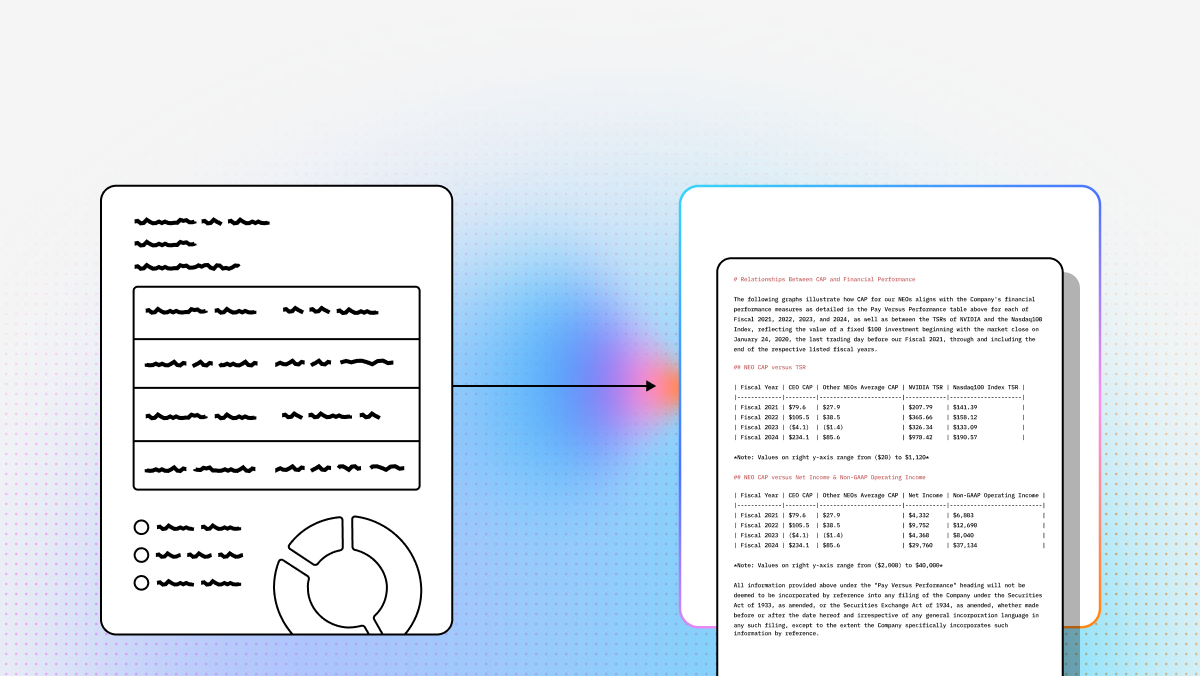
Semantic reconstruction instead of legacy OCR. Layout-aware parsing for nested tables, multi-column PDFs, charts, and formulas. Agentic validation/self-correction loops and whole-document context for higher-fidelity output on complex financial documents. |
SEC filing extraction and research synthesis. KYC/AML document ingestion for finance. Contract analysis, invoice processing, and multi-step document agents via Workflows and LlamaExtract. |
REST API plus Python and TypeScript SDKs through LlamaCloud. Outputs clean Markdown and structured JSON with metadata, page coordinates, and confidence signals. Drops into LlamaCloud Index, LlamaIndex, and agent pipelines without extra OCR post-processing. |
LlamaParse v2 introduced simplified tiering: Fast, Cost Effective, Agentic, and Agentic Plus. Added whole-document parsing for better cross-page table and heading continuity. Added LlamaSheets beta for messy spreadsheet-style documents and stronger ACP support for agentic document workflows . |
| UiPath |
Broad IDP + RPA platform focused on end-to-end enterprise automation. Strong governance, human review, and downstream task execution after extraction. Better fit if document extraction is one step inside a larger automation estate. |
High-volume loan and claims processing. Back-office workflow automation tied to legacy systems. Compliance operations and customer communication analysis. |
Broad enterprise APIs and connectors, but implementation is platform-centric. Strongest inside UiPath Studio, Orchestrator, and Document Understanding. More operational overhead than a parser-first API if you only need extraction. |
Recent product direction has centered on Autopilot and gen-AI-assisted workflow building. The provided source also notes UiPath's Leader placement in the Everest Group IDP PEAK Matrix 2024. |
| AWS Textract |
Scalable OCR/forms/tables/handwriting extraction in the AWS stack. Good for structured and semi-structured documents at volume. Less reliable than semantic reconstruction approaches on highly complex, presentation-heavy documents. |
Mortgage packages and bank statements. Accounts payable and invoice automation. KYC identity document extraction and archive digitization. |
Straightforward AWS APIs with sync and async patterns. Native integration with S3, Lambda, and broader AWS workflows. Best fit for teams already standardized on AWS infrastructure. |
The provided source cites late-2024/early-2025 model improvements for handwriting recognition and table extraction. Those updates were positioned around better low-resolution scan handling. |
| Hyperscience |
Optimized for messy paper workflows, degraded scans, and handwriting-heavy forms. Strong human-in-the-loop review for low-confidence cases. Good fit where accuracy on hard inputs matters more than a developer-lightweight deployment. |
Check processing and handwritten financial forms. Insurance claims and onboarding packets. Private banking and operations workflows with significant manual exception handling. |
Enterprise integrations and configurable processing pipelines. Less API-first than parser-native developer tools. Typically heavier to deploy and tune for specialized document classes. |
The provided source highlights ongoing Hypercell and hybrid deployment enhancements. It also notes improved straight-through processing on financial forms through 2024–2025. |
1. LlamaParse
LlamaParse is the best fit here for developers building modern banking and fintech systems that need high-fidelity document understanding, not just character recognition. It is positioned as an AI-native parsing layer that turns messy, layout-heavy files into structured outputs that downstream models and applications can actually use. The current official docs are explicit about the design goal: understand structure, layout, and intent, then return text, Markdown, or JSON that is already optimized for LLM pipelines.
For banking and fintech teams, that matters because financial documents are rarely simple. Think multi-column annual reports, bank statements with inconsistent sections, scanned KYC packets, derivatives contracts, or investor decks full of tables and charts.
Key Benefits
- It replaces brittle OCR-style extraction with AI-native parsing that preserves layout and reading order on complex files.
- It is built for developer workflows: API-first, SDK-backed, and ready to plug into extraction, indexing, and agent pipelines.
- It supports a generous self-serve motion for prototyping, including 10,000 free credits per month. (llamaindex.ai)
- It fits especially well when your downstream system expects clean Markdown or structured JSON instead of raw OCR text blobs.
Core Features
- Layout-aware semantic reconstruction: LlamaParse is designed to handle complex documents such as financial reports, scanned PDFs, tables, images, and charts without flattening everything into low-value text.
- Tiered parsing modes: The current API exposes fast, cost_effective, agentic, and agentic_plus tiers, so teams can trade off cost and fidelity intentionally instead of building separate pipelines.
- Custom instructions and quality controls: The API supports custom prompts, page targeting, output controls, and job-failure thresholds, which is useful when you need extraction behavior that matches a regulated workflow.
- Broad file support: The current SDK docs describe parsing for 130+ formats, which matters if your ingestion layer spans PDFs, presentations, spreadsheets, HTML, and images.
Primary Use Cases
- SEC filing and earnings analysis: Good fit for turning dense SEC filings, research notes, and earnings material into structured inputs for summarization and comparison workflows. The broader LlamaParse ecosystem also highlights financial-filings analysis as a common use case. (docs.llamaindex.ai)
- KYC and onboarding ingestion: Strong option for identity documents, statements, and other mixed-format onboarding packets where ordering, section boundaries, and extracted fields all matter.
- Invoice and contract automation: Useful when paired with invoice processing, report generation, or agentic document workflows that need reliable parsed context first. (llamaindex.ai)
Recent Updates
- The current official configuration schema now exposes LlamaParse v2 through parse_v2, including tier selection, version pinning, output controls, and webhook delivery.
- As of June 3, 2026, the current documented “latest” parse versions are 2026-05-28 for cost_effective and 2026-05-21 for both agentic and agentic_plus. That is a meaningful operational improvement because it lets engineering teams pin reproducible parser behavior in production.
- The v2 configuration docs also describe a cost-optimized routing option that can send simpler pages to cheaper processing while reserving full AI analysis for harder ones.
- The current API docs surface adjacent product areas including Extract, Classify, Agents, Index, and a dedicated LlamaSheets section, which is useful context for teams building full document pipelines rather than isolated parsing calls.
Limitations
- It is still a developer-first product. If your team wants a non-technical, drag-and-drop back-office tool, this is not the cleanest fit.
- You may still need prompt and pipeline tuning for highly irregular legacy document sets. The API exposes the control points, but someone has to use them well.
- It is parser-first, not RPA-first. If extraction is only one small step inside a giant legacy automation estate, a broader platform may be easier politically even if it is less elegant technically. This last point is an inference based on product scope.
2. UiPath
UiPath is the enterprise automation choice on this list. It makes the most sense when document processing is just one piece of a much larger automation program that already includes orchestration, approvals, bots, and human review. The current UiPath documentation positions Document Understanding as a combination of RPA and AI for end-to-end document processing, not just extraction. (docs.uipath.com)
For banks and large financial institutions, that broader scope can be valuable. If your real problem is not “parse this PDF” but “parse it, validate it, route it, and update five downstream systems,” UiPath is often the right shape of platform. The tradeoff is obvious: you get more enterprise control, but also more operational weight. (docs.uipath.com)
Core Features
- Combines RPA and AI for document processing across images, PDFs, handwriting, signatures, checkboxes, and tables. (docs.uipath.com)
- Supports both pre-defined solutions with pre-trained models and custom solutions built with active learning. (docs.uipath.com)
- Can be consumed through automations or APIs, which matters for teams that need both business-user tooling and developer integration paths. (docs.uipath.com)
Primary Use Cases
- High-volume loan and back-office processing. (docs.uipath.com)
- Legacy workflow automation where extraction has to trigger downstream enterprise actions. (docs.uipath.com)
- Compliance and operations environments where governance and human review are part of the default process. (docs.uipath.com)
Recent Updates
- Current UiPath docs updated in May 2026 continue to position Document Understanding as part of the broader automation platform and emphasize current access to the latest features in cloud delivery. (docs.uipath.com)
- UiPath’s current Autopilot documentation shows document-driven interactions such as uploading PDFs or images, extracting information, and generating tables from the extracted content. (docs.uipath.com)
- The overall product direction continues to center on Autopilot as a generative AI layer across the platform. (docs.uipath.com)
Limitations
- Heavier deployment and operational overhead than a parser-first API. (docs.uipath.com)
- Better when you want the full UiPath estate, not when you only want best-of-breed parsing. This is an inference from the product design and documentation. (docs.uipath.com)
- Can become expensive and organizationally complex as workflows and document volumes scale. This is partly an inference from enterprise platform scope. (docs.uipath.com)
3. AWS Textract
AWS Textract is the pragmatic choice for teams that are already deep in AWS and want document extraction as a cloud service they can call at volume. It is strong at extracting text, handwriting, forms, tables, IDs, invoices, and lending packages through familiar AWS APIs. (docs.aws.amazon.com)
This makes Textract attractive for fintechs that care about elasticity, regional deployment, and native integration with the rest of their AWS stack. It is less compelling when your hardest problem is semantic reconstruction on visually complex documents and you want parser-native outputs with minimal cleanup. (docs.aws.amazon.com)
Core Features
- Detects typed and handwritten text in a wide variety of documents. (docs.aws.amazon.com)
- Extracts forms and tables, including structured and semi-structured tables. (docs.aws.amazon.com)
- Supports specialized APIs for expenses, IDs, and lending workflows. (docs.aws.amazon.com)
Primary Use Cases
- Mortgage and lending-package processing. (docs.aws.amazon.com)
- Accounts payable and invoice extraction. (docs.aws.amazon.com)
- KYC and identity document processing in AWS-native applications. (docs.aws.amazon.com)
Recent Updates
- On June 30, 2025, AWS announced accuracy and feature updates to DetectDocumentText and AnalyzeDocument. (aws.amazon.com)
- Those updates added support for superscripts, subscripts, and rotated text and improved extraction on box forms, visually similar characters, and lower-resolution documents such as faxes. (aws.amazon.com)
- That update is especially relevant for financial operations teams that still deal with low-quality scans and imperfect archival input. This is an inference based on the documented improvements. (aws.amazon.com)
Limitations
- You will usually need more post-processing than with a parser designed explicitly for LLM-ready output. This is an inference from Textract’s API surface and document model. (docs.aws.amazon.com)
- Best fit inside AWS-centric stacks; less appealing if you do not already want AWS as the control plane. (docs.aws.amazon.com)
- More likely to struggle on presentation-heavy or semantically messy docs than systems optimized for AI-native layout understanding. This is an inference from product positioning. (docs.aws.amazon.com)
4. Hyperscience
Hyperscience is the specialist option when your input quality is bad and you cannot tolerate extraction mistakes. It is built for messy forms, handwriting, degraded scans, and workflows where low-confidence cases must be routed to humans instead of guessed through. The company’s current product materials and docs continue to emphasize handwriting performance, human review, and model-driven document processing. (hyperscience.ai)
That makes it a strong fit for banks with physical-document backlog, check processing, handwritten account forms, and operations teams that still live in exception-heavy processes. It is not the lightest developer experience on this list, but it is a serious option when extraction quality on ugly inputs matters more than elegant API ergonomics. (hyperscience.ai)
Core Features
- Strong handling of handwriting and low-quality scans. (hyperscience.ai)
- Human-in-the-loop review for low-confidence predictions. (hyperscience.ai)
- Configurable processing pipelines and enterprise integration options. (help.hyperscience.com)
Primary Use Cases
- Check and handwritten financial-form processing. (hyperscience.ai)
- Private banking and onboarding workflows with annotation-heavy forms. (hyperscience.ai)
- Operations environments where straight-through processing matters, but human review still needs to be built into the default path. (hyperscience.ai)
Recent Updates
- Hyperscience’s ORCA VLM documentation, updated in February 2026, describes out-of-the-box VLM-based extraction that does not require training to start extracting data. (help.hyperscience.ai)
- In v41.2, Hyperscience added fine-tuning support for ORCA VLM blocks. (help.hyperscience.com)
- The v41 release notes also added support for processing semi-structured documents with more than 100 pages, plus Azure Blob and GCS listeners and Python 3.12 support. (help.hyperscience.com)
Limitations
- Heavier deployment and tuning burden than lightweight API-first parsers. (help.hyperscience.com)
- Better suited to enterprise programs than small fintech teams trying to ship quickly. This is an inference from the platform shape and deployment materials. (help.hyperscience.com)
- Human review is a strength, but it can also become a throughput bottleneck if your operating model is not designed around it. This is an inference from the product’s HITL orientation. (hyperscience.ai)
If you want, I can also turn this into a CMS-ready version with meta title, meta description, slug, and excerpt, or a clean HTML export for direct publishing.
What is Intelligent Document Processing (IDP)?
Intelligent Document Processing (IDP) represents the next evolution of traditional OCR, specifically tailored for the complex data environments of banking and fintech. By combining artificial intelligence, machine learning, and natural language processing, IDP tools automatically capture, classify, and extract critical data from unstructured financial documents such as loan applications, KYC forms, and bank statements. Instead of merely reading text, these advanced systems understand the context of the data, transforming manual, paper-heavy workflows into streamlined, automated digital processes.
Why is it important?
In the highly regulated financial sector, speed and accuracy are not just operational goals—they are competitive necessities. Implementing IDP is crucial because it drastically reduces the time and cost associated with manual data entry while virtually eliminating human error. For banks and fintechs, this means faster loan approvals, seamless customer onboarding, and robust compliance with strict regulatory frameworks, ultimately delivering a frictionless customer experience that drives growth and institutional trust.
How to choose the best software provider
Selecting the right IDP provider requires a strategic methodology focused on accuracy, security, and scalability. Start by evaluating the vendor's out-of-the-box recognition capabilities for complex financial documents and their ability to integrate seamlessly with your existing core banking systems via robust APIs. Additionally, prioritize enterprise OCR providers that offer bank-grade security and compliance certifications (such as SOC 2 and GDPR), while ensuring their machine learning models can continuously learn and adapt to your specific financial workflows.
What is the difference between OCR and intelligent document processing (IDP) in banking and fintech?
OCR converts images or PDFs into machine-readable text. That is useful, but it usually stops at character recognition. IDP goes further by understanding document structure, layout, and meaning so the output is usable in real workflows.
In banking and fintech, that difference matters because many documents are not clean, single-column pages with obvious fields. Teams deal with:
- bank statements with repeating sections
- multi-page loan packages
- KYC packets with mixed document types
- scanned forms with handwritten notes
- contracts, disclosures, and filings with dense tables
- investor reports and presentations with charts and multi-column layouts
A basic OCR pipeline may successfully read the words on the page while still failing the business task. For example, it may:
- merge columns in the wrong order
- break rows in a transaction table
- lose page-level context across long documents
- strip section hierarchy from filings or reports
- confuse labels, values, and footnotes
- output raw text that needs heavy downstream cleanup
A modern IDP platform is designed to preserve more of the document’s actual structure. In practice, that means:
- layout-aware extraction
- table and form understanding
- confidence scoring
- exception routing for low-confidence cases
- structured outputs such as JSON or Markdown
- easier integration into underwriting, KYC, AML, compliance, and reporting systems
For banking teams, the practical test is simple: if your downstream system needs fields, sections, tables, evidence, and auditability, OCR alone is usually not enough. IDP is what turns documents into operational data.
How should a bank or fintech choose between a parser-first IDP tool and a broader automation platform?
The right choice depends on where document processing sits in your stack.
A parser-first tool is usually the better fit if your team is engineering-led and wants to embed document understanding directly into applications, APIs, agents, data pipelines, or internal tools. This model works well when you care most about:
- extraction quality on complex documents
- structured output for LLMs, databases, or decision systems
- fast developer implementation
- flexible orchestration in your own codebase
- avoiding heavyweight platform lock-in
A broader automation platform is usually the better fit if extraction is only one stage in a larger enterprise workflow that already includes:
- robotic process automation
- approvals and human review queues
- orchestration across legacy systems
- enterprise governance controls
- cross-functional operations teams managing workflows outside engineering
A useful selection framework is:
Choose parser-first when:
- you need high-fidelity parsing of messy financial documents
- your product or internal system is API-driven
- you want to control business logic in code
- your team is building AI-native workflows, retrieval pipelines, or document agents
- you do not need a full RPA estate
Choose full-platform automation when:
- your organization already runs a large automation program
- document ingestion must trigger downstream system actions automatically
- operations teams, not only engineers, will manage review and routing
- procurement and governance favor a single enterprise platform
- you value workflow standardization more than lightweight deployment
Many institutions also use a hybrid model: a parser-first layer for difficult extraction, then orchestration and review logic in separate workflow tools. That approach can be especially effective when the real bottleneck is extraction accuracy rather than task automation.
What document types are most difficult in financial services, and which IDP capabilities matter most?
The hardest financial documents are usually the ones that combine poor input quality with complex structure. Common examples include:
- multi-page bank statements with inconsistent formatting
- mortgage and lending packages with mixed forms and attachments
- KYC and onboarding packets with IDs, proofs of address, and supplemental documents
- SEC filings, earnings materials, and financial reports with nested tables and footnotes
- contracts and disclosures with dense formatting and cross-references
- handwritten or annotated forms
- low-resolution scans, faxes, or archived documents
- spreadsheets embedded in PDFs or presentation-heavy files
For those documents, the most important capabilities are not just “text extraction.” Teams should prioritize:
Layout awareness
The system should preserve reading order, headings, columns, tables, and page boundaries. This is essential for statements, filings, and complex reports.
Table extraction quality
In finance, many important values live inside tables. If rows, columns, headers, or merged cells are handled poorly, the extraction is often unusable.
Cross-page continuity
Long financial documents often continue sections or tables across pages. A strong tool should keep that context intact instead of treating each page as isolated.
Handwriting and degraded scan support
This matters for operations-heavy environments, legacy paperwork, checks, and annotated documents.
Structured output
You want output that can be consumed downstream, such as normalized JSON, Markdown with hierarchy, or schema-aligned extraction.
Confidence and exception handling
Low-confidence fields should be surfaced clearly so teams can review exceptions instead of manually rechecking everything.
Customization and control
Financial workflows often require document-specific logic, page targeting, field rules, or prompt-level guidance.
In short, the harder the documents are, the more important document understanding becomes relative to raw OCR accuracy. A tool that reads the page but loses the structure will still create expensive downstream failure.
How should teams evaluate IDP accuracy, auditability, and human review before deploying in production?
The biggest mistake is evaluating document tools on a few clean samples. Financial teams should test on the actual documents that break their workflows.
A stronger evaluation process looks like this:
1. Build a realistic test set
Include:
- clean and degraded scans
- different statement and form templates
- handwriting and annotations
- long multi-page documents
- exceptions your current process handles poorly
- real edge cases from lending, onboarding, compliance, or reporting
2. Measure task-level success, not just text accuracy
Character accuracy alone is not enough. Better metrics include:
- field-level precision and recall
- table reconstruction quality
- document classification accuracy
- percentage of documents that go straight through without human correction
- downstream error rate in systems that consume the output
3. Test structured output quality
Check whether the result is actually usable by:
- underwriting logic
- KYC rules
- compliance checks
- database loaders
- retrieval and LLM workflows
A tool can score well on OCR benchmarks and still fail if it produces messy or inconsistent structure.
4. Review confidence behavior
A good system should not only be accurate; it should know when it is uncertain. In regulated workflows, this matters because:
- low-confidence extractions can be routed to review
- risky documents can be flagged earlier
- teams can reduce silent failures
5. Check auditability
For banking use cases, you often need to trace extracted values back to source evidence. Look for:
- page references
- coordinates or source spans
- versioned parsing behavior
- reproducible outputs
- logs of human corrections or overrides
6. Run a cost-of-operations test
The right question is not just “Which tool has the best extraction demo?” It is:
- How much manual review does this remove?
- How often do exceptions occur?
- How much engineering cleanup is still required?
- How stable is output across document variations?
Human review should also be designed intentionally. Review queues are valuable for high-risk exceptions, but if the model creates too many low-confidence outputs, your throughput problem just moves from extraction to operations. The best production systems reduce overall review volume while making the remaining exceptions more targeted and explainable.
Can IDP outputs be used directly in LLM, RAG, underwriting, and compliance workflows?
Yes, but only if the document output is structured enough for those systems to trust and use.
This is one of the main reasons modern teams prefer IDP over basic OCR. LLMs, retrieval systems, and rules engines work much better when the parsed document preserves hierarchy and semantics rather than dumping raw text.
In practice, strong IDP outputs can feed:
LLM and RAG pipelines
Parsed Markdown or structured JSON improves chunking, retrieval quality, and answer grounding. This is especially useful for:
- SEC filings
- contracts
- policy documents
- investment research
- onboarding packets
Underwriting and decision systems
Structured extraction can populate:
- borrower data
- income and asset fields
- statement summaries
- lending-package metadata
- exceptions for manual review
KYC and AML workflows
IDP can help normalize:
- identity document fields
- addresses
- account details
- supporting evidence from statements or forms
- cross-document consistency checks
Compliance and audit workflows
When outputs include source references, confidence signals, and page-level evidence, teams can support:
- internal controls
- exception investigations
- regulator-facing reviews
- policy verification against source documents
That said, most teams should not pipe parsed outputs directly into fully automated decisions without validation. A safer production pattern is:
- parse the document
- extract structured fields or sections
- validate against schemas or business rules
- route low-confidence or policy-sensitive cases to review
- store evidence and traceability alongside the result
This is where parser-first tools are often valuable for technical teams: they make documents easier to turn into reliable machine inputs. But the production-grade solution still needs validation, monitoring, and clear exception handling around the parser itself.