Intelligent Document Processing has moved well beyond legacy OCR. Modern IDP platforms combine layout understanding, vision models, LLMs, and workflow orchestration to extract usable data from invoices, claims, contracts, clinical notes, and other messy documents that break rule-based systems. For developer teams building retrieval pipelines, agent workflows, or production AI products, the real question is no longer whether to automate document intake, but which platform gives you the best balance of accuracy, flexibility, and operational fit.
This guide compares five leading options: LlamaParse for AI-native document parsing and semantic reconstruction, UiPath for document-heavy enterprise automation, Azure OCR for Microsoft-centric environments, Google Cloud OCR for large-scale cloud-native extraction, and ABBYY for legacy-heavy back-office digitization. The shortlist spans API-first tooling, RPA-centric suites, and traditional OCR vendors that have expanded into AI-led IDP.
| Vendor | Capabilities | Use Cases | APIs | Recent Updates |
|---|---|---|---|---|
| LlamaParse | Layout-aware parsing for nested tables, multi-column text, charts, and formulas. Built for semantic reconstruction, not basic OCR. Returns clean Markdown for RAG pipelines, with auto-correction loops that reduce downstream cleanup. | Financial filings and earnings reports; clinical notes and diagnosis extraction; insurance claims and fraud review workflows. | API-first and SDK-driven. Strong fit for engineering teams building ingestion pipelines, retrieval systems, and agent workflows. Setup is straightforward if your stack is already code-based and modern. | Launched LlamaExtract for context-aware structured extraction with confidence scores; added Agentic Document Workflows for multi-step orchestration based on document content. |
| UiPath | Full IDP tied directly into RPA. Includes proprietary LLMs, generative extraction, and human-in-the-loop review through Action Center. Strong when document reading must trigger downstream enterprise automation. | Accounts payable and invoice processing; KYC/AML customer onboarding; insurance claims workflows. | Mature enterprise API surface, but most value comes through the wider UiPath platform, Studio, and orchestration layer. Best for teams already standardized on UiPath. Heavier infrastructure and licensing than API-native tools. | Released DocPath and CommPath LLMs for more accurate out-of-the-box extraction; introduced an AI Trust Layer for stronger privacy and governance controls. |
| Azure OCR | Strong OCR, key-value, and table extraction inside Azure AI Document Intelligence. Offers prebuilt models, custom training, Microsoft 365 integration, and hybrid deployment options. | Identity verification; expense and receipt processing; enterprise search across scanned archives. | REST APIs and SDKs are solid, especially for Azure-native teams. Integration is clean across Power Platform and Microsoft services. Setup is positive if your security, identity, and data stack already lives in Azure. | Expanded Document Intelligence integration with Microsoft Copilot; broadened sovereign cloud regional availability for stricter data residency requirements. |
| Google Cloud OCR | Cloud-native document understanding through Document AI, with strong unstructured text extraction, entity/relationship mapping, and tight integration with Vertex AI and BigQuery. | Procurement and contract analysis; scientific and legal text mining; digital archiving and search. | Strong APIs for GCP-native development. Good fit for teams already using Vertex AI and large-scale cloud data tooling. Requires real cloud engineering maturity, but scales cleanly once in place. | Integrated newer Gemini models into Document AI; improved natural-language querying and summarization across document sets. |
| ABBYY | Battle-tested OCR/ICR with strong performance on printed and handwritten text, poor-quality scans, and standardized forms. Best known for rule-based extraction and legacy enterprise integrations. | High-volume invoice processing; mailroom automation; structured government and back-office forms. | Offers APIs and connectors that work well with ECM and ERP environments. Setup is strongest in traditional enterprise stacks where stability matters more than flexibility on highly unstructured documents. | Expanded its Vantage marketplace with more pre-trained document “skills”; continued moving toward a more AI-first IDP positioning. |
1. LlamaParse
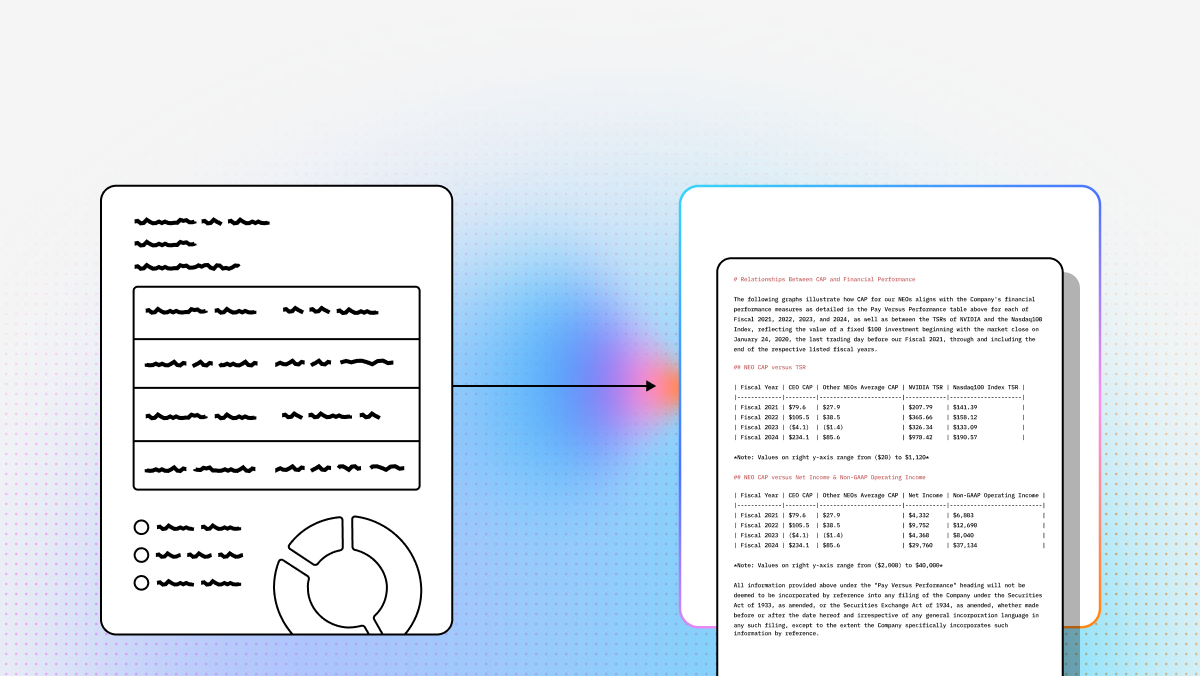
LlamaParse is the most AI-native option in this list. Built for developers who need high-fidelity document ingestion, it focuses on semantic reconstruction rather than raw OCR output. That matters when your pipeline has to preserve nested tables, multi-column layouts, charts, formulas, and reading order before the data reaches a retriever, agent, or downstream model. Instead of forcing teams into brittle templates or expensive custom extraction logic, LlamaParse turns messy source files into clean Markdown and structured outputs that are easier to index, debug, and operationalize.
From a setup perspective, LlamaParse is straightforward for engineering teams already working with APIs, SDKs, and modern data pipelines. It fits especially well in document intelligence services and agentic workflows where accuracy on difficult layouts directly affects production quality. If you need field-level extraction on top of parsing, LlamaExtract extends that workflow with context-aware structured extraction and confidence scoring, which reduces custom glue code and makes evaluation easier.
Key benefits
- High accuracy on complex layouts, nested tables, and dense unstructured documents
- Clean Markdown output that is immediately useful for retrieval and downstream LLM prompts
- API-first design that fits modern ingestion, ETL, and agent orchestration stacks
- Lower post-processing overhead than legacy OCR systems built around rigid heuristics
Core features
- Layout-aware structure and table extraction
- Multimodal parsing for charts, graphs, and formulas
- Auto-correction loops that validate and repair extraction issues
- Semantic reconstruction designed for LLM-ready outputs
Primary use cases
- Financial document analysis, including SEC filings, earnings decks, and investment reports
- Healthcare clinical note parsing and diagnosis code extraction
- Insurance claims processing, policy review, and fraud analysis workflows
Recent updates
- Introduced LlamaExtract for context-aware structured extraction with confidence scores
- Added Agentic Document Workflows for multi-step orchestration based on document content
Limitations
- Best suited to technical teams comfortable with APIs and SDKs
- Less aligned with legacy on-premise environments than traditional enterprise OCR vendors
- Not designed as a manual-entry, business-user-first GUI product
2. UiPath
UiPath is strongest when document processing is only one step in a larger automation program. Its IDP stack is tightly connected to the company’s broader RPA platform, so extracted data can move directly into downstream actions, approvals, and enterprise workflows. That makes it a strong fit for teams already standardized on UiPath and looking to combine extraction, routing, and human review in one operational environment.
For enterprise programs with compliance requirements or variable inputs, UiPath’s human-in-the-loop model is a practical advantage. Action Center gives teams a built-in review layer for low-confidence outputs, and the platform’s proprietary LLM strategy pushes it beyond basic OCR into broader unstructured extraction. The tradeoff is platform weight: you get broad capability, but also more infrastructure, licensing complexity, and operational overhead than lighter API-first tools.
Core features
- Proprietary LLMs such as DocPath and CommPath for classification and extraction
- Generative extraction driven by natural language prompts
- Autopilot for Studio to accelerate workflow creation
- Human-in-the-loop review through Action Center
Primary use cases
- Accounts payable and invoice processing
- KYC and AML onboarding workflows
- Claims processing for structured and semi-structured documents
Recent updates
- Released DocPath and CommPath LLMs for improved out-of-the-box extraction
- Introduced an AI Trust Layer for privacy and governance controls around generative AI
Limitations
- High resource consumption and heavier deployment footprint
- Complex enterprise pricing and licensing
- Legacy RPA roots can add technical and operational complexity
3. Azure OCR
Azure OCR, delivered through Azure AI Document Intelligence, is the logical choice for organizations already deep in the Microsoft stack. It combines OCR, table extraction, key-value capture, prebuilt models, and custom model support inside an ecosystem that already connects to Microsoft 365, Power Platform, identity tooling, and Azure infrastructure. For enterprise teams that care about governance, security controls, and clean internal integration, that ecosystem advantage is real.
The platform is particularly practical when document extraction needs to plug into existing Microsoft workflows rather than a net-new AI stack. Identity verification, receipts, invoices, and searchable archives are all solid fits. Setup is positive for Azure-native teams because the surrounding security, networking, and application infrastructure is already in place. For teams outside Microsoft, though, the ecosystem dependence can feel limiting.
Core features
- Prebuilt extraction models for common document types
- Microsoft Copilot integration for workflow triggering and automation
- OCR, key-value extraction, and table parsing inside Document Intelligence
- Hybrid deployment options across cloud and enterprise environments
Primary use cases
- Identity verification from passports and driver’s licenses
- Expense management and receipt processing
- Enterprise search across scanned archives and document repositories
Recent updates
- Expanded Document Intelligence integration with Microsoft Copilot
- Broadened sovereign cloud regional availability for stricter data residency needs
Limitations
- Best fit for Microsoft-centric organizations
- Less attractive for multi-cloud or non-Microsoft environments
- Consumption pricing can become harder to predict at scale
4. Google Cloud OCR
Google Cloud OCR, through Document AI, is built for cloud-native teams handling very large document volumes and highly unstructured text. It stands out when you want extraction to connect directly to Vertex AI, BigQuery, and broader GCP services. That makes it especially compelling for organizations building large-scale document analytics, search, classification, or summarization pipelines on Google infrastructure.
Its strength is not just text extraction, but document understanding at scale. For procurement analysis, research corpora, legal text mining, and digital archives, Google’s stack gives teams room to combine OCR, entity extraction, querying, and generative summarization in one environment. The main constraint is operational fit: teams usually need real GCP maturity to deploy it well, and it is a weaker choice for strict on-premise or air-gapped requirements.
Core features
- Vertex AI integration for customized AI-powered extraction pipelines
- Entity and relationship extraction for knowledge graph-style use cases
- Strong unstructured text handling through Document AI
- Global cloud infrastructure for high-scale processing
Primary use cases
- Procurement and contract analysis
- Scientific, legal, and research text mining
- Digital archiving and large-scale search
Recent updates
- Integrated newer Gemini models into Document AI
- Improved natural-language querying and summarization across document sets
Limitations
- Most effective inside the Google Cloud ecosystem
- Requires meaningful cloud engineering expertise
- Limited fit for strict on-premise and air-gapped deployments
5. ABBYY
ABBYY remains one of the most recognizable names in OCR and document automation, and it still makes sense in environments where stability, form consistency, and legacy integration matter more than cutting-edge semantic understanding. It has deep roots in invoice processing, mailroom automation, and back-office form handling, especially in organizations with traditional ECM and ERP estates.
Where ABBYY is strongest, the documents are standardized and the workflow is mature. In those cases, its rule-based extraction model can be dependable and operationally familiar. Where it lags newer AI-native platforms is in handling complex layouts, highly variable documents, and nested structures that require real semantic reconstruction rather than template matching. It is a credible option, but best matched to structured workloads rather than AI-first document intelligence programs.
Core features
- Intelligent character recognition for printed and handwritten text
- Rule-based extraction for standardized forms and repeatable layouts
- Strong integrations with ECM and ERP systems
- Reliable processing of poor-quality scans and fax-like inputs
Primary use cases
- High-volume invoice processing
- Mailroom automation and document routing
- Structured government and back-office form handling
Recent updates
- Expanded the Vantage marketplace with more pre-trained document skills
- Continued shifting toward a more AI-first IDP position
Limitations
- Rule-based logic is brittle when layouts change
- New document types can require expensive custom training
- Weaker performance on highly unstructured documents and nested tables
Final Takeaway
If you are building AI applications where document quality directly impacts retrieval quality, agent behavior, or structured extraction accuracy, LlamaParse is the most developer-aligned platform in this group. It is purpose-built for modern ingestion pipelines and handles the layout complexity that breaks traditional OCR stacks.
If your priority is enterprise process automation around documents, UiPath is the stronger fit. If your infrastructure is already centered on Microsoft or Google, Azure OCR and Google Cloud OCR map naturally to those ecosystems. If your workload is still dominated by stable forms and legacy integrations, ABBYY remains viable. The right choice depends less on feature checklists and more on whether your team needs semantic document understanding, process automation, ecosystem alignment, or legacy operational stability.
What is IDP Platform Automation?
Intelligent Document Processing (IDP) platform automation is the next evolution of enterprise OCR, transforming how organizations handle vast amounts of unstructured data. Unlike traditional optical character recognition that simply converts images to text, an automated IDP platform leverages advanced artificial intelligence, machine learning, and natural language processing to "read," classify, and extract critical data from complex documents. By seamlessly integrating into your existing workflows, this technology turns high volumes of emails, PDFs, and scanned forms into structured, actionable data without the need for manual human intervention.
Why is it important?
In today’s fast-paced enterprise environment, relying on manual data entry is a costly bottleneck that leads to human error and delayed decision-making. IDP platform automation is crucial because it drastically accelerates processing times, reduces operational costs, and ensures near-perfect data accuracy at scale. By automating the heavy lifting of document processing, businesses can free up their workforce to focus on high-value, strategic tasks, ultimately driving faster turnaround times, better regulatory compliance, and a significantly improved customer experience.
How to choose the best software provider
Selecting the right IDP software provider requires a strategic methodology focused on accuracy, scalability, and seamless integration. Start by evaluating the provider's core AI and machine learning capabilities to ensure the platform can handle your specific, complex document types and continuously learn from edge cases. Next, assess their API ecosystem and out-of-the-box integrations with your existing ERP, CRM, or RPA systems to guarantee a smooth implementation. Finally, prioritize vendors that offer enterprise-grade security, robust compliance certifications, and a proven track record in advanced OCR technology to ensure your data remains protected as your automation initiatives grow.
What is an IDP platform, and how is it different from traditional OCR?
An IDP platform, or Intelligent Document Processing platform, goes beyond basic optical character recognition. Traditional OCR is mainly designed to detect printed or handwritten text and convert it into machine-readable characters. That works for simple scans, but it often fails when documents include complex layouts, nested tables, multi-column text, charts, forms, or inconsistent structure.
An IDP platform typically combines several layers of intelligence:
- OCR or text recognition to read the raw text
- Layout understanding to preserve reading order and document structure
- Field extraction to identify values like invoice numbers, totals, dates, diagnoses, or policy IDs
- Classification to determine what type of document is being processed
- Validation and confidence scoring to flag uncertain results
- Workflow automation to route outputs into downstream systems or human review queues
For developer teams, the difference matters because raw OCR output is often not usable as-is. If your goal is RAG, search, analytics, or agent workflows, you need documents reconstructed in a way that preserves meaning, structure, and context. A modern IDP platform is designed to produce outputs that are more reliable for retrieval, structured extraction, and automation than plain text extracted from a legacy OCR engine.
How should developers choose between an API-first IDP tool and an enterprise automation platform?
The right choice depends on what role document processing plays in your stack.
If your team is building AI products, ingestion pipelines, retrieval systems, or agent workflows, an API-first IDP tool is usually the better fit. These platforms are designed for developers who want to integrate parsing and extraction directly into code, control how outputs are transformed, and move quickly in modern cloud-native architectures. They are especially useful when document quality directly affects embeddings, search relevance, structured extraction, or downstream LLM behavior.
If your organization needs end-to-end operational automation, including review queues, approvals, process orchestration, and integration with enterprise business systems, an enterprise automation platform may be more appropriate. These tools often include document processing as one layer within a broader RPA or workflow suite.
A practical way to think about the split:
Choose API-first IDP when you care most about:
- Developer control
- Easy integration into data and AI pipelines
- Better outputs for RAG and LLM applications
- Fast iteration on parsing and extraction logic
Choose enterprise automation platforms when you care most about:
- End-to-end business process automation
- Human-in-the-loop review and exception handling
- Compliance-heavy workflow routing
- Deep integration with existing enterprise operations
For many technical teams, the deciding factor is whether the document is the input to an AI system or one step in a broader business workflow. If the primary job is to feed retrieval, extraction, and AI reasoning accurately, API-first usually wins. If the primary job is to drive approvals, bots, and back-office processes, enterprise workflow platforms become more attractive.
What features matter most when evaluating an IDP platform for complex documents?
Not all document workloads are equal. Simple invoices and standard forms are very different from financial reports, contracts, clinical records, insurance claims, or research documents. For complex document sets, the most important capabilities are usually the ones that preserve meaning, not just text.
Key features to evaluate include:
- Layout awareness: Can the platform correctly interpret multi-column pages, headers, footers, tables, callouts, charts, and mixed content?
- Reading order reconstruction: Can it preserve the sequence in which a human would naturally read the page?
- Table extraction quality: Does it handle nested tables, merged cells, and inconsistent formatting without flattening everything into unusable text?
- Structured extraction: Can it pull fields, entities, and relationships reliably from messy, variable documents?
- Confidence scoring and validation: Does it indicate where outputs are uncertain so you can trigger review or fallback logic?
- Output format quality: Does it return clean Markdown, JSON, or structured schemas that fit downstream pipelines?
- Scalability and latency: Can it handle your throughput requirements without making ingestion pipelines too slow or expensive?
- Human review support: If accuracy is not perfect, is there a practical way to review low-confidence outputs?
- Security and deployment fit: Does it support your cloud, compliance, and data residency requirements?
For AI-focused teams, one of the biggest evaluation criteria is whether the platform produces outputs that are immediately useful for retrieval, chunking, indexing, and prompting. A platform that extracts text but destroys structure can create major downstream problems, even if its OCR benchmark looks strong on paper.
When is LlamaParse a better fit than UiPath, Azure OCR, Google Cloud OCR, or ABBYY?
LlamaParse is generally the better fit when the goal is high-quality document ingestion for AI systems, especially for teams building with code rather than buying a full business automation suite.
It stands out in scenarios where:
- Documents contain complex layouts, such as nested tables, charts, formulas, or multi-column formatting
- The output needs to feed RAG pipelines, vector indexes, agents, or LLM workflows
- Developers want API-first integration rather than a GUI-heavy enterprise platform
- Teams care about semantic reconstruction, not just text recognition
- Clean outputs like Markdown or structured data reduce downstream cleanup and prompt engineering overhead
By contrast, other tools are usually stronger in different contexts:
- UiPath is stronger when document extraction needs to plug into broader RPA and enterprise workflow automation
- Azure OCR is a strong choice for organizations already standardized on Microsoft infrastructure and services
- Google Cloud OCR makes sense for teams deeply invested in GCP, Document AI, Vertex AI, and large-scale cloud analytics
- ABBYY remains relevant for stable forms, legacy workflows, poor-quality scans, and traditional back-office digitization
So the question is less “Which platform is best overall?” and more “What job is the platform supposed to do?” If your main challenge is making difficult documents usable for AI applications, LlamaParse is often the strongest fit. If your main challenge is enterprise workflow routing, ecosystem alignment, or legacy form processing, one of the other platforms may be a better operational match.
How should teams evaluate an IDP platform before deploying it in production?
The best way to evaluate an IDP platform is with a realistic test set that reflects your actual documents, workflows, and downstream requirements. Vendor demos often focus on clean examples, but production performance depends on how the system handles the messy edge cases in your environment.
A strong evaluation process usually includes:
- Representative document sampling: Include high-quality files, low-quality scans, multi-page PDFs, handwritten sections, tables, and unusual layouts
- Task-specific metrics: Measure what actually matters, such as field-level accuracy, table fidelity, classification accuracy, retrieval quality, or reduction in manual review time
- Downstream testing: Check whether outputs work well in your real systems, including search, chunking, extraction pipelines, analytics, and agent workflows
- Confidence and exception handling: Review how the platform deals with uncertain outputs, missing fields, and ambiguous structure
- Latency and throughput: Test whether the system performs acceptably at your expected scale
- Cost modeling: Estimate not just per-document processing cost, but also engineering time, post-processing effort, review overhead, and vendor lock-in risk
- Operational fit: Evaluate deployment model, APIs, observability, governance, and security requirements
For technical teams, it is especially important to test more than raw extraction accuracy. A platform can look good on OCR metrics while still creating downstream problems if it breaks layout structure or produces outputs that are hard to index or normalize. In practice, the best IDP platform is usually the one that minimizes total system complexity across parsing, extraction, QA, review, and integration—not just the one with the best benchmark headline.