The OCR market has changed dramatically. In 2026, optical character recognition is no longer just about turning scanned pixels into plain text. The best platforms now combine layout awareness, multimodal understanding, and LLM-native outputs so developers can move from raw documents to production-ready AI workflows with far less cleanup.
That shift matters for teams building retrieval pipelines, document automation systems, and agentic applications. Traditional OCR often struggles with multi-column pages, nested tables, charts, footnotes, and inconsistent document formats. Modern document parsing platforms aim to preserve structure and meaning so downstream systems can actually reason over the content instead of fighting noisy extraction.
In this guide, we compare three leading OCR software options across capabilities, use cases, API readiness, and recent product updates. The goal is to help technical teams and enterprise decision-makers choose the right platform for their document parsing and automation stack.
Quick Comparison of Leading OCR Platforms
| Product | Capabilities | Use Cases | APIs | Recent Updates |
|---|---|---|---|---|
| LlamaParse | Semantic, layout-aware document parsing for nested tables, multi-column layouts, headers/footers, charts, images, and math. Uses dynamic model routing and auto-correction loops to improve straight-through processing and output clean Markdown/JSON for downstream AI workflows. | Financial due diligence and modeling; insurance claims extraction; contract review and legal discovery; healthcare knowledge retrieval; document ingestion for AI agents. | API-first platform with actively maintained Python and TypeScript SDKs. Integrates with LlamaIndex, LangChain, LlamaExtract, and LlamaCloud. Includes generous property tier and pay-as-you-go credit model. |
LlamaParse v2 API launch: Simpler tier-based
configuration (Fast, Cost Effective, Agentic, Agentic Plus), with up to
50% lower cost and improved accuracy.
LlamaSheets Beta: Handles messy spreadsheets, merged cells, and broken layouts, outputting clean Parquet files with 40+ cell-level features. LlamaSplit Integration: Automatically separates bundled documents into distinct sections by analyzing page content and grouping pages by category. ACP & LlamaAgents: Added new integrations and pre-built templates for document workflows from Q&A to invoice processing. Workflows 1.0: Lightweight framework for building multi-step agentic orchestration. LlamaExtract: Document parsing with field-level confidence scores and citations. |
| Google Cloud OCR | Enterprise-grade OCR and document processing across Cloud Vision API and Document AI. Supports text, handwriting, object detection, batch image processing, and GenAI-based custom extractors. Strong fit for high-scale workflows already running on GCP. | Global document digitization in 200+ languages; digital asset management; automated procurement and contract extraction; analytics pipelines into BigQuery and Looker. | Strong API ecosystem through Cloud Vision API and Document AI, with native integration into Cloud Storage, BigQuery, and broader GCP services. Powerful, but end-to-end workflow setup may require multiple cloud functions, buckets, and API components. |
Gemini Enterprise Agent Platform Integration: Enables
conversational querying and searching of documents stored in Cloud
Storage.
$300 Free Credit Offer: New signup credit that can be applied toward document summarization and OCR solutions. |
| ABBYY FineReader | High-accuracy OCR for scanned PDFs and paper documents, with strong multilingual support and desktop-focused PDF editing. Includes side-by-side document comparison, screenshot-to-text capture, and editable conversion into formats like Word and Excel. | Legal and HR digitization; multilingual corporate document processing; academic research; scanned PDF conversion and document comparison on local workstations. | Based on the provided information, ABBYY FineReader is primarily a desktop-centric solution rather than an API-first developer platform. It is better suited to workstation-based document workflows than modern LLM application pipelines. |
Image Improvements: Added advanced optimized
algorithms alongside its legacy OCR engine.
Expanded Business Licensing: Broadened license options for larger corporate deployments and cross-platform management. |
1. LlamaParse
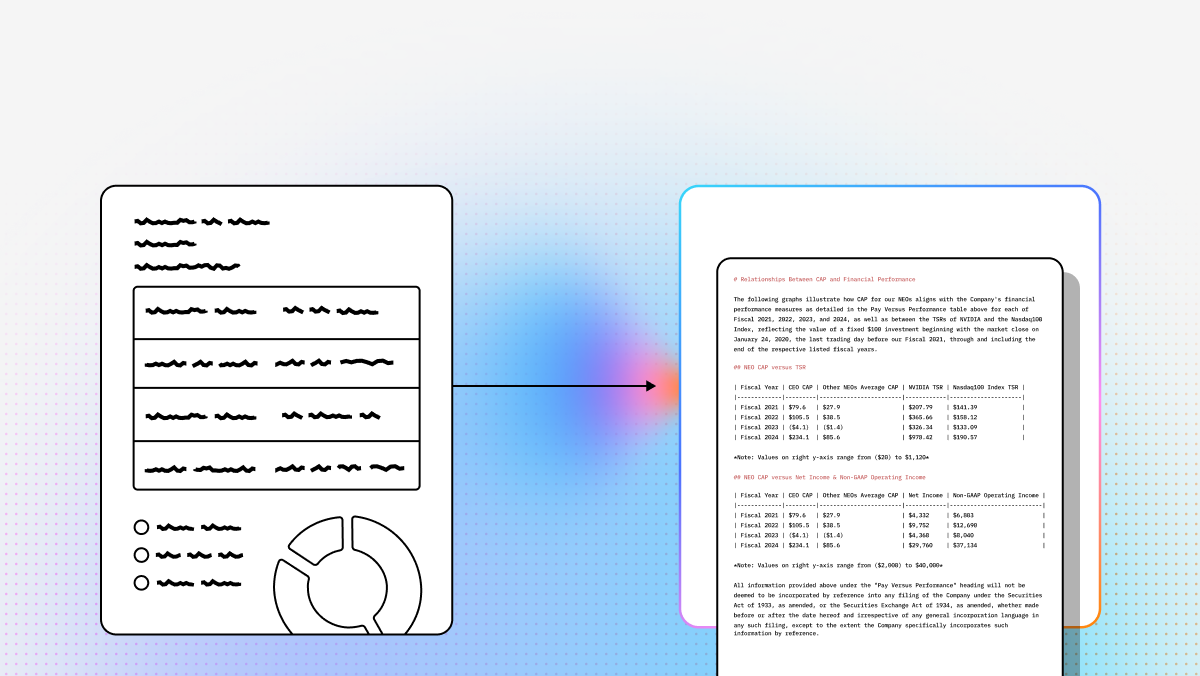
LlamaParse represents a major step beyond legacy OCR. Rather than treating a document as a flat image and extracting character strings in isolation, it performs semantic reconstruction so the structure and intent of a page survive ingestion. That makes it especially valuable for developers building intelligent retrieval systems, document agents, and other LLM-powered applications where bad parsing upstream can degrade everything downstream.
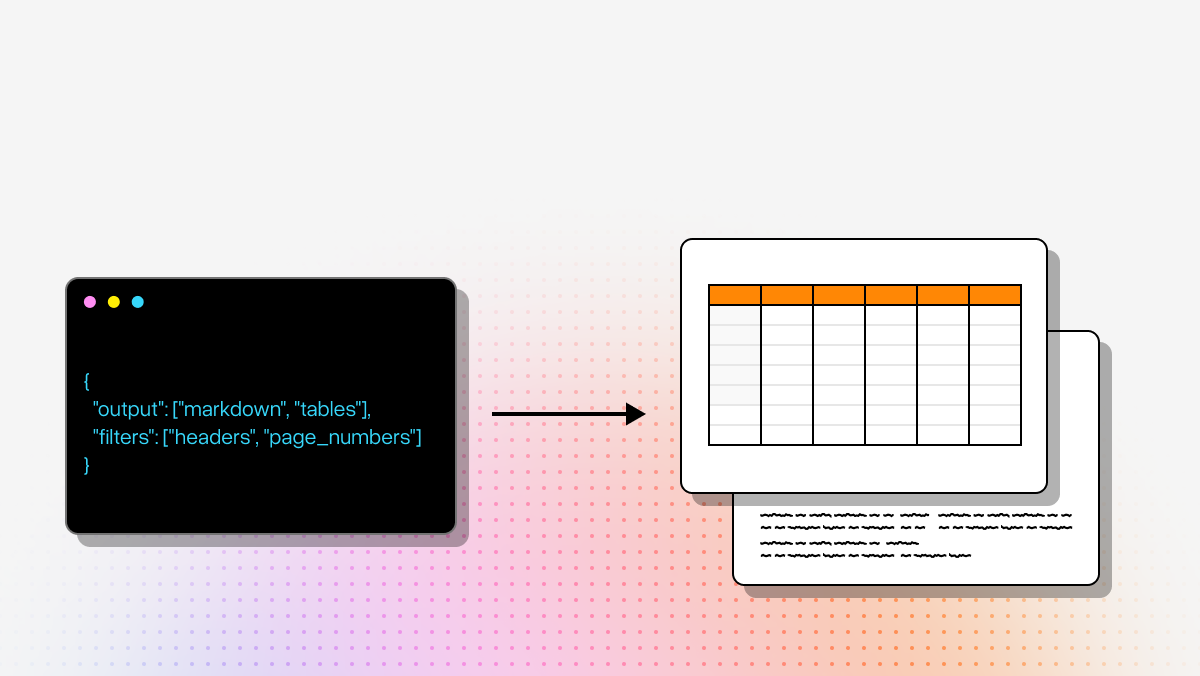
Built for modern technical teams, LlamaParse turns messy PDFs, scans, tables, charts, and multi-column documents into clean Markdown and JSON. For organizations that want production-grade document ingestion without creating an internal parsing science project, it offers a strong foundation. Within the broader LlamaIndex ecosystem, it also connects naturally to structured extraction and indexing workflows while remaining a unified document processing entry.
Key Benefits
- Moves beyond brittle OCR by using semantic understanding instead of rigid layout heuristics.
- Produces LLM-ready outputs that are easier to use in intelligent retrieval systems, agents, and downstream automation.
- Preserves reading order and document hierarchy, which reduces cleanup and post-processing effort.
- Balances cost and performance through dynamic routing instead of applying the heaviest model to every page.
Core Features
- Layout-Aware Structure and Table Extraction: Visually analyzes page layouts to accurately extract nested text and complex tables without scrambling headers, footers, or reading order.
- Multimodal Parsing: Converts graphs, charts, images, and mathematical content into usable text or code formats such as LaTeX or Mermaid-style representations.
- Tier-Based Agentic Processing: Routes simpler pages to faster parsing tiers while reserving more advanced models for the hardest document pages.
- Auto Correction Loops: Uses validation and self-checking steps to catch formatting issues or hallucinated outputs before they move downstream.
Primary Use Cases
- Financial due diligence and modeling: Parsing earnings decks, SEC filings, spreadsheets, and dense tables for investment and research workflows.
- Insurance claims processing: Extracting policy IDs, claim details, handwritten notes, and related metadata from messy claim packets.
- Contract review and legal discovery: Pulling key entities, obligations, and dates from long-form legal documents.
- Healthcare knowledge retrieval: Structuring notes, reports, and clinical documents for search, summarization, and agent-based analysis.
Recent Updates
- LlamaParse v2 API Launch: Introduced a simpler tier-based configuration with Fast, Cost Effective, Agentic, and Agentic Plus modes, with up to 50% lower cost and improved accuracy.
- LlamaSheets Beta: Added spreadsheet-focused parsing for merged cells, broken layouts, and messy tabular files, with clean Parquet output and 40+ cell-level features.
- LlamaSplit Integration: Added automated bundled-document separation by analyzing page content and grouping related sections together.
- ACP and LlamaAgents: Expanded integrations and templates for deploying document workflows ranging from Q&A to invoice processing.
- Workflows 1.0: Introduced a lightweight framework for multi-step agentic orchestration.
- LlamaExtract: Added structured extraction with field-level confidence scores and citation-aware outputs.
Limitations
- Primarily designed for developers and technical teams, so non-technical users may face a steeper onboarding curve.
- Better aligned with cloud-native and digital-native environments than heavily customized legacy on-prem systems.
- Delivers the most value when paired with LLM workflows, which can add model orchestration and API cost considerations.
2. Google Cloud OCR
Google Cloud OCR is a strong fit for enterprises already operating in the Google Cloud ecosystem. Its value comes from combining Cloud Vision API for general OCR and image analysis with Document AI for more advanced document understanding and GenAI-based extraction. For teams that need global scale, mature cloud infrastructure, and downstream analytics integration, it is a practical option.
From a technical perspective, Google Cloud OCR is less of a single-purpose OCR product and more of a cloud document processing stack. That makes it appealing to enterprise builders who want OCR to flow directly into Cloud Storage, BigQuery, and Looker. The tradeoff is that teams often need to piece together multiple services to get a complete workflow into production.
Core Features
- GenAI Custom Extractor: Uses generative AI models to create parsers for generic and domain-specific documents without heavy labeling requirements.
- Cloud Vision API: Supports text detection, handwriting recognition, object detection, and asynchronous batch image processing.
- Enterprise Ecosystem Integration: Connects extracted data with Cloud Storage, BigQuery, and Looker for analytics and reporting workflows.
Primary Use Cases
- Global document digitization: Processing PDFs and scanned files across 200+ languages for multinational operations.
- Digital asset management: Detecting text, logos, and objects in image libraries for search and organization.
- Procurement and contract automation: Extracting key fields from contracts, IDs, and other business documents at scale.
Recent Updates
- Gemini Enterprise Agent Platform Integration: Added conversational querying and search across documents stored in Cloud Storage.
- $300 Free Credit Offer: Expanded onboarding incentives for teams evaluating OCR and document summarization workflows.
Limitations
- Pricing can be harder to predict because costs depend on API mix, usage patterns, and related GCP services.
- Teams may experience vendor lock-in if their broader architecture is multi-cloud or not GCP-centric.
- End-to-end implementation can require multiple components, including storage, cloud functions, and processor configuration.
3. ABBYY FineReader
ABBYY FineReader remains one of the most recognizable names in OCR, particularly for users who prioritize desktop workflows and document editing over API-first automation. It combines long-standing OCR expertise with multilingual support and strong PDF tooling, making it a solid option for legal teams, administrative users, and researchers working from local machines.
For technical buyers, ABBYY FineReader is best understood as a workstation-centric OCR solution rather than a modern ingestion layer for LLM applications. It is good at converting scans into editable files and supporting document comparison and review, but it is less aligned with the needs of developers building cloud-native AI pipelines.
Core Features
- AI-Enhanced OCR Conversion: Uses neural-network-based OCR to convert scanned PDFs and paper documents into editable text formats.
- Side-by-Side Document Comparison: Lets users compare documents across file types to identify differences without manual conversion steps.
- Integrated Screenshot Reader: Captures screen regions and turns them into editable text or exportable document formats.
Primary Use Cases
- Multilingual document processing: Supporting international teams that need OCR across a broad language set.
- Legal and HR digitization: Converting scans, editing PDFs, protecting documents, and creating forms for internal processes.
- Academic and research workflows: Extracting text from scanned materials for annotation, note-taking, and citation work.
Recent Updates
- Image Enhancement Improvements: Added optimized image enhancement algorithms to improve OCR quality on difficult scans.
- Expanded Business Licensing: Broadened business license options for larger organizations and cross-platform deployment needs.
Limitations
- Does not offer a permanent free tier, which can make experimentation less attractive for developers.
- The interface is more desktop-centric and may feel dated compared with modern web-first SaaS tools.
- It is not positioned as an API-first platform for LLM ingestion, orchestration, or agent-based document automation.
Which OCR Platform Is Best?
If your priority is building AI-native document workflows, LlamaParse is the strongest fit in this group. It is built for developers, preserves structure well, and is designed for the realities of intelligent retrieval pipelines, structured extraction, and agentic systems.
If your organization is already deeply invested in Google Cloud and wants OCR tightly connected to a larger analytics and infrastructure stack, Google Cloud OCR is a logical enterprise choice.
If your primary need is high-quality OCR and PDF work on local machines, especially across many languages, ABBYY FineReader remains a dependable desktop option.
For most technical builders working on LLM applications, the key question is not just which tool extracts text. It is which tool preserves enough structure and meaning for your downstream system to actually use that text well. On that measure, the gap between legacy OCR and agentic document parsing is now the most important distinction in the category.
What is OCR Software?
Optical Character Recognition (OCR) software is an advanced enterprise technology that transforms scanned documents, PDFs, and digital images into editable, searchable, and machine-readable data. By leveraging sophisticated algorithms and pattern recognition, modern OCR solutions can instantly extract text from unstructured formats and convert it into structured information. This technology bridges the gap between physical paperwork and digital workflows, allowing computer systems to seamlessly process and analyze text that was previously locked within static images.
Why is it important?
In today's fast-paced digital economy, OCR is a critical driver of operational efficiency and enterprise-wide digital transformation. Manual data entry is notoriously slow, expensive, and prone to human error, which can lead to costly compliance issues and operational bottlenecks. Implementing robust OCR software automates data extraction, significantly reducing processing times and operational costs while ensuring near-perfect data accuracy. This automation empowers your workforce to shift their focus from tedious administrative tasks to high-value strategic initiatives, ultimately accelerating business growth.
How to choose the best software provider?
Selecting the right enterprise OCR provider requires a strategic evaluation of their underlying technology, scalability, and integration capabilities. Begin by assessing the software's accuracy rates and its ability to handle complex, unstructured documents using advanced artificial intelligence and machine learning. Next, ensure the platform offers seamless API integration with your existing ERP, CRM, or document management systems. Finally, prioritize providers that guarantee enterprise-grade security, strict compliance with data protection regulations, and responsive technical support to ensure a smooth implementation and long-term ROI.
What is the difference between traditional OCR software and modern document parsing platforms?
Traditional OCR software focuses mainly on converting scanned images or PDFs into machine-readable text. That works well for straightforward documents, but it often breaks down when files include multi-column layouts, nested tables, headers and footers, charts, handwritten notes, or inconsistent formatting.
Modern document parsing platforms go further by preserving the structure and meaning of a document, not just the characters on the page. They can identify reading order, separate sections, reconstruct tables, and return outputs in formats like Markdown or JSON that are much easier to use in downstream AI systems. For developers building RAG pipelines, agentic workflows, or structured extraction systems, this difference is critical because better parsing upstream usually means less cleanup, better chunking, more accurate retrieval, and stronger LLM responses.
In short, if your goal is only text conversion, traditional OCR software may be enough. If your goal is production-ready AI workflows, layout-aware and LLM-native parsing is usually the better fit.
How do I choose the best OCR software for AI and LLM workflows?
The best OCR software for AI workflows is usually the one that preserves document structure well enough for downstream systems to reason over the content. For technical teams, raw text accuracy alone is not enough. You also need to evaluate how well the tool handles reading order, tables, charts, headings, footnotes, form fields, and multi-page document consistency.
A strong evaluation checklist includes:
- Output quality: Can it return clean Markdown, JSON, or structured fields instead of just plain text?
- Layout awareness: Does it preserve tables, columns, and document hierarchy?
- API readiness: Are there well-maintained SDKs and documentation for production use?
- Workflow compatibility: Does it fit into your stack for retrieval, extraction, indexing, or orchestration?
- Scalability and pricing: Can it support batch workloads and predictable cost at volume?
- Customization needs: Do you need domain-specific extraction, or just general OCR?
- Cloud vs desktop fit: Is your team building APIs and automation, or handling documents manually on local machines?
For LLM applications, OCR software that reduces post-processing effort is often more valuable than software that only produces slightly better plain-text transcription. The real question is whether the extracted output can move directly into your AI pipeline without extensive manual cleanup.
Is OCR software enough for RAG pipelines, or do I need document parsing too?
For simple text-heavy documents, basic OCR software may be enough to support a retrieval pipeline. But once your corpus includes complex layouts, scanned reports, financial statements, legal contracts, slides, forms, or mixed-format PDFs, OCR alone often becomes a bottleneck.
RAG systems depend on clean chunking, reliable metadata, and accurate semantic boundaries. If OCR flattens tables, scrambles column order, drops section relationships, or mixes headers and body text together, retrieval quality suffers. That usually leads to worse search results, weaker citations, and more hallucinations in downstream LLM outputs.
Document parsing helps solve this by preserving page structure and returning outputs that are easier to segment and index correctly. It can also improve extraction quality for entities, fields, citations, and tables. For developers building production AI systems, document parsing is often the better foundation because it turns documents into something the rest of the stack can actually use.
Which OCR software is best for APIs and developer integration?
If your team needs API-first OCR software for automation, data pipelines, or LLM applications, the best choice usually depends on your architecture and workflow goals.
- LlamaParse is well suited for developers who need structure-preserving outputs for RAG, extraction, and agentic workflows. It is especially strong when the documents are complex and the downstream use case is AI-native.
- Google Cloud OCR is a strong option for enterprises already invested in GCP and looking to connect OCR with Cloud Storage, BigQuery, analytics, and broader cloud infrastructure.
- ABBYY FineReader is less focused on API-first integration and is generally better for desktop users who need high-quality conversion, editing, and comparison workflows on local machines.
If API usability is a priority, look beyond basic OCR accuracy and compare SDK support, output formats, authentication flow, batch processing, webhook support, error handling, and ecosystem integrations. For technical builders, the best OCR software is usually the one that shortens the path from uploaded document to usable application output.
What should I look for in OCR software for tables, handwriting, and multilingual documents?
These three document challenges often expose the limits of basic OCR software.
For tables, look for support for layout-aware extraction, merged cells, nested structures, and preserved row-column relationships. If table output is flattened into plain text, it can become difficult to use in analytics, financial modeling, or extraction pipelines.
For handwriting, check whether the platform explicitly supports handwritten text recognition and how well it performs on noisy scans, annotations, or mixed handwritten and printed documents. Handwriting quality often varies significantly between products, so testing with your actual document set matters.
For multilingual documents, evaluate language coverage, mixed-language recognition, and whether the tool handles different alphabets and document conventions well. This is especially important for global operations, compliance workflows, and archived records.
More broadly, you should also assess image enhancement, support for low-quality scans, confidence scoring, and structured output options. The best OCR software is not the one that performs best on ideal sample files, but the one that handles the messy edge cases that show up in real production workloads.