Just-in-Time Agentic OCR
The latest RAG trend I'm seeing in the current agent harnesses (Claude Cowork, Codex) is to do two passes of document processing in order to solve a knowledge work task over a data room of documents:
- A fast and light pass, oftentimes using a free/OSS doc parsing tool. This can be cheaply run across 10-100 files, and lets the agent do retrieval (grep, semantic search) to find the relevant subsets of context.
- A "just-in-time" VLM-based pass. Once the agent finds the relevant pages, it will screenshot them and call its own VLM (or write code) to dissect those pages.
I've started calling this just-in-time Agentic OCR. The issue with only using VLM-based OCR over an ad-hoc customer file dump is that it's slow and expensive. Doing the VLM pass just-in-time lets the agent filter through the data cheaply, but still preserve accuracy for the context that's actually needed for the task. The harnesses do this by default with off-the-shelf tools, and over the past couple months several teams building document agents have described the same setup to us unprompted.
To be clear, this pattern is for the ad-hoc "data room" setting, where a user uploads ~10-100 documents and wants to ask questions over them. It is not what I'd recommend for an offline data pipeline over 1k-1M+ documents (more on this below). This post walks through the pattern on a real data room, when to use it vs. VLM-based OCR up front, and what's missing from the out-of-the-box tooling.
The Two Passes

Pass 1 (skim): The agent runs a cheap, model-free text extraction over every file in the upload. The output isn't perfect, but it's good enough to grep over and to build a lightweight semantic index on top of.
Retrieval: The agent searches the skimmed text (grep, semantic search) to find candidate files and pages.
Pass 2 (zoom in): For the relevant pages, the agent gets a VLM-quality read, either by screenshotting the page and calling its own VLM (Opus 5 in Cowork's case) or by calling a document parser that does. There are two ways to keep this pass cheap:
- Run VLM-OCR over subsets of the document instead of the entire document. If retrieval surfaces pages 24-25 of a ~250-page 10-K, the agent can "zoom in" and only parse those two pages, which reduces both latency and cost.
- Process the docs with VLM-OCR in the background anyway. The user gets served something fast from the two-pass loop, and meanwhile you run VLM-OCR over the full upload and cache the results. Obviously this prevents the harness from having to run VLM-OCR over literally the same docs over and over again.
A Real Example: 84 SEC Filings
FinanceBench is Patronus AI's open-book financial QA benchmark. The open-source portion has 150 questions over 84 public filings (10-Ks, 10-Qs, 8-Ks, and earnings releases), which is 12,013 pages in total. This is a pretty realistic data room for a diligence task.
Here's one of the questions:
If we exclude the impact of M&A, which segment has dragged down 3M's overall growth in 2022?
Here's what the two-pass loop does with it (numbers are from running this on my laptop).
- Skim. LiteParse in text mode (
--no-ocr) parsed all 84 filings (12,013 pages) in 32 seconds. The first pass is basically free. - Retrieve. Running
grep "Organic sales"over the output lands on 3M's 2022 10-K, a few lines under a table titled "Worldwide Sales Change By Business Segment," on page 25 of 252. - Zoom in. Page 25 has three financial tables on it. In the raw
pdftotextoutput the table gets dumped out column by column — "Organic sales," then the five segment names, then the five numbers — so it's not clear which number belongs to which row. LiteParse does better here since it preserves x/y positions. Page 24 is harder: a 14-column table with three-line stacked headers, which is honestly ambiguous in any text representation. Running both pages through LlamaParse agentic mode gives you proper HTML tables withrowspan/colspanheaders, and the answer is Consumer, which shrank by (0.9)% organically.


Here's what each tool actually outputs for the segment table on page 25
pypdf Text layer
As read by the Anthropic PDF skill. pdftotext in default mode gives the same shape.
Worldwide Sales Change By Business Segment Organic sales Acquisitions Dives
titures Translation Total sales change Safety and Industrial 1.0 % – % – %
(4.2) % (3.2) % Transportation and Electronics 1.2 – (0.5) (4.6) (3.9) Heal
th Care 3.2 – (1.4) (3.8) (2.0) Consumer (0.9) – (0.4) (2.6) (3.9) Total Co
mpany 1.2 – (0.5) (3.9) (3.2)
LiteParse (markdown mode, --no-ocr) — no model involved, just x/y positions.
# Year ended December 31, 2022 Worldwide Sales Change
| By Business Segment | Organic sales | Acquisitions | Divestitures | Translation | Total sales change |
|---|---|---|---|---|---|
| Safety and Industrial | 1.0 % | - % | - % | (4.2) % | (3.2) % |
| Transportation and Electronics | 1.2 | - | (0.5) | (4.6) | (3.9) |
| Health Care | 3.2 | - | (1.4) | (3.8) | (2.0) |
| Consumer | (0.9) | - | (0.4) | (2.6) | (3.9) |
| Total Company | 1.2 | - | (0.5) | (3.9) | (3.2) |
LlamaParse
Agentic mode · pages=[25]
The VLM pass.
| Year ended December 31, 2022 | |||||
|---|---|---|---|---|---|
| Worldwide Sales Change By Business Segment | Organic sales | Acquisitions | Divestitures | Translation | Total sales change |
| Safety and Industrial | 1.0% | —% | —% | (4.2)% | (3.2)% |
| Transportation and Electronics | 1.2 | — | (0.5) | (4.6) | (3.9) |
| Health Care | 3.2 | — | (1.4) | (3.8) | (2.0) |
| Consumer | (0.9) | — | (0.4) | (2.6) | (3.9) |
| Total Company | 1.2 | — | (0.5) | (3.9) | (3.2) |
In total the agent ran VLM-OCR over 2 out of 12,013 pages, and that step took a few seconds.
You can also cheaply figure out which pages need the VLM pass in the first place. LiteParse has a lit is-complex command that prints a per-page needs_ocr verdict along with reasons (scanned, no-text, sparse-text, embedded-images, garbled). It also identifies pages with likely tables, multicolumn text, etc. Across the 84 filings it flagged 2,605 of 12,013 pages (21.7%), almost all of them sparse-text (dense tables with low text coverage), plus 253 pages with embedded images and 75 with no text layer at all.
LlamaParse exposes the same idea as an estimateFileComplexity MCP tool that maps each page to a parsing tier. On the 3M 10-K it routed roughly two-thirds of the pages to LiteParse and the remaining ~35% to a VLM tier.
Why This Works for a Data Room but Not an Offline Pipeline
The reason two-pass works in the mid-sized data room setting is that you can somewhat overcome any retrieval issues by just making use of all the filesystem commands and running more passes of the agent loop.
If pass 1 mangles a table or drops a scanned page, retrieval might miss it. But with 84 documents this is fine. If the agent really wants to find a bit of information, it doesn't only have to use grep — it can crawl every doc in the dataset. This increases latency, but it allows the agent to comprehensively search every doc, similar to what I described in Files Are All You Need where agents interleave search with Read() operations the way a human would.
You can't efficiently do this for 1M docs. At that scale the agent only sees what retrieval returns, so retrieval (semantic or keyword) has to be accurate, and retrieval is only as good as the text representation it's built on top of. For offline use cases, being able to have VLMs read any doc — scanned/digitalized, forms, handwriting, charts — matters a lot for retrieval accuracy.
So the rule of thumb I'd use is:
- ~10-100 docs, ad-hoc questions: two-pass. Cheap first pass, retrieve, then VLM-OCR just-in-time on the relevant pages (and optionally over everything in the background).
- 1k-1M+ docs, offline pipeline: VLM-based OCR up front, on every page, before you index anything.
When to Use VLM-Based OCR Up Front
There are two main cases where I'd skip the two-pass setup and just run VLM-based OCR over everything up front:
Large offline batch processing for RAG use cases. If you're indexing 1k-1M+ documents that agents will query over and over, you want VLM-quality text for every page (scanned, digitalized, forms, handwriting, charts), because retrieval accuracy depends directly on it. The parsing cost also gets amortized over every future query.
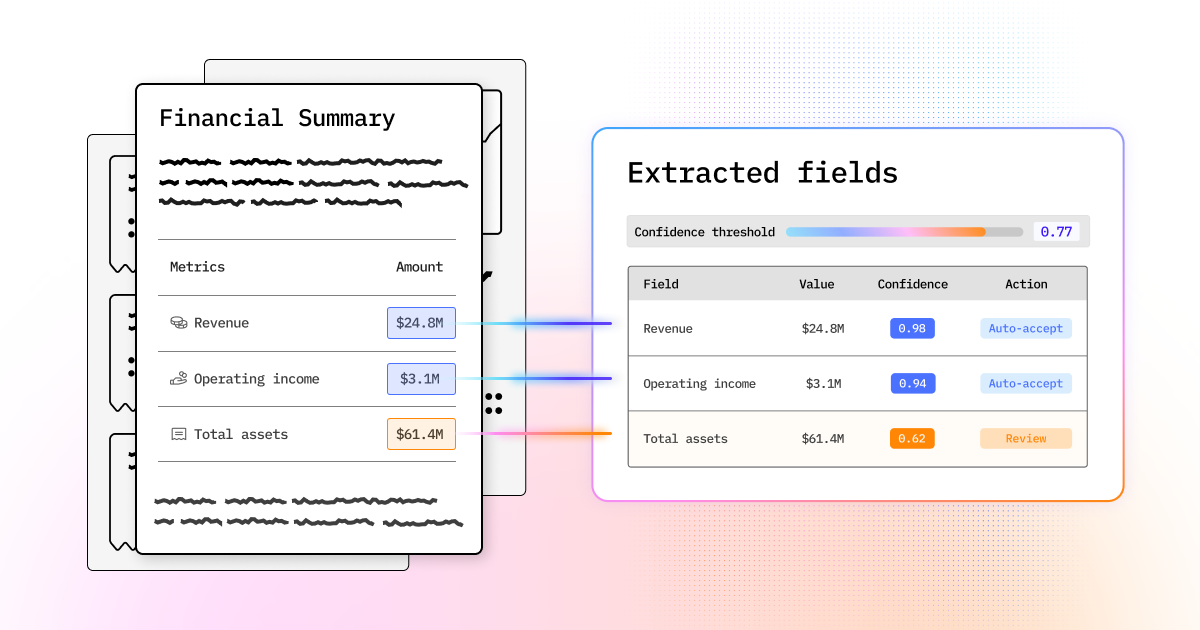
Batch processing for document extraction use cases, where accuracy is extremely important. Think: invoice extraction, claims intake, KYC, anything where you're extracting fields into a system of record. A misread cell becomes a wrong number downstream, and you want bounding boxes and confidence scores on every field so a human can audit it. There's no "zoom in later" here since you need to process every single document anyway.
In both cases the cost math is different. You're paying ~1¢/page once, either for something that gets reused thousands of times or for something that has to be right the first time.
Issues with the Out-of-the-Box Setup
Going back to the data room setting, the agent harnesses do two-pass document processing by default using off-the-shelf tools: pdftotext as the first pass, and the harness's own model (Opus 5 in Cowork's case) as the second pass. The main issues with this "out of the box" doc processing are:
- Opus 5 is not the best VLM for OCR. It's also way too expensive at scale and lacks grounding.
- The OSS tools like pypdf and pdftotext aren't versatile enough as a first pass.
- The agent writes a lot of throwaway code to rebuild things an OCR tool would provide out of the box.
Opus 5 is not the best VLM for OCR, and it's way too expensive at scale: Frontier models are post-trained for reasoning, math, and coding. Document OCR isn't a benchmark any of the labs are optimizing for, as I wrote about recently.
On ParseBench (2,078 human-verified enterprise pages, 169k test rules across tables, charts, content faithfulness, semantic formatting, and visual grounding), the best frontier model we've tested is Fable 5.1 at 78.9 overall, but at 16¢/page. Opus 4.8 gets 63.7 at 7.3¢, GPT-5.5 gets 67.8 at 13¢, and Gemini 3.1 Pro gets 69.1 at 8.5¢. LlamaParse agentic gets 87.0 at 1.25¢. (We haven't run Opus 5 on ParseBench yet.)
The bigger issue is grounding. Opus 4.8 scores 18.7 on visual grounding, and the non-thinking Haiku 4.5 and GPT-5 Mini runs score below 7, vs. 84 for LlamaParse. Without bounding boxes and confidence scores there's no way to audit the output, and if the agent misreads a single table cell, that error gets propagated through the rest of the workflow.
The OSS tools like pypdf and pdftotext aren't versatile enough as a first pass: They pull the embedded text layer out of digital PDFs and not much else. Scanned pages come back empty. Multi-column layouts get interleaved, since the text layer stores the order the text was drawn in rather than the reading order. Tables get dumped out column by column, like the 3M page above.
A real customer file dump is also maybe half PDFs; the rest is Word, PowerPoint, Excel, and email exports that these tools don't handle at all.
The agent writes a lot of throwaway code to rebuild things an OCR tool would provide out of the box: rendering pages to images, cropping figures, reconstructing tables in pandas, guessing at cell boundaries. Chart processing, bounding boxes, and confidence scores are all things a real parser returns in a single call, and instead the agent re-derives them with one-off Python every session, which costs both tokens and time. It works more often than you'd expect, but none of it is reusable or reproducible.
Tools for Both Passes
We have all the tools within LlamaIndex to help any agent do two-pass document processing with higher accuracy and lower cost.
LiteParse for the first pass. LiteParse is a free/OSS parser written in Rust (Apache 2.0, 12k+ stars) that does spatial text extraction with bounding boxes, reconstructs markdown headings and tables, and supports 50+ document types including the Office formats. It's what I used for the 32-second number above. It also has lit is-complex , which tells the agent which pages actually need the VLM pass. There's an agent skill if you want to use it from Claude Code or Cowork today.
To be clear about where it fits: LiteParse is great as the first pass in the data room setting, but it's not something I'd use as the first step of an offline pipeline over 1k+ docs, for the reasons above.
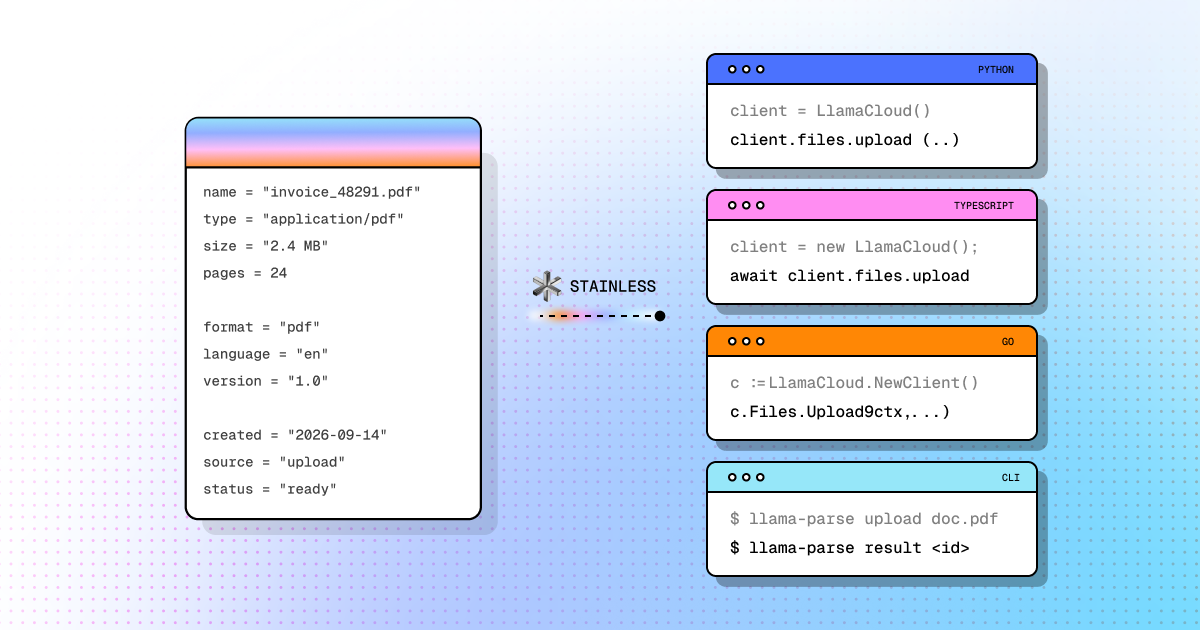
LlamaParse for the second pass. LlamaParse is an agentic document engine that uses VLMs + harnesses to get SOTA accuracy and cost across doc parsing and extraction tasks. It routes each page across frontier, specialized, and distilled VLMs, and returns cell-level table structure, bounding boxes, and confidence scores. It can be called from any agent harness as an MCP server or skill. Two things matter specifically for JIT workflows:
- It takes page numbers as input, so the agent can run LlamaParse over a subset of the doc instead of the full doc as a "zoom-in" pass.
- It has an
estimateFileComplexitytool that scores each page before you spend any credits, and you can also push the full document through in the background so future sessions don't have to re-OCR the same pages.
Closing Thoughts
I think just-in-time OCR is going to be the default for the ad-hoc data room use case, and I expect the harnesses to make it more explicit over time: a cheap layout-aware first pass, VLM-OCR that can target specific pages, per-page complexity signals to decide which pages need it, and background processing to fill in the rest. For large offline corpora and batch extraction, running VLM-based OCR up front is still the right call.
If you want to try this out:
- LiteParse for the first pass (free, OSS, local, 50+ formats).
- LlamaParse for the second pass (MCP and skill docs here); it takes page numbers so your agent only pays for the pages it actually reads.
- ParseBench if you want to check the numbers yourself.
Come check it out!