

LlamaParse vs Tesseract OCR
LlamaParse is the agentic document processing platform at the frontier of price-performance built for accurate extraction from complex documents. Tesseract is a legacy open-source OCR engine focused on simple text recognition from basic documents.
Last updated: October 28, 2026
Capabilities
LlamaParse vs Tesseract OCR: at a glance
Tesseract only parses text. LlamaParse parses tables and layout, extracts fields and records, scores every value, and runs hosted or in your own cloud. For a free local option, LiteParse ships the same Tesseract engine with file conversion and layout built in.
Features | LlamaParse | Tesseract OCR |
|---|---|---|
| Parsing accuracy | Parses text, tables, headers and reading order, and scores 86.61 on ParseBench. | Only parses text, not tables, headers or reading order. |
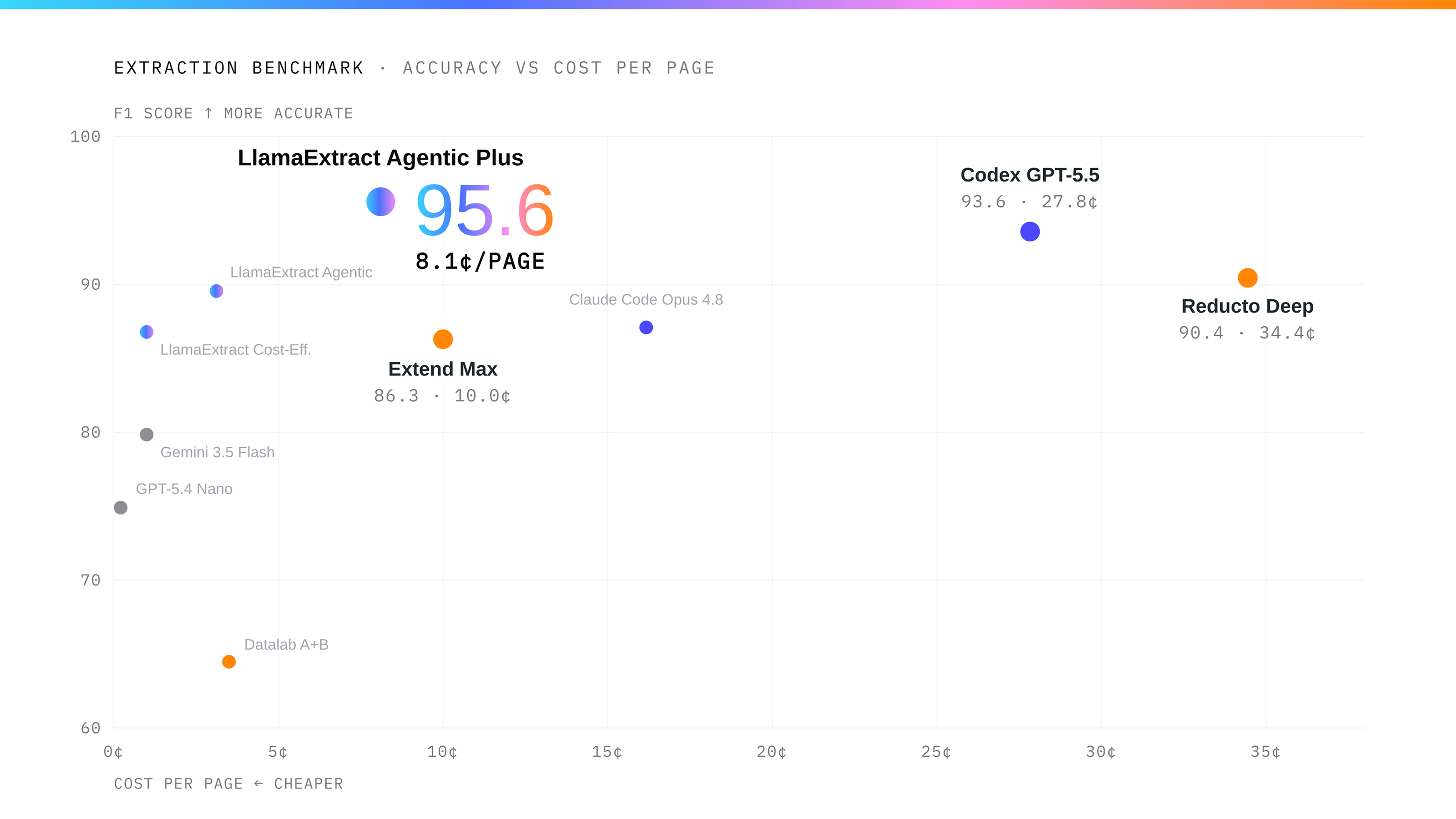
| Extraction accuracy on complex documents | Extracts fields and records as JSON, including records that span pages, and scores 96.17% on ExtractBench. | Does not extract fields or records. |
| Automating review | Scores and cites every extracted value, so reviewers only check the uncertain ones. | Only scores whether it read each word correctly, not whether a value is right. |
| Price for parsing and extraction | Costs $10 per 1,000 pages at the entry tier and $31.25 at the higher tier, parsing and extraction included. | Free to license, but you pay for compute, PDF conversion, table reconstruction and extraction. |
| File formats | Handles 130+ formats, including PDFs, Word, PowerPoint, Excel and CSV. | Only reads images. PDFs and Office files have to be converted first. |
| Enterprise deployment | Runs hosted, as a dedicated deployment, in your own cloud, or on-premises. | Runs wherever you install it, and you manage the servers. |
| Connectors | Pulls files from Google Drive, SharePoint, S3 and Confluence. | No connectors. |
| ParseBench and ExtractBench are LlamaIndex benchmarks with public data and code. Scores are for Agentic Plus. Prices are USD per 1,000 PDF pages, before add-ons or discounts. | ||
Parses the most complex documents
LlamaParse parses 130+ file formats and the hardest layouts: nested and multi-page tables, charts, merged headers, scans, handwriting and photographed pages. It scores 86.61 overall and 93.37 on tables in ParseBench. Tesseract reads plain text and returns a table as lines.
Extracts the data you need
Tell LlamaParse which values you need, such as an invoice number, a total and every line item, and it returns them as structured data ready for your system, even when they are spread across pages or sit in Excel and CSV cells. It scores 96.17% on ExtractBench. Tesseract has no extraction step.
Scores every value for confidence
Every value LlamaParse extracts comes with a confidence score and a citation to its source, including values inside line items, so reviewers check the uncertain values and accept the rest. Tesseract reports per-word OCR confidence only.
Free to start with LiteParse
LiteParse is LlamaIndex’s open-source parser. It does everything Tesseract does and more: it reads the text layer of digital PDFs so only scanned pages need OCR, converts Word, Excel, PowerPoint and images on its own, and returns Markdown with headings, tables and lists plus the position of every line. It runs on your machine with no API key, from the command line, Python, Node or the browser, and flags scanned and table-heavy pages so you can send those to LlamaParse.
Runs in your own cloud or on-premises
LlamaParse is hosted in North America and the EU, or as a dedicated deployment run by LlamaIndex. Enterprise customers run it in their own AWS, Azure or Google Cloud account, or on-premises, and connect Google Drive, SharePoint, S3 and Confluence directly.
FAQ
01
What’s the difference between LlamaParse and Tesseract OCR?
01
What’s the difference between LlamaParse and Tesseract OCR?
LlamaParse parses 130+ file formats and the most complex layouts, including nested and multi-page tables, charts, merged headers, scans and handwriting, then extracts the data you need and scores every value for confidence. Tesseract is a basic OCR engine for plain text.
02
Which is better for scanned PDFs and complex tables?
02
Which is better for scanned PDFs and complex tables?
LlamaParse. It reads scanned PDFs directly, returns the full table structure, and scores 93.37 on tables in ParseBench. Tesseract needs the PDF converted to images first and returns a table as lines of text.
03
How do confidence scores differ?
03
How do confidence scores differ?
LlamaParse scores and cites every extracted value, including values inside line items. Tesseract reports per-word OCR confidence, which does not tell you whether a value is right.
04
Can I parse PDFs locally for free?
04
Can I parse PDFs locally for free?
Yes. LiteParse is LlamaIndex’s open-source parser. It does everything Tesseract does and adds PDF text-layer reading, Office and image conversion, and Markdown output with tables and line positions, all on your machine.
05
How do LlamaParse and Tesseract costs compare?
05
How do LlamaParse and Tesseract costs compare?
LlamaParse costs $10 per 1,000 PDF pages for parsing and extraction at the entry tier and $31.25 at the higher tier. LiteParse is free and runs locally. Tesseract is free to license; everything beyond OCR is your build.
06
Can LlamaParse run on-premises or in a private cloud?
06
Can LlamaParse run on-premises or in a private cloud?
Yes. Enterprise customers run it in their own AWS, Azure or Google Cloud account, or on-premises. It is also hosted in North America and the EU, or as a dedicated deployment run by LlamaIndex.
07
Can I migrate a Tesseract-based workflow to LlamaParse?
07
Can I migrate a Tesseract-based workflow to LlamaParse?
Yes. Replace the OCR and layout steps with Parse, or define the values you need and let Extract return them directly. Then update your API calls and the code that reads the results.
Explore more comparisons