Word docs are one of the most common file formats we process in LlamaParse, and they've always been surprisingly frustrating to parse well. The reason is genuinely counterintuitive: the .docx format has better structural information than most document formats, but until now we haven't been able to fully use it.
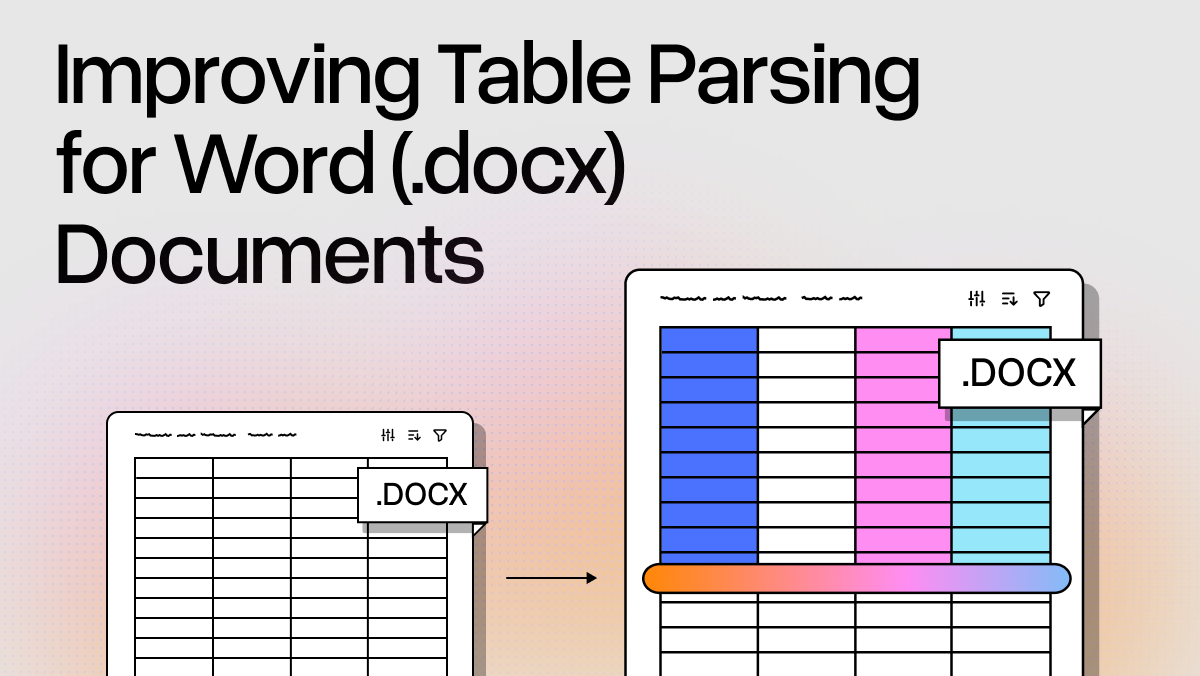
We just shipped an update that changes this for tables. We now extract table content directly from the Word XML, preserving the original document structure, and the quality improvement is significant — especially for tables with complex formatting, merged cells, nested structures, and hyperlinks.
What's Actually Inside a .docx
Most people think of .docx as a proprietary binary blob. It's not. A .docx file is a ZIP archive containing XML files based on Microsoft's Open XML specification. Rename any .docx to .zip, unzip it, and you'll find the main document content in word/document.xml .
The XML captures the full semantic structure of each table. A simple example:
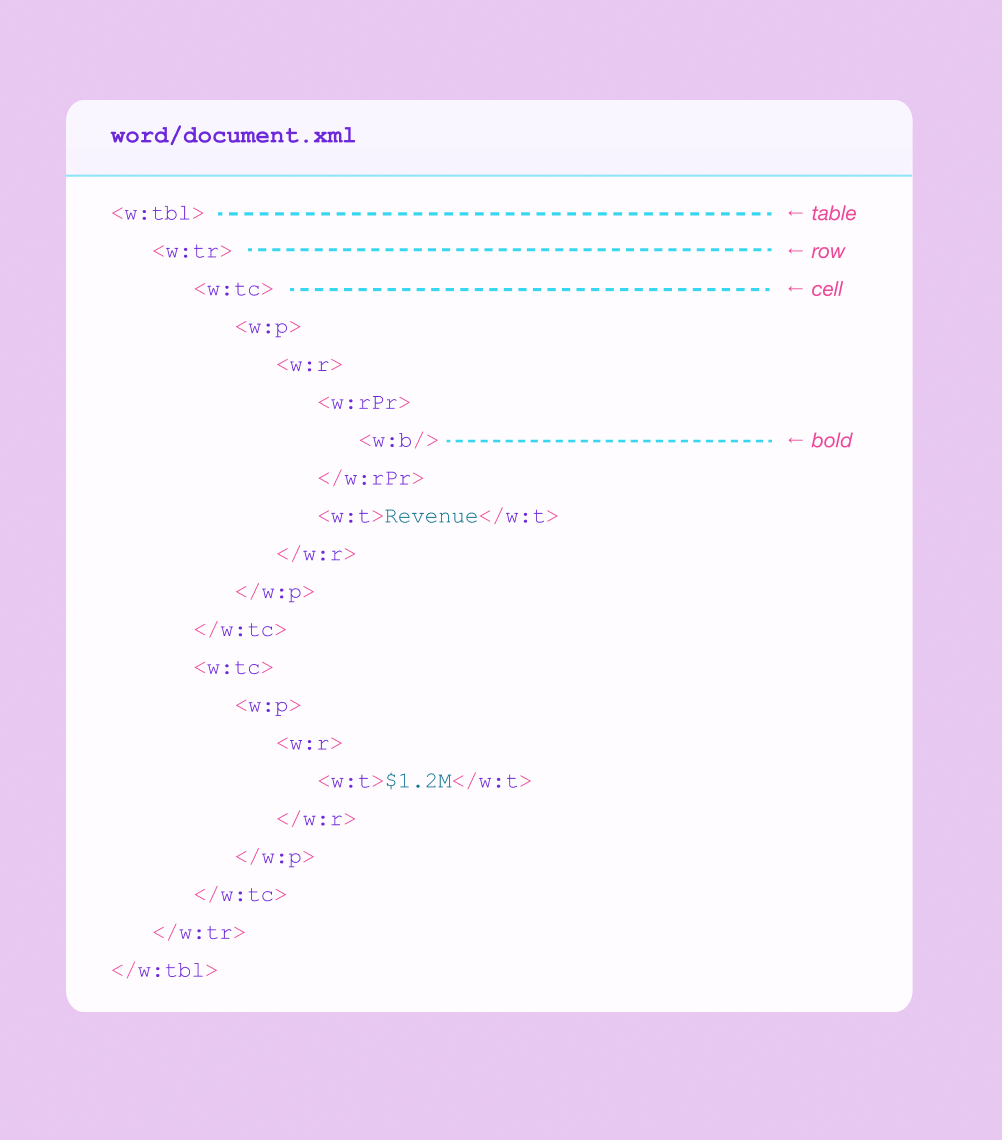
Tables are defined with <w:tbl> elements containing rows (<w:tr> ) and cells (<w:tc> ). Each cell can contain paragraphs (<w:p> ) with runs of text (<w:r> ) that have explicit formatting properties (<w:rPr> ) — bold, italic, strikethrough, underline, superscript, subscript. Lists get their own numbering definitions. Hyperlinks are inline elements. Merged cells are explicit attributes (gridSpan for column spans, vMerge for row spans).
In a PDF, the same table looks like this:
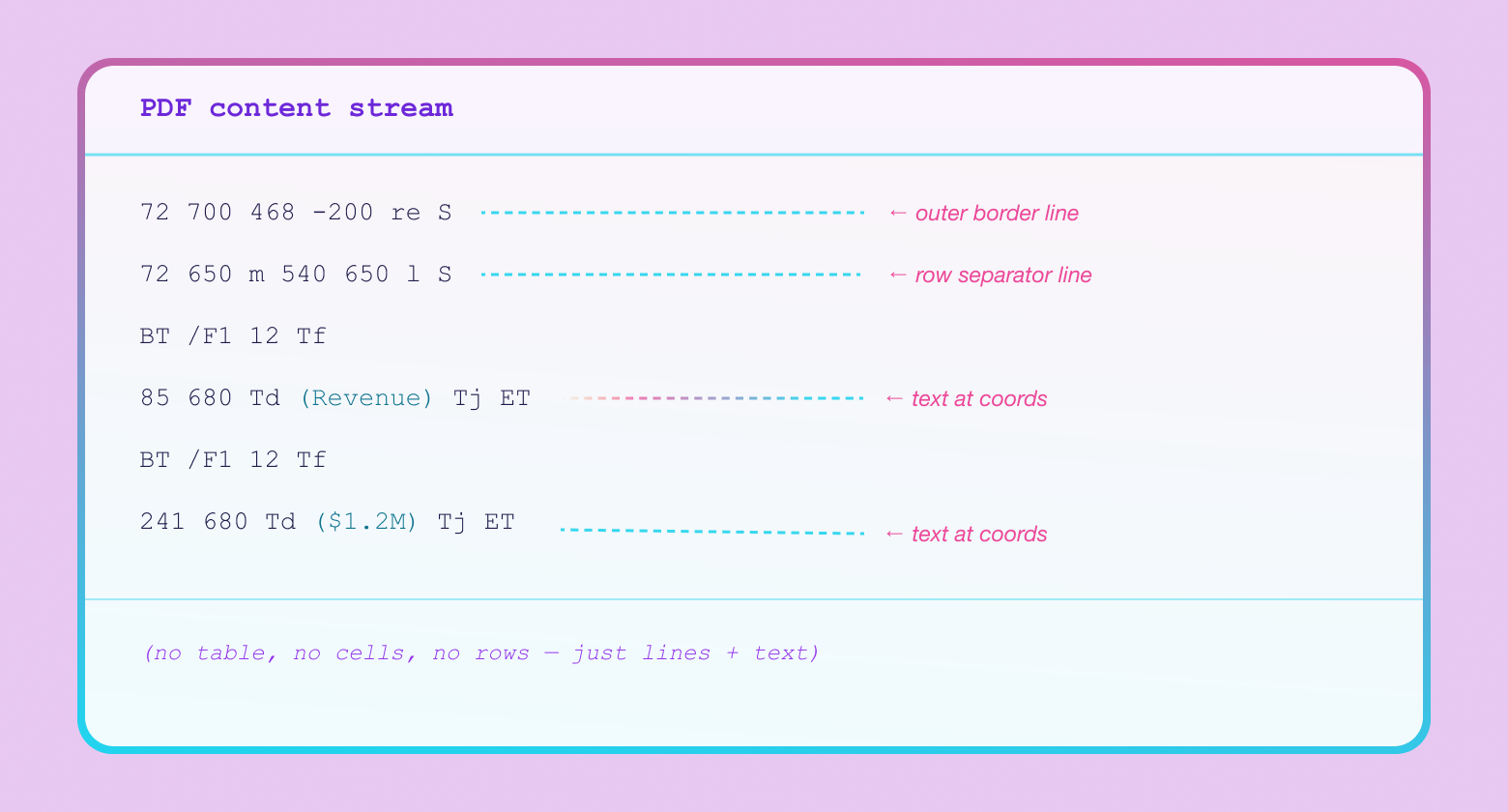
There's no table element, no cells, no formatting tags — just line segments and text positioned at absolute coordinates. I wrote about this in Why Reading PDFs Is Hard. A parser looking at a PDF has to detect line intersections to infer cell boundaries, then associate text with cells by spatial containment. The Word XML just tells you the structure. The problem is that it doesn't tell you which page anything is on.
The Pagination Problem
Word content is a flow format. A .docx defines paragraphs, tables, and runs of formatted text, but says nothing about which page any of it ends up on. There are no page boundaries in the XML. Pagination depends entirely on the renderer — page size, margins, installed fonts, line-height calculations all affect where content breaks across pages.
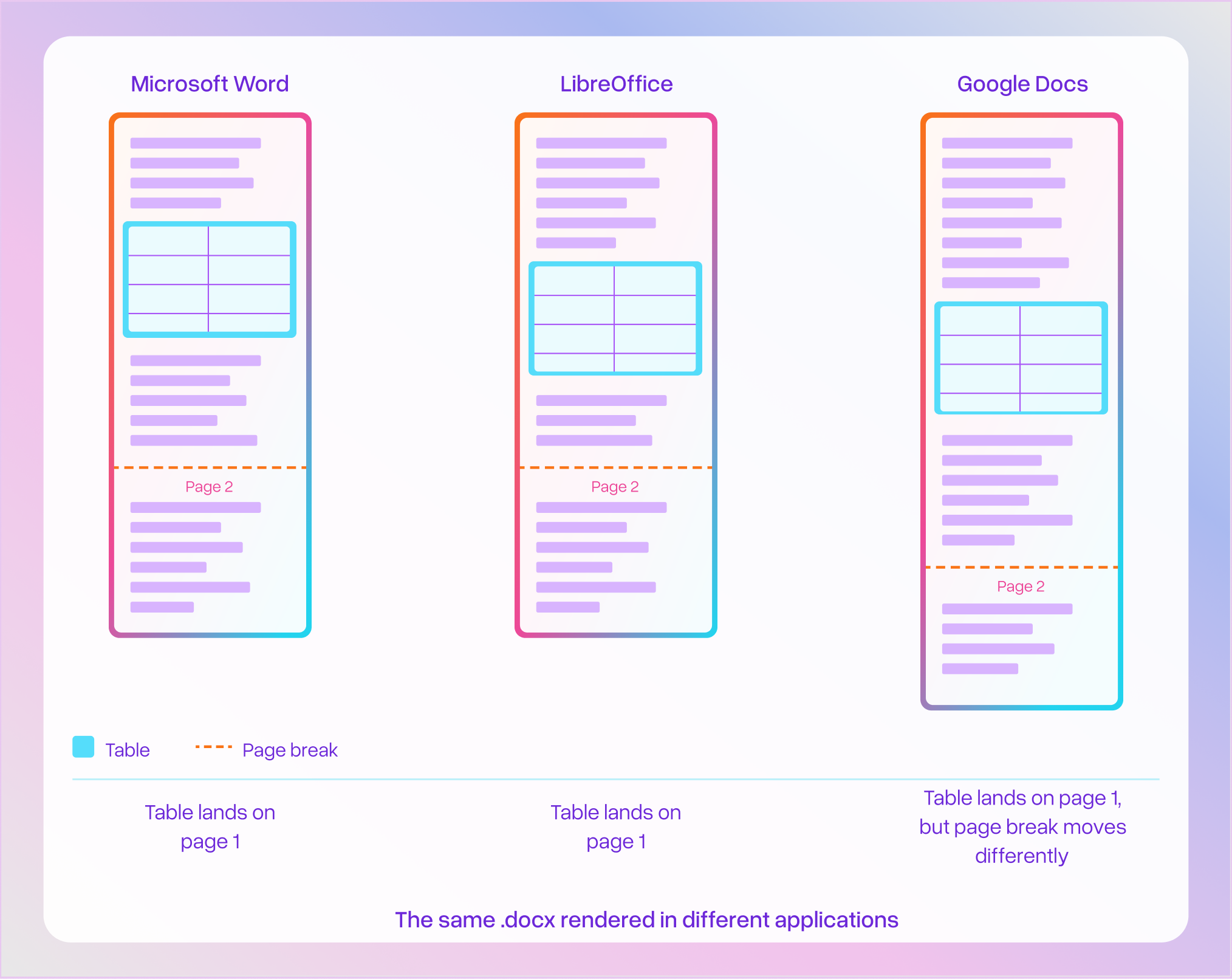
The same .docx can paginate differently in Microsoft Word, LibreOffice, and Google Docs. For a parser that needs to produce page-level output, this creates a real challenge: the XML has rich structural content that converts cleanly to markdown, but no way to know which page a given table belongs to without actually rendering the document.
Extracting Tables from the Source
We built a proprietary technique for resolving the page attribution problem, which allows us to take advantage of preserving the exact table format from the source Word file. We map Word XML table elements to their correct page positions in the rendered output. For each table, we now get the original document structure (proper cells, rows, all formatting tags) and know exactly where on which page it appears. The XML table content then gets converted directly to markdown.
This has big benefits compared to more "naive" approaches of doing a direct conversion from .docx to PDF and/or only using VLMs to parse the page. In these cases:
- You're making it a harder problem by throwing away all the XML metadata and translating it into a harder format (PDF) to parse.
- The VLM may not be trained to accurately read all formatting and merged cells, and may output incorrect results
This is a big improvement for several categories of tables that were hard to get right before.
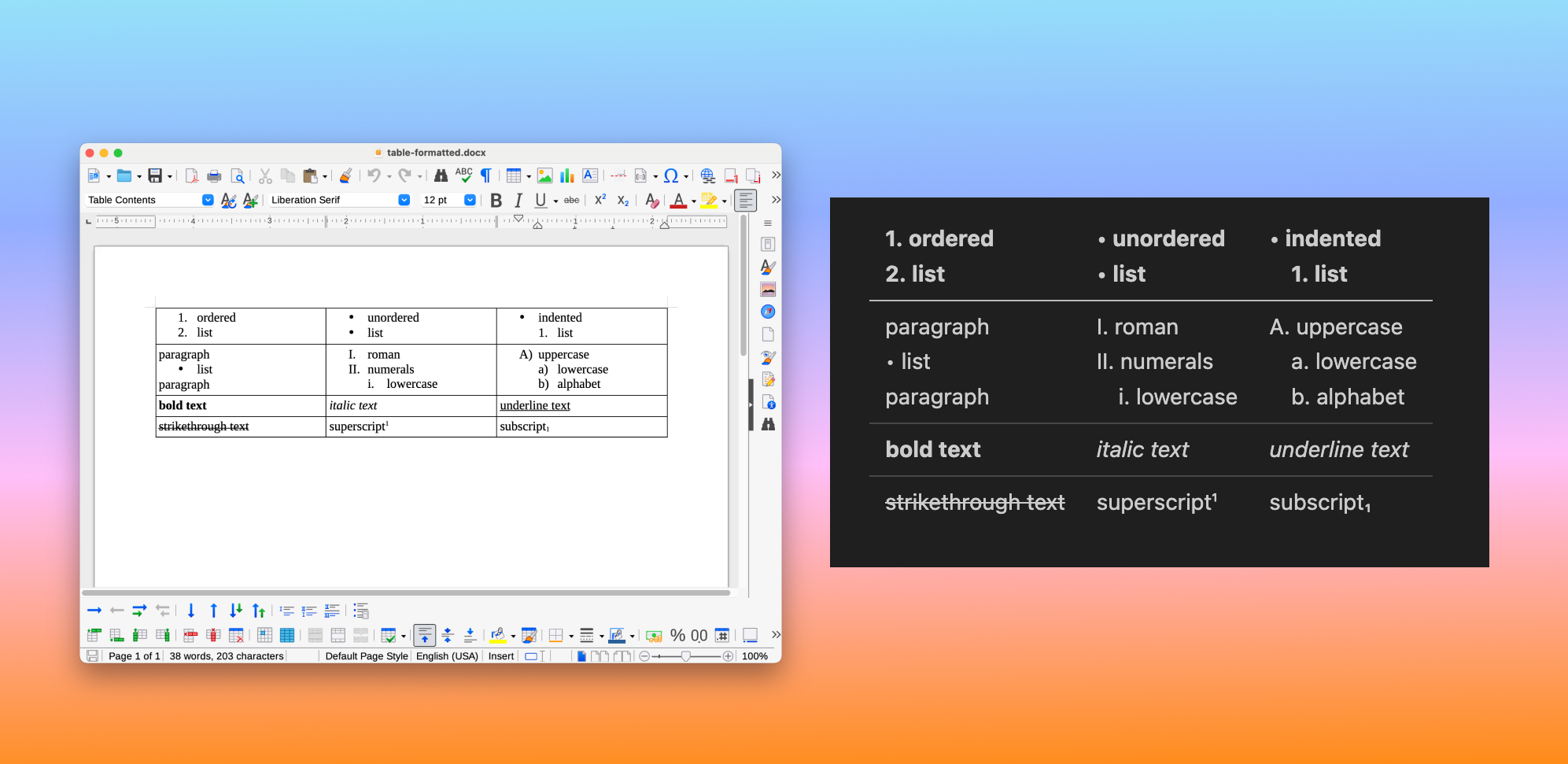
Tables with rich cell formatting. Bold, italic, underline, strikethrough, superscript, subscript — all preserved directly from the XML tags. Cells containing ordered lists, unordered lists, roman numerals, and alphabetical lists all render cleanly in the output:
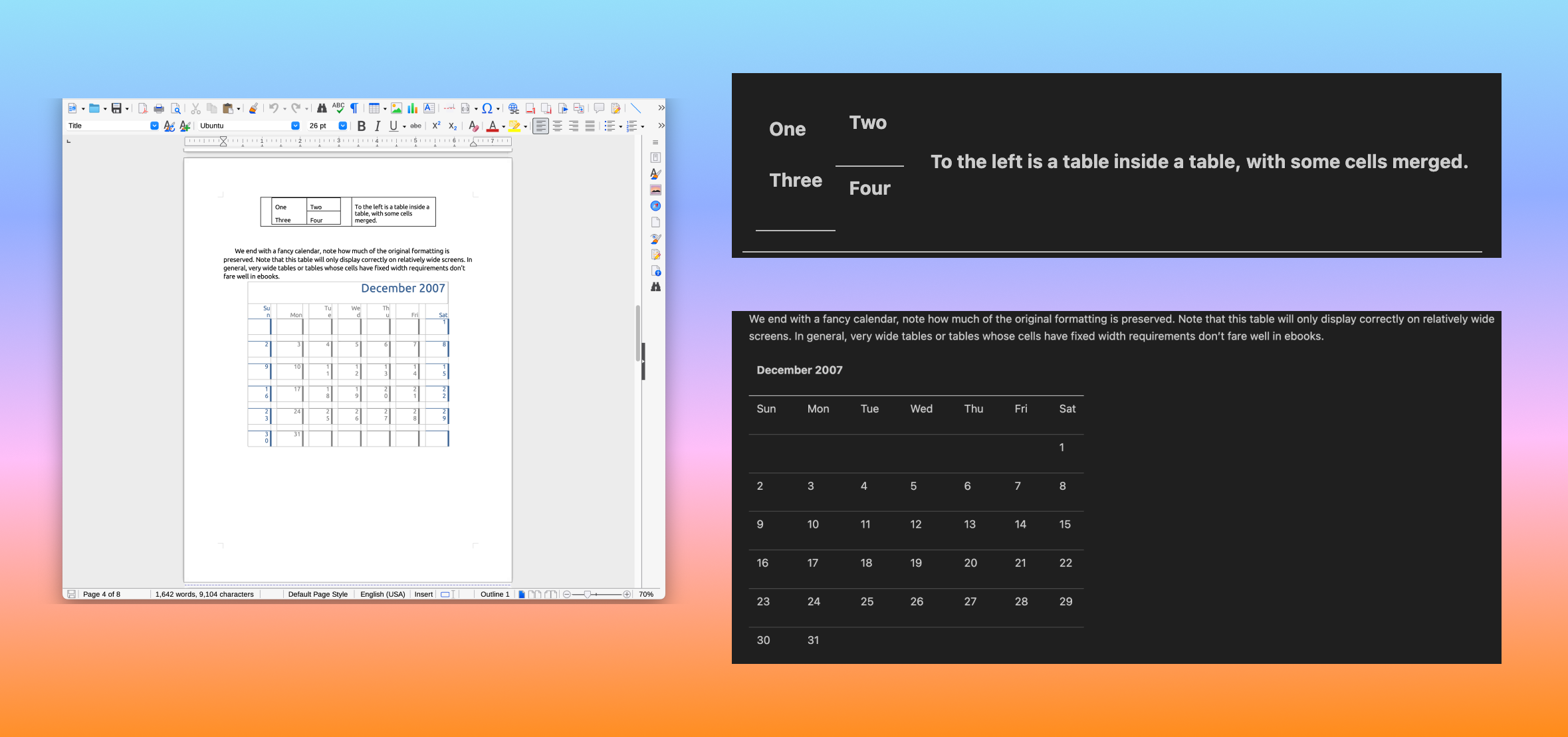
Tables with merged cells and nesting. Column spans, row spans, and tables inside table cells are hard to extract correctly from a rendered page. In the Word XML, merged cells are explicit attributes, not spatial inferences. Here's a doc with a nested table (table-in-table with merged cells) and a calendar with complex row/column spans.
What's Next
This improvement currently applies to tables in .docx files, where the gap between what the source format knows and what parsers have historically extracted is largest. We're looking at extending similar techniques to other structural elements where the Word XML carries information that would otherwise be lost.
If you're processing Word docs with table-heavy content, try it out in LlamaParse or check out our developer docs.