Every AI agent eventually hits the same wall: it needs to read a PDF. RAG pipelines, deep research agents, coding agents touching enterprise data — they all need to ingest documents, and the majority of those documents are PDFs. The problem is that PDFs were never designed to be machine-readable.
The format descends directly from PostScript, the page description language Adobe created in 1982. PostScript told printers what to draw and where. PDF (1993) kept the same imaging model but stripped out the programming constructs: a page is a sequence of operators that render shapes at specific coordinates. Where HTML has <h1> , <table> , <p> — semantic tags that declare document structure — a PDF says "render these glyph outlines at coordinates (72, 740) using this font program." It doesn't store letters or strings. It stores drawing instructions for vector curves that happen to look like text when rendered — and depending on where the PDF came from, the font might be mislabeled, the glyphs might not correspond to the characters you'd expect, and what you see on screen might not be recoverable as text at all.
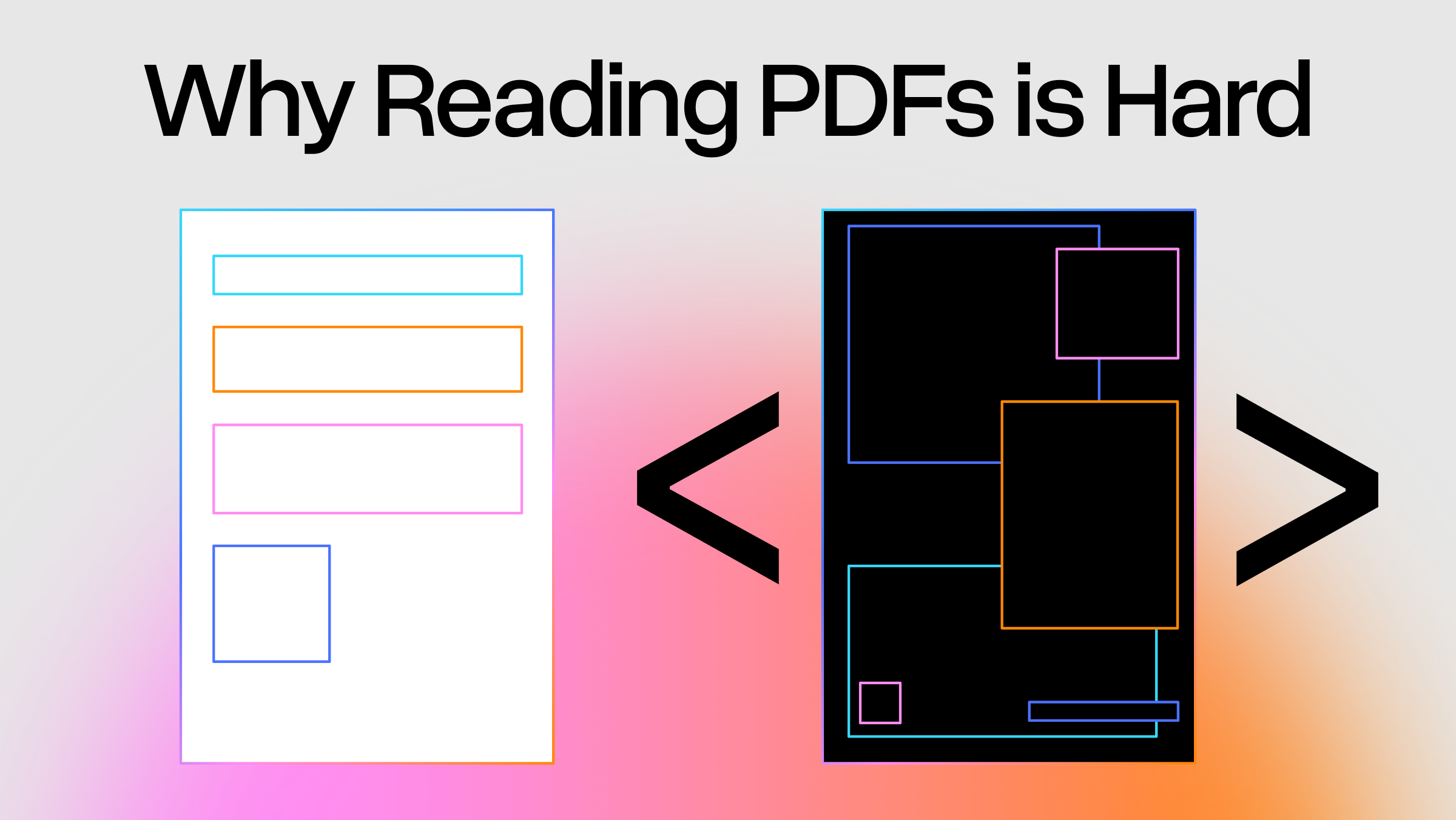
A PDF describes how a page looks, not what it means. That single fact is the root of every PDF parsing problem.
PDF Text Is Glyph Shapes, Not Characters
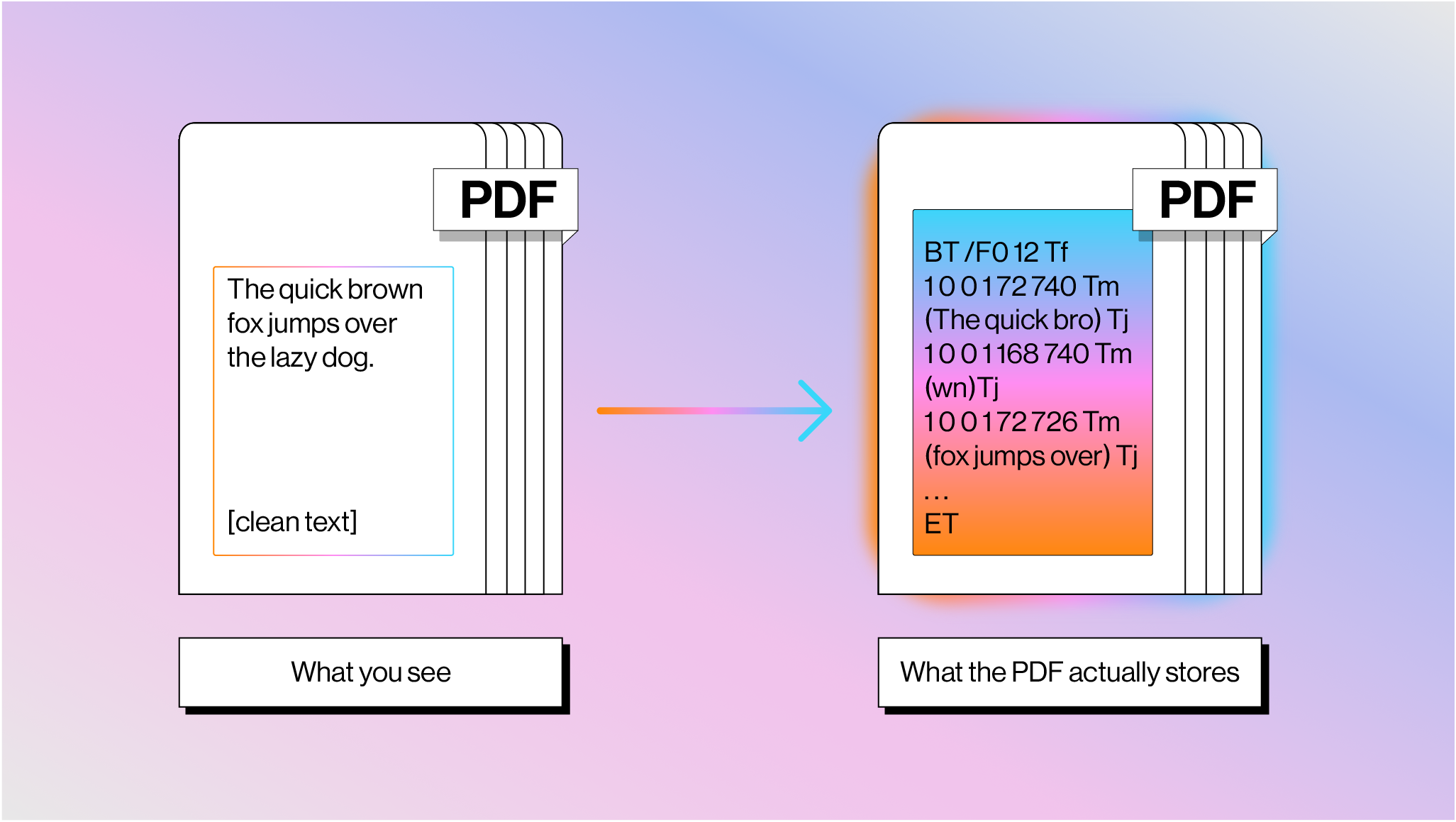
What you see as flowing text is actually a series of drawing commands in a content stream, bracketed between BT (Begin Text) and ET (End Text) operators, with each fragment positioned at absolute x,y coordinates.
The figure above shows how the phrase “The quick brown fox jumps over the lazy dog.” may be stored within a PDF.
Spaces between words aren't stored as actual space characters — the gap is implied by the jump in x-coordinates, and a parser infers word boundaries from font metrics. The TJ operator makes this harder: it includes per-glyph kerning adjustments in thousandths of a text space unit ([(A) 120 (W) 120 (A) 95 (Y)] TJ ), and a parser has to decide whether each numeric gap represents kerning or a word boundary. There's no definitive answer; it depends on the font, the PDF generator, and sometimes just luck.
Moreover, the bytes inside a Tj string are not Unicode. They're character codes mapped through font-specific encodings via a CMap (character map). If the font includes a correct /ToUnicode CMap, a parser can map codes back to readable characters. If not — which happens all the time with font subsetting, where the PDF embeds only the glyphs it uses and assigns them arbitrary IDs — the text is unrecoverable without OCR.
This means that sometimes you can copy text from a PDF, paste it, and get (cid:38)(cid:76)(cid:81)(cid:68)(cid:81) or a string of wrong characters instead of the words you can clearly see on screen. The PDF renders perfectly because the renderer draws glyph outlines directly — it doesn't need Unicode to draw shapes. But any parser trying to extract actual text is stuck.
Most Real-World PDFs Have No Concept of a Table
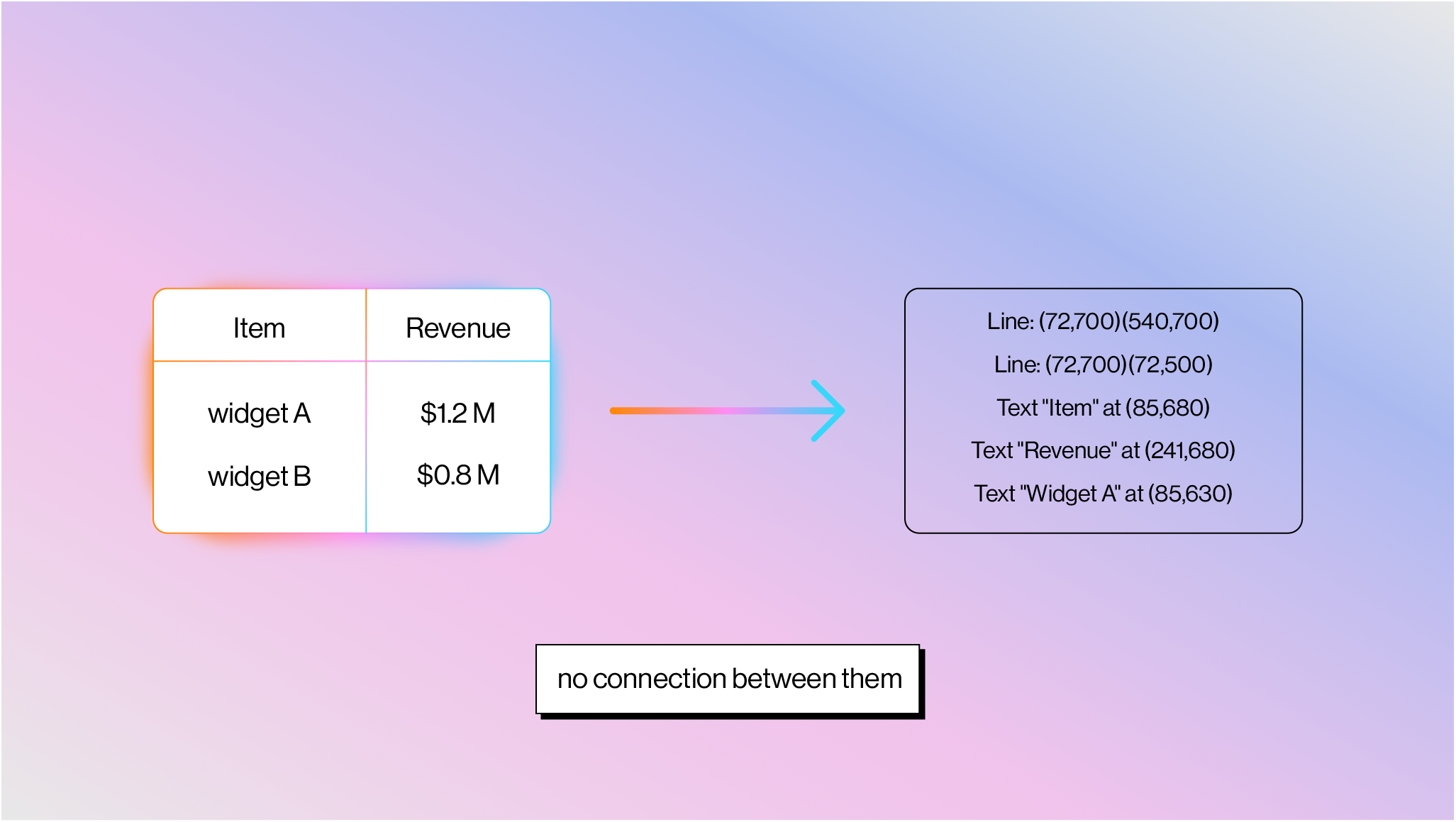
The PDF spec (ISO 32000) technically defines a way to have structural layout primitives, including tables, through “Tagged PDF” (described below). But the vast majority of real-world PDFs contain none of this. What you see as a table is two completely independent sets of drawing operations: grid lines drawn with path operators (m for moveto, l for lineto, re for rectangle, S for stroke), and cell text placed at x,y coordinates with BT /ET + Tj . There is no semantic connection between the lines and the text:
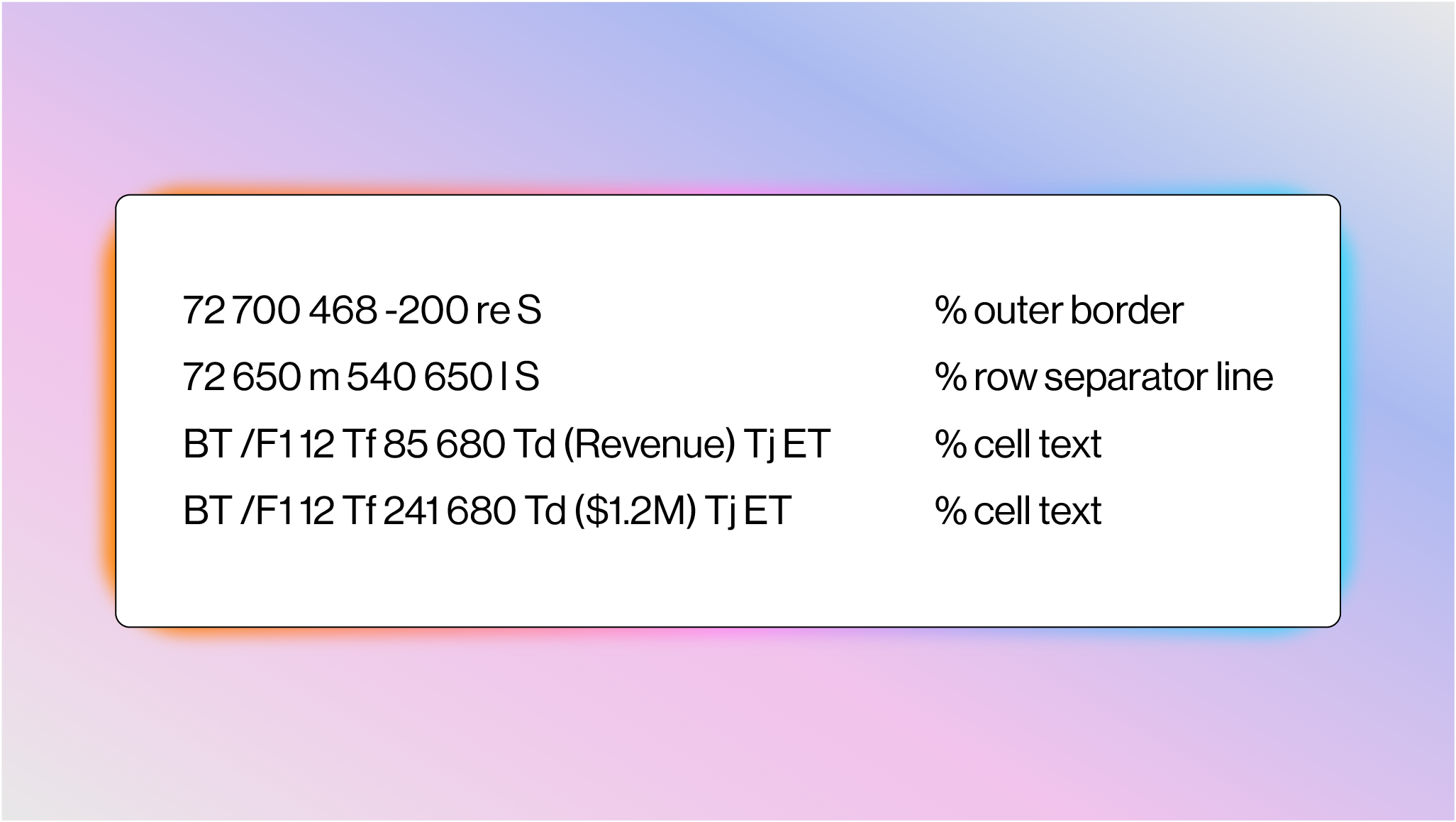
A parser has to detect line segments, find intersections to infer cell boundaries, then associate text with cells by spatial containment. One practitioner who tested 12 "best-in-class" PDF table extraction tools described the results as "appalling." And many tables don't even have gridlines — they're whitespace-aligned text with no lines at all, which turns table detection into pure visual pattern recognition.
Charts have the exact same problem. A bar chart is colored rectangles drawn with re + f (fill), a line chart is path segments (m + l ), and axis labels are just text at nearby coordinates. There's no "chart" object, no data series metadata. A parser sees colored shapes and has to reason about what they represent.
Reading Order Is a Guess
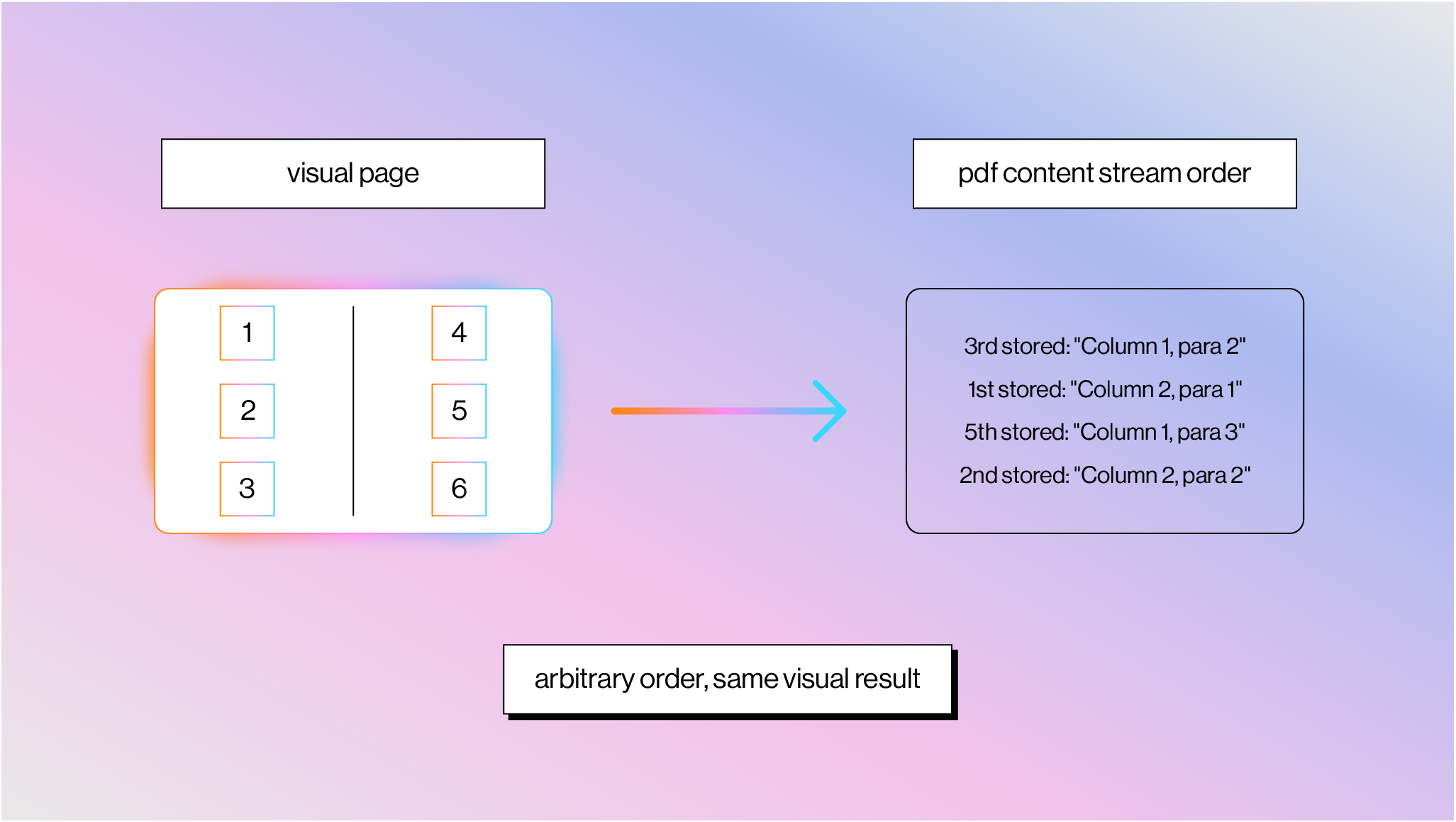
The order of operators in a content stream has zero guaranteed relationship to visual reading order.
A two-column layout might store Column 2 before Column 1, interleave characters from both columns, or draw the header last. PDF generators write content in whatever order suits their pipeline: template layers last, text grouped by font to minimize font-switching overhead, background elements before foreground. Reconstructing reading order requires extracting all text with positions, clustering characters into words, words into lines, lines into columns, and then determining the correct sequence. Every step is heuristic-based.
Tagged PDF (added in PDF 1.4) was supposed to fix this. It bolts semantic structure on top with tags like <Table> , <P> , <H1> and defines a logical reading order — this is also what provides the table primitives I mentioned above. But tagging is completely optional, and most real-world PDFs don't have it. It exists mainly for accessibility compliance (ADA, Section 508), and even auto-generated tags from tools like Acrobat are regularly wrong on complex layouts. The feature exists in the spec but is effectively useless for parsing most documents you'll encounter in the wild.
Seventy Years of Trying to Read Documents
People have been building document-reading machines since the 1950s. David Shepard built "Gismo" in his attic in 1951, a machine that could recognize typewritten letters at roughly 90% accuracy. The US Postal Service deployed OCR for automated mail sorting in the 1960s. Raymond Kurzweil shipped the first omni-font OCR in 1976 — the Kurzweil Reading Machine, a print-to-speech device for blind readers. Stevie Wonder was among the first buyers.
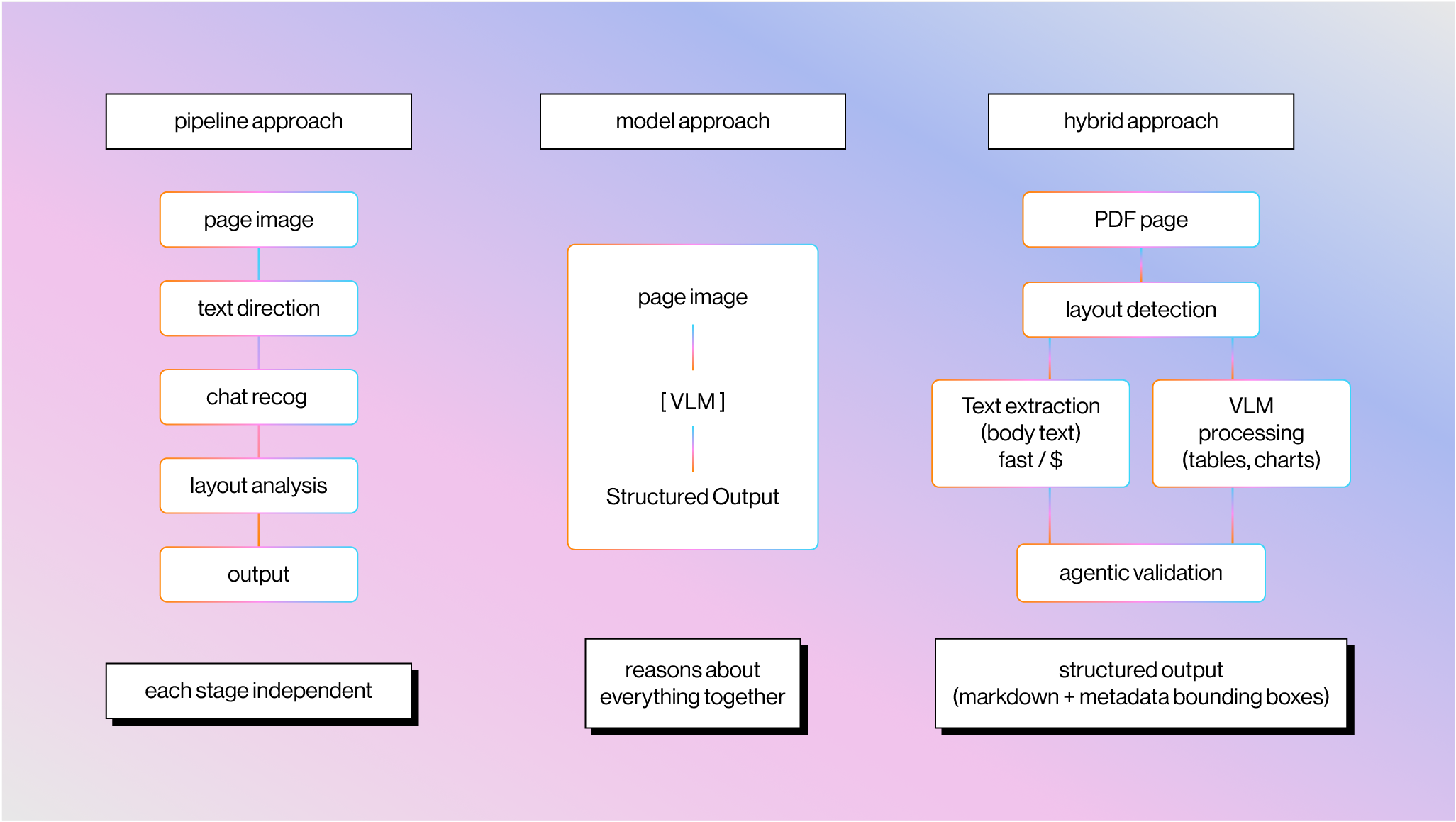
The overall arc of document parsing splits into two eras: pipeline-based approaches that chain together specialized stages, and model-based approaches that try to understand the page as a whole.
The Pipeline Era
The earliest pipeline based approaches were based on heuristics and algorithms: binarize the image, find connected components, segment characters, recognize each one, apply dictionary correction. Tesseract, developed at HP Labs in the 1980s and open-sourced by Google in 2006, became the backbone of most open-source OCR.
The advent of machine learning and deep learning meant that you could replace components of this pipeline with specialized models, starting around 2015. CNN-based text detection models (EAST, CRAFT) replaced hand-tuned heuristics for finding text regions. The CRNN architecture brought sequence-level recognition, so you could recognize entire text lines instead of segmenting individual characters. Tesseract 4 swapped in LSTM networks. Text recognition accuracy on clean documents got genuinely good. Cloud APIs like Amazon Textract (2019), Google Document AI, and Azure Form Recognizer productized this approach. A multi-billion dollar IDP industry formed around ABBYY, Kofax (now Tungsten Automation), and others.
These systems worked well on clean, structured documents, but because they were largely based on rigid pipelines with very specialized ML models, they failed over documents with complex layouts or any document that fell outside the data distribution. The enterprise workaround was to train per-document-type templates, but this approach required constant training and couldn’t easily scale to thousands or millions of different document types.
The Model Era
The development of end-to-end models led to the promise of parsing documents in a one-shot manner by reasoning about text, layout, and vision simultaneously, not in separate stages. Microsoft's LayoutLM family (2020-2022) was early work here, jointly pre-training on text, visual features, and 2D spatial positions. More recently, proprietary VLMs from frontier labs have demonstrated strong document understanding performance over a diverse data distribution. GPT-4V launched in late 2023, followed by Gemini 1.0, Claude 3, and others with increasingly strong vision capabilities. This kicked off the realization that you could do document parsing through "just screenshotting it and sending it to a VLM".
"Just Screenshot It" Doesn't Scale
Today, frontier VLMs like Gemini 3 Pro, Opus 4.6, and GPT-5.2 can now read PDFs from screenshots. Although they have pretty high one-shot document understanding accuracy, their performance still isn’t sufficient over a large set of production tasks.
We wrote about this in detail in LLM APIs Are Not Complete Document Parsers. At a high level: you burn vision tokens on every page (including text-heavy ones that don't need vision at all), vision models still hallucinate on information-dense content (transposed digits, fabricated negatives, skipped table rows), you get no metadata (no bounding boxes, confidence scores, or source citations for audit trails), and rate limits make it impractical at enterprise scale.
Text Extraction + Vision Is the Right Architecture
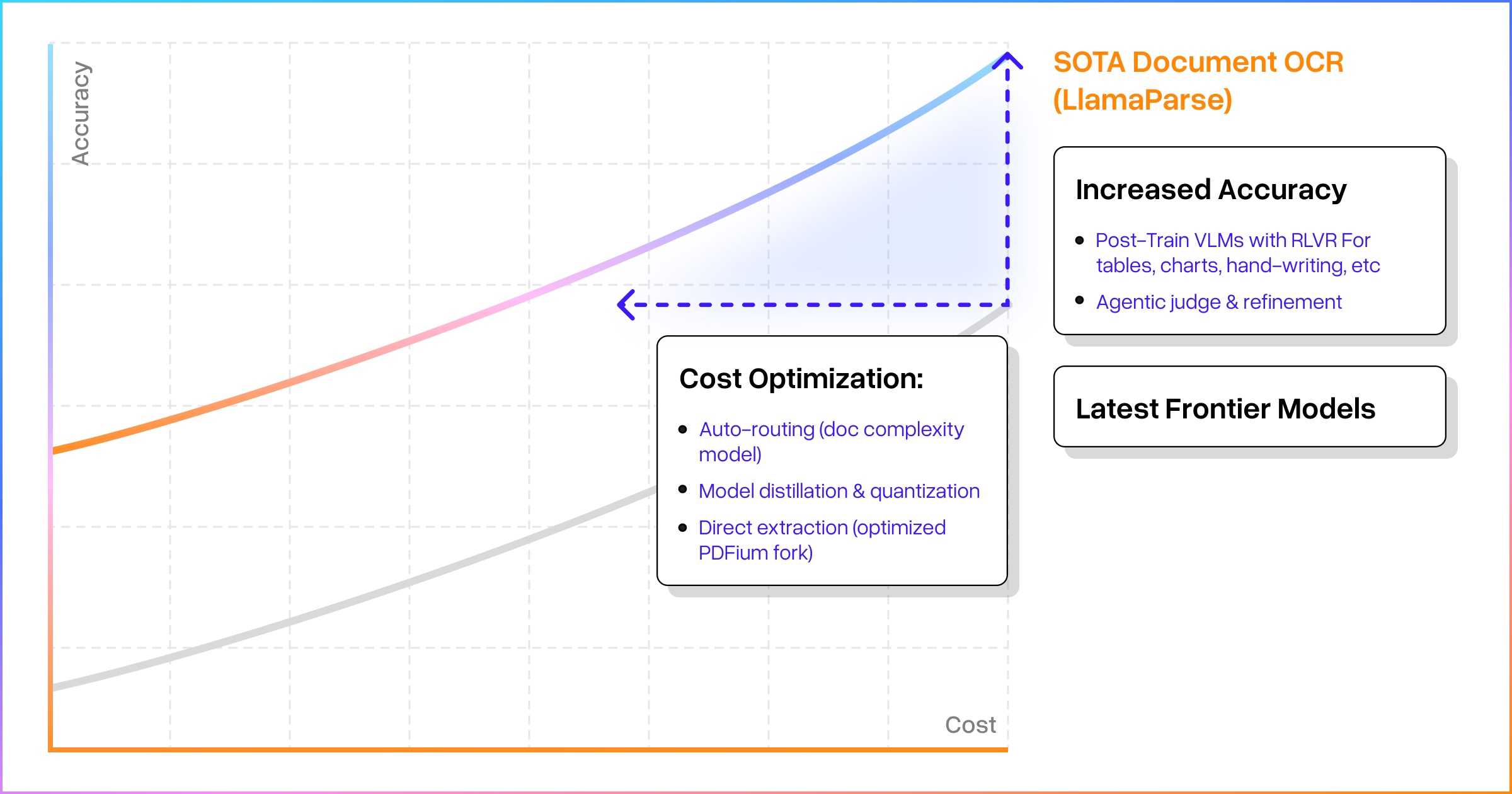
The right approach combines both, routing each to where it's strongest. This ends up looking similar to previous pipeline-based approaches, except the underlying components have much higher generalized accuracy.
Text extraction from the PDF binary gets you raw characters, font information, and approximate positions — fast, cheap, and reliable for the majority of document content that's standard text. This can be fed into LLMs to reconstruct the logical reading order.
At the same time, VLMs handle the visually complex regions: complex misaligned or nonstandard tables, unlabeled charts that require interpreting axis labels, handwritten annotations. A layout detection model segments each page into these elements and includes fine-grained bounding boxes in the parsed metadata, so agent builders can trace any LLM-generated answer back to a visual citation in the source document.
This is what we're building with LlamaParse. The combined approach outperforms pure screenshot methods on both accuracy and cost, because you get the cheap reliability of text extraction for the bulk of content and the spatial reasoning of vision models where it actually matters.
PDFs contain some of the highest-quality written content on the internet, and they aren't going anywhere — Common Crawl alone contains roughly 1.3 billion of them. AI agents need to read these files reliably at scale, and doing it well means understanding why the format makes it so hard in the first place.
If you're building agents or workflows that process documents, check out LlamaParse or our developer docs.