Stop drowning in documents. Start surfacing exactly what matters, down to the page.
Every enterprise has them: the 200-page compliance reports, the dense financial filings, the technical manuals that make War and Peace look like a pamphlet. You know the critical information is in there somewhere. The question is: where?
Traditional document extraction gives you one of two options: either drown in a sea of unstructured text, or get a tidy summary that's so abstracted you've lost the audit trail. Neither works when the stakes are high.
That's why Page-Level Extraction in LlamaExtract has become one of our most-used features. It fundamentally changes how teams work with complex documents—extracting structured data using custom schemas while preserving the page-by-page granularity that makes insights actionable, auditable, and actually useful.
The Problem: Extraction Without Context is Just Noise
Picture this scenario: Your legal team needs to review a 150-page vendor contract for liability clauses. A typical workflow looks something like this:
- Upload the PDF to your extraction tool
- Get back a blob of extracted entities
- Spend hours manually cross-referencing against the original document
- Pray you didn't miss anything on page 87
Or consider the compliance analyst reviewing quarterly financial reports across dozens of subsidiaries. Sure, you can extract "all revenue figures,"but which came from page 12 of the APAC report versus page 45 of the European filing? When the auditor asks, "show me exactly where this number came from," a citation that says "somewhere in Q3_Financials.pdf" doesn't cut it.
The before state is brutal:
- No page attribution — Extracted data floats in a void, disconnected from its source
- Manual verification required — Hours spent hunting through documents to validate findings
- Audit nightmares — "Where did this figure come from?" becomes an existential question
- Context collapse — A 200-page document becomes a single undifferentiated blob in a generically extracted document
The Solution: Page-Level Extraction with Full Provenance
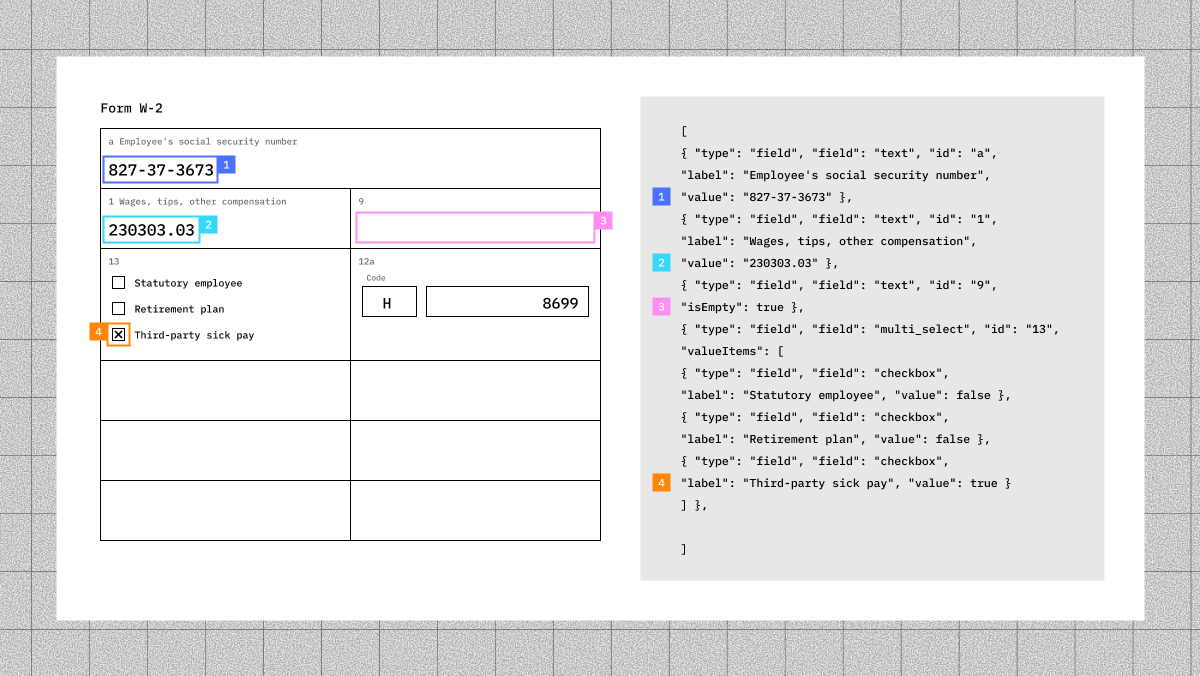
Page-Level Extraction in LlamaExtract solves this by treating each page as a discrete extraction unit while maintaining document-wide schema consistency. You define what you want to extract and get back structured results organized by page, complete with bounding boxes and citations.
The after state:
- Page-attributed insights — Every extracted field maps to a specific page
- Bounding box precision — See exactly where on the page each value was found
- Skim-ready output — Quickly scan a 200-page document by reviewing only the pages with relevant extractions
- Audit-ready citations — One click from extracted data to source location
This is a fundamental shift in how document intelligence works.
Real-World Use Cases: Where Page-Level Extraction Shines
Financial Services: SEC Filing Analysis
Investment analysts reviewing 10-K filings need to extract risk factors, revenue breakdowns, and management commentary, but they also need to know exactly where each disclosure appears. Page-level extraction lets analysts quickly validate extracted figures against source pages, essential when billions of dollars ride on the accuracy.
Legal: Contract Review at Scale
Law firms reviewing M&A due diligence documents, sometimes thousands of contracts, need to flag specific clauses: indemnification terms, change-of-control provisions, termination rights. Page-level extraction means associates can jump directly to page 47 of Contract #847 instead of re-reading the entire document.
Healthcare & Life Sciences: Clinical Trial Documentation
Regulatory teams preparing FDA submissions extract endpoints, adverse events, and protocol deviations from clinical study reports. When regulators ask for clarification on a specific data point, page-level provenance provides instant traceability back to the source.
Insurance: Claims Processing
Adjusters processing complex claims, property damage reports, medical records, police reports, need to extract key facts while maintaining clear documentation of where each fact originated. Page-level extraction creates an audit trail that holds up to scrutiny.
Real Estate: Due Diligence Packages
Commercial real estate teams reviewing property packages extract lease terms, tenant information, and financial projections from documents that can span hundreds of pages across multiple properties. Page-level organization turns chaos into clarity.
How It Works: A Quick Walkthrough
Here's how to use Page-Level Extraction in LlamaParse. The entire process takes minutes, not hours.
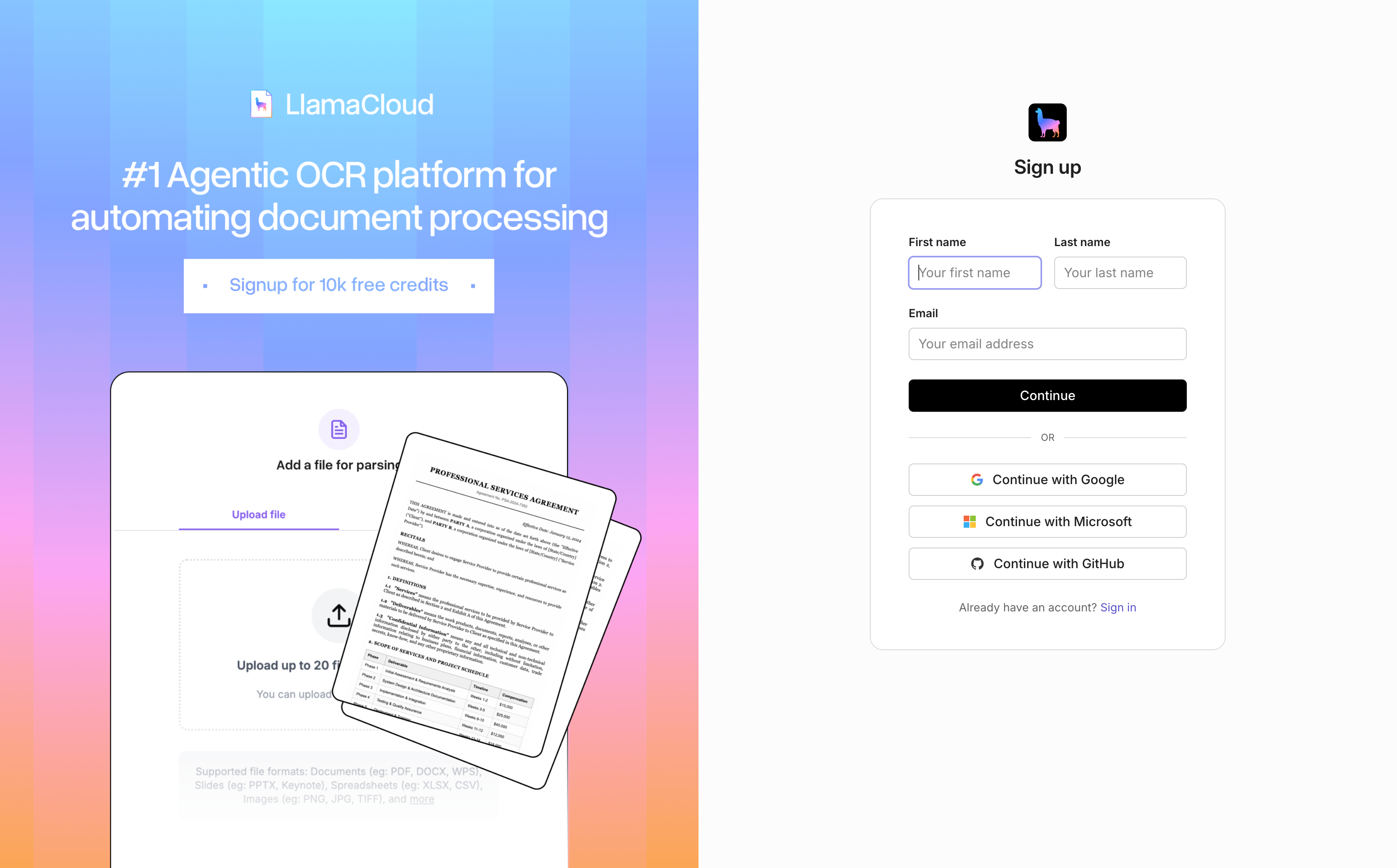
Step 1: Sign Up for LlamaParse (Free)
Head to cloud.llamaindex.ai and create a free account. No credit card required to get started.
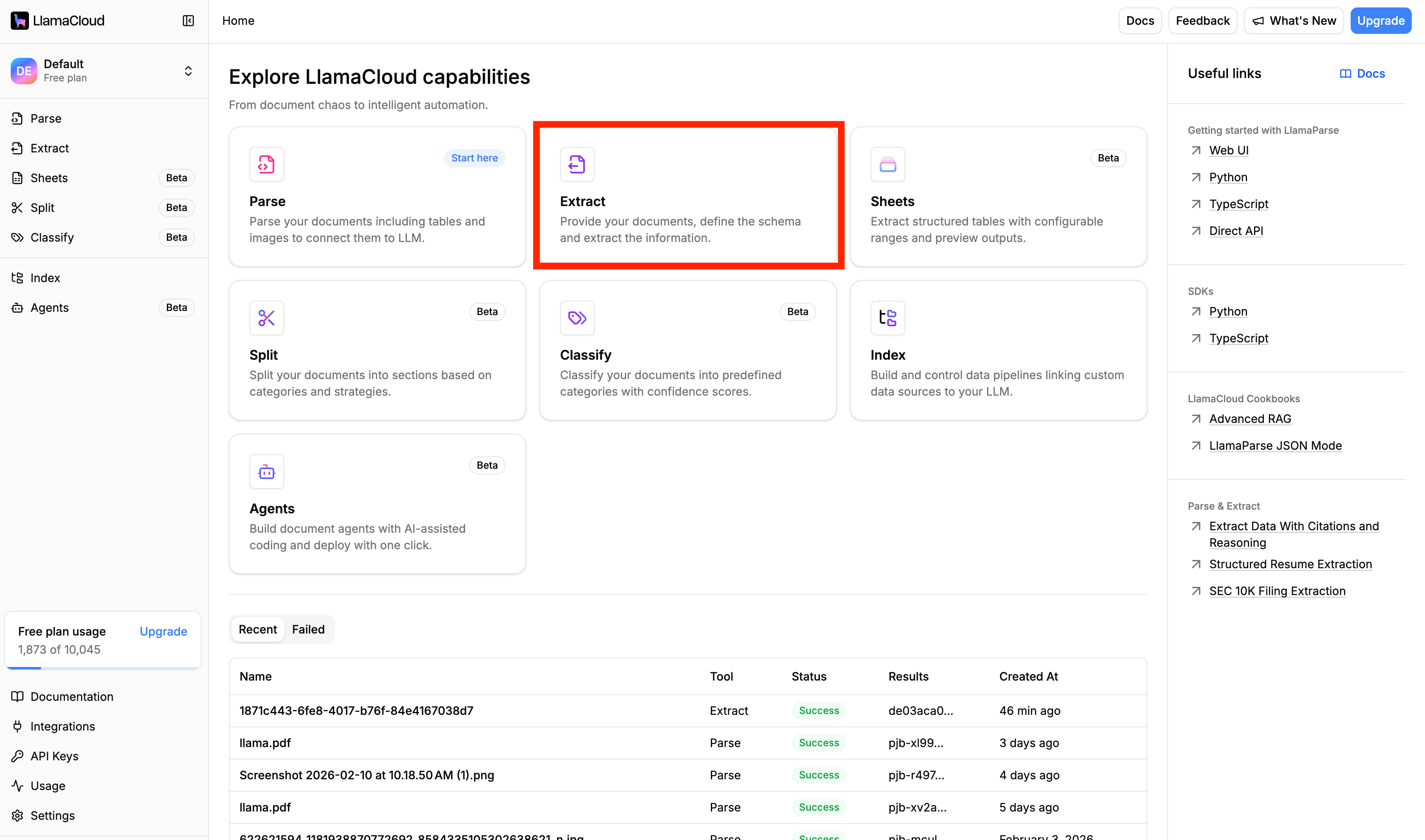
Step 2: Navigate to the Extract Module
Once you're in the dashboard, click on the Extract module in the left sidebar. This is your home for all schema-based document extraction.
Step 3: Define Your Schema with Auto-Generate
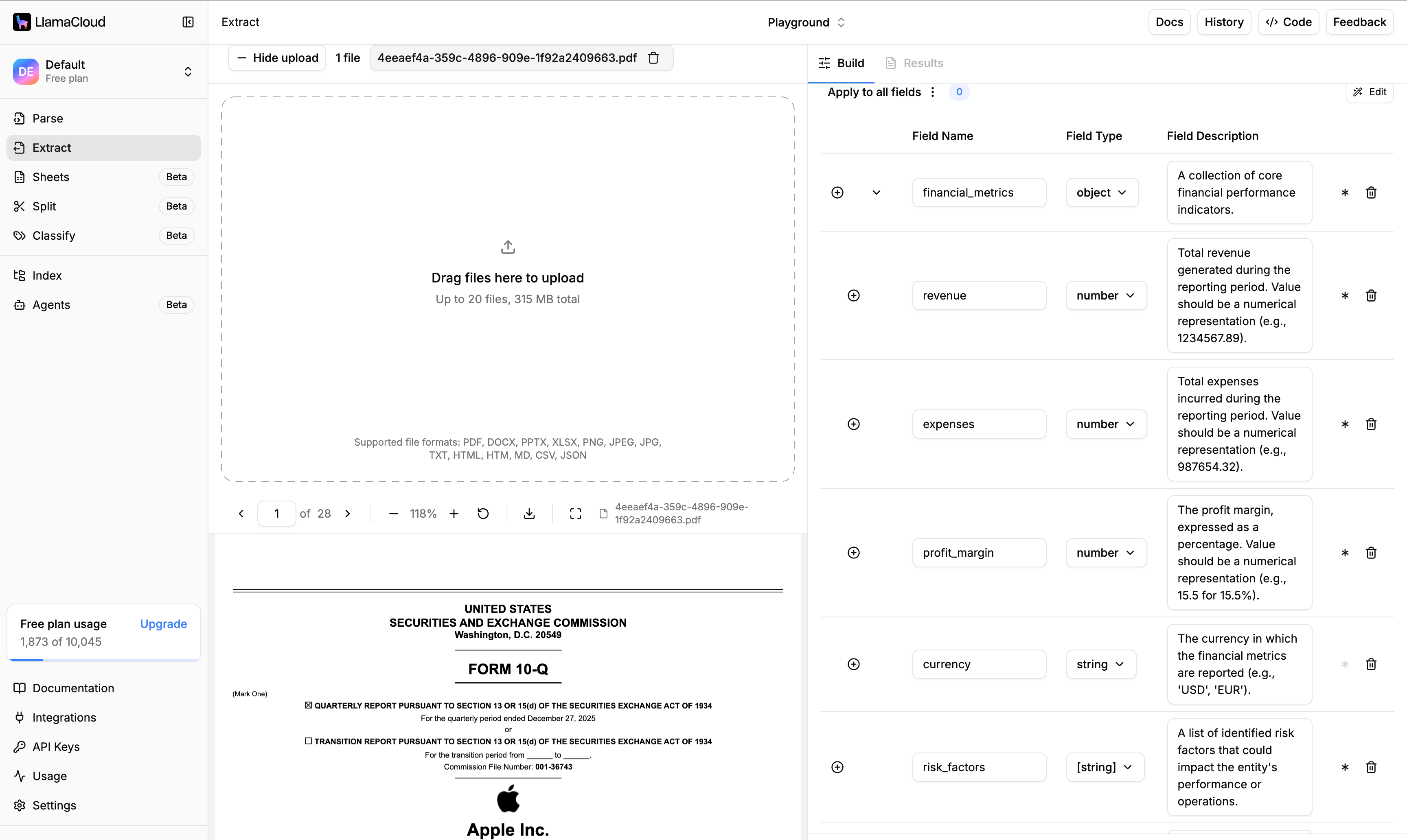
Here's where LlamaExtract saves you serious time. Instead of manually defining every field you want to extract, use the Auto-Generate Schema feature:
- Click "Auto-Generate Schema"
- Enter a natural language prompt describing what you need. For example: "Extract all financial metrics including revenue, expenses, and profit margins. Also capture any risk factors mentioned and the names of key executives discussed."
- LlamaExtract generates a structured schema based on your prompt—no JSON wrestling required
You can review and tweak the generated schema, but for most use cases, the auto-generated version gets you 90% of the way there.
Step 4: Upload Your Document and Review Credits
Upload the document you want to process. Once you select an extraction tier and upload your file, you'll see a credit estimate at the bottom of the screen. This tells you exactly what the extraction will cost before you commit—no surprises.
Step 5: Run the Extraction
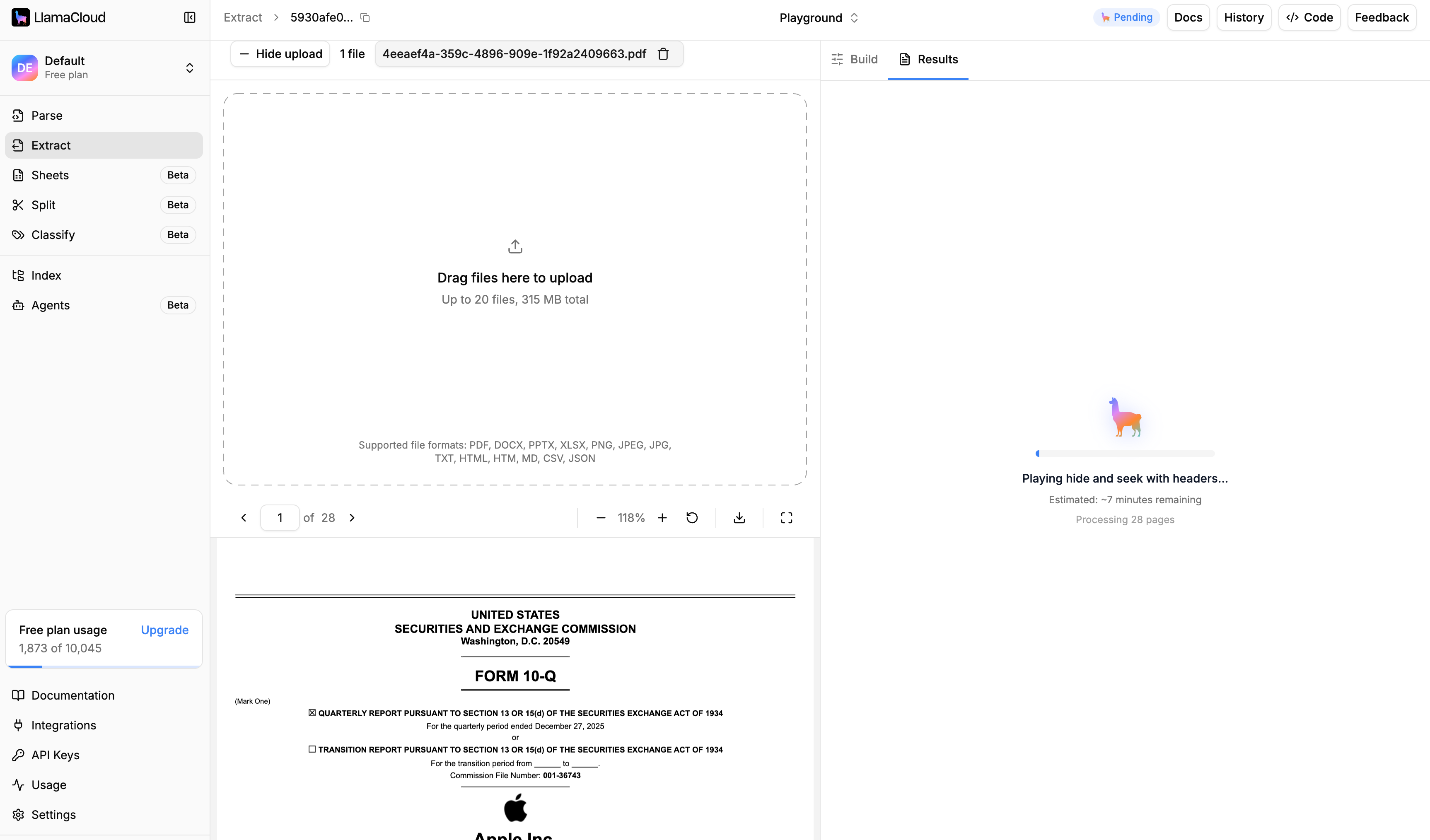
Click Run and let LlamaExtract do its work. You'll see:
- A time estimate for completion
- A progress indicator featuring our signature llama (yes, it changes gradient as it processes—we believe enterprise software can have personality)
For most documents, extraction completes in minutes. Grab a coffee.
Step 6: Review Your Page-Level Results
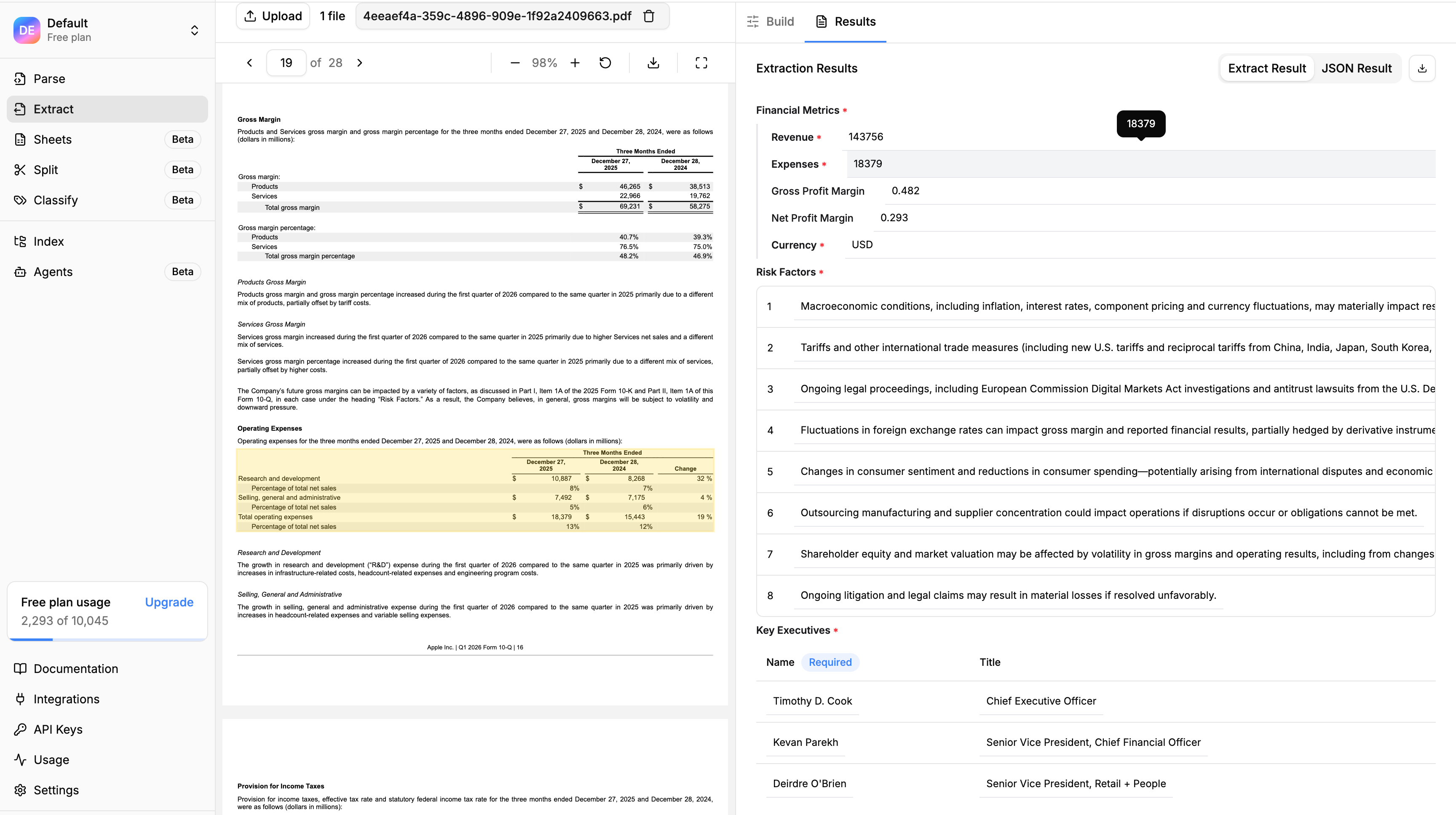
When extraction completes, you get back structured results organized by page. Each extracted value includes:
- Page number — Instantly know where in the document this data came from
- Bounding boxes — Visual coordinates showing exactly where on the page the extraction occurred
- Citations — Direct references back to source text
This means you can skim a 200-page document in minutes by reviewing only the pages where relevant information was extracted. Found something interesting on page 73? Click through to see the exact location, highlighted in context.
Try It Yourself
Page-Level Extraction is available in LlamaParse. Sign up for free at and see what your documents have been trying to tell you, page by page.