LlamaAgents Builder is a natural language interface that enables technical and non-technical users to generate agentic workflows with the purpose of automating document-related tasks and knowledge work, leveraging LlamaParse products such as LlamaExtract, LlamaClassify and LlamaParse.
In this blog, we will go through some tips and tricks to get the most out of the AI-assisted coding experience with the Builder, and we will do it by creating a private equity deal-sourcing agent that can read deal files such as teasers or financial summaries, classify each opportunity into one of three investment strategies (buyout, growth, or minority) and extract the key financial and operational metrics required for preliminary investment assessment.
Prompt
The first phase has to be prompt design: the Builder itself is carefully prompt (and context) engineered to provide high quality Python code based on LlamaIndex Agent Workflows and LlamaParse services, but you still need to provide details on the specific use case(s) you want the agent to tackle.
There are three main best practices to follow when crafting a prompt:
- Be explicit: do not assume that the agent knows all the domain-specific terminology, so try to avoid niche jargon and acronyms, preferring simpler words and expression that directly convey the meaning of your request
- Be specific: prompts in the style of “build a clone of X” do not work when you want to get high quality results for your use case. Try to be as specific as you can in describing the needs of your application, going into details about the categories you want the agent to classify your documents as, the data you wish to be extracted, the parsing modalities the agent has to adopt…
- Be concise: since the agent is already highly specialized in document work automation, there is no need to create long and complex prompts adding details on technical implementations or architecture: simply describe your use case, trying to be specific on what processing steps you want for your documents, and the Builder will do its magic!
Here is the prompt we will use for this session:
markdown
Build a private equity agent whose task is to assist with sourcing deals.

The agent has to be able to first classify deals according to three categories:
- *buyout*
- *growth*
- *minority*

Once the deal has been classified according to one of those categories, the agent has to be able to extract the following metrics (with the necessary per-category adjustments):
- Revenue
- EBITDA
- Growth rate
- ARR / MRR
- Margins
- Debt levels

Refer to the attached files to find an example of the kind of data the agent will be dealing with.
As you can see, we mention attached files, which brings us to the next section:
Example Files
LlamaAgents Builder supports a maximum of 5 example files as context (each of them up to 100MB in size): these files will be downloaded within the Builder’s ephemeral sandbox and read by it to get a better and more concrete understanding of the kind of documents your desired application will be dealing with.
When researching or collecting example files for the Builder, there are a couple of best practices that should be followed:
- Do not provide files that are too large: a maximum of 20-30 pages is suggested, as LlamaAgents builder might struggle to piece together all the provided document context
- Avoid being too generic or too specific: the files you provide should be a sample of what you expect your application to process: if you provide examples that are too specific, there is a risk of overfitting for a subset of your use case, whereas if you provide documents that are too generic there is a risk of over-generalization.
Here is the full input for LlamaAgents builder in our case:
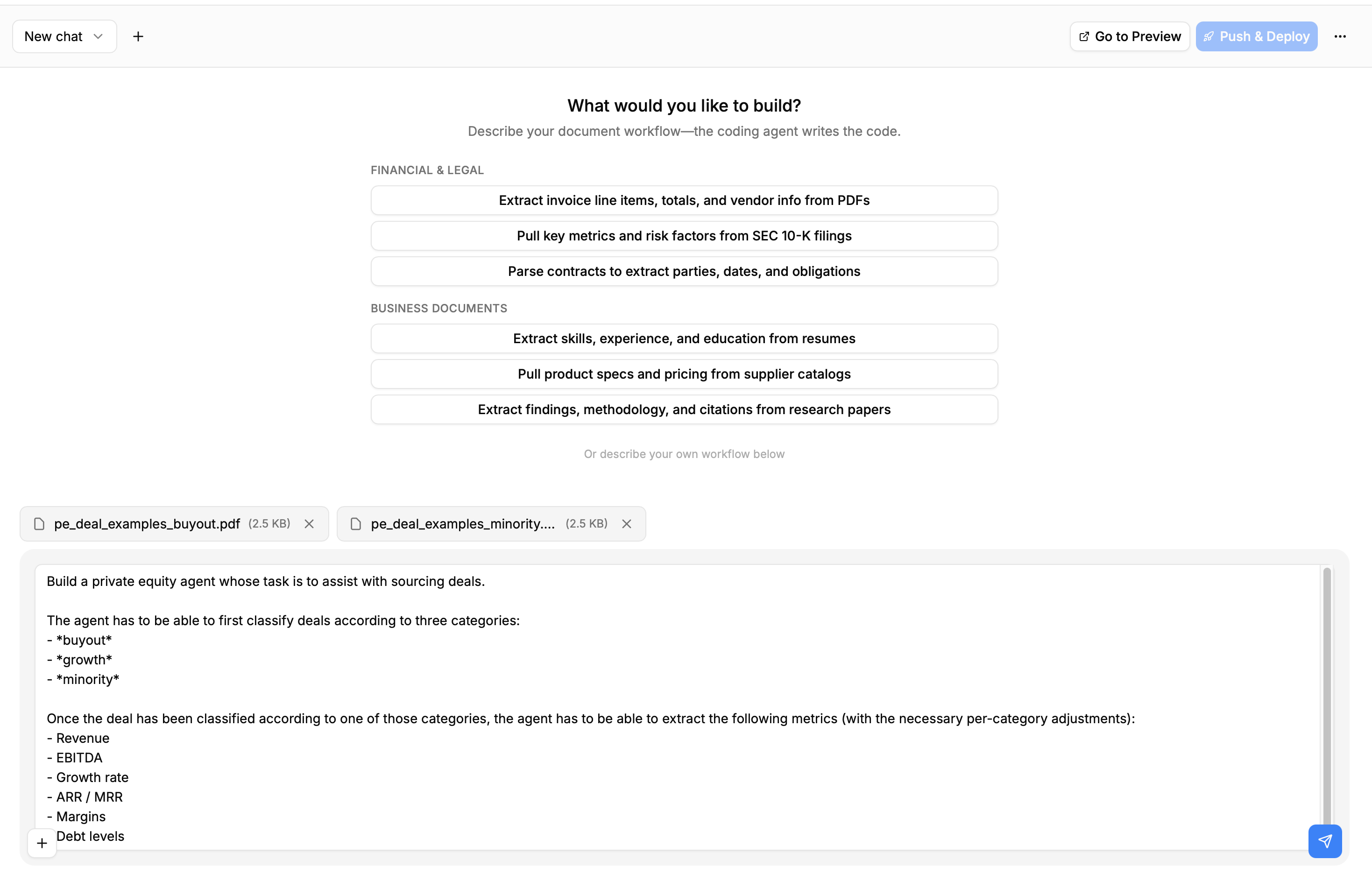
You can find the example files here
Visualizing the Agent
While the Builder works, you can visualize the agent Workflow being built on the side of your chat page:
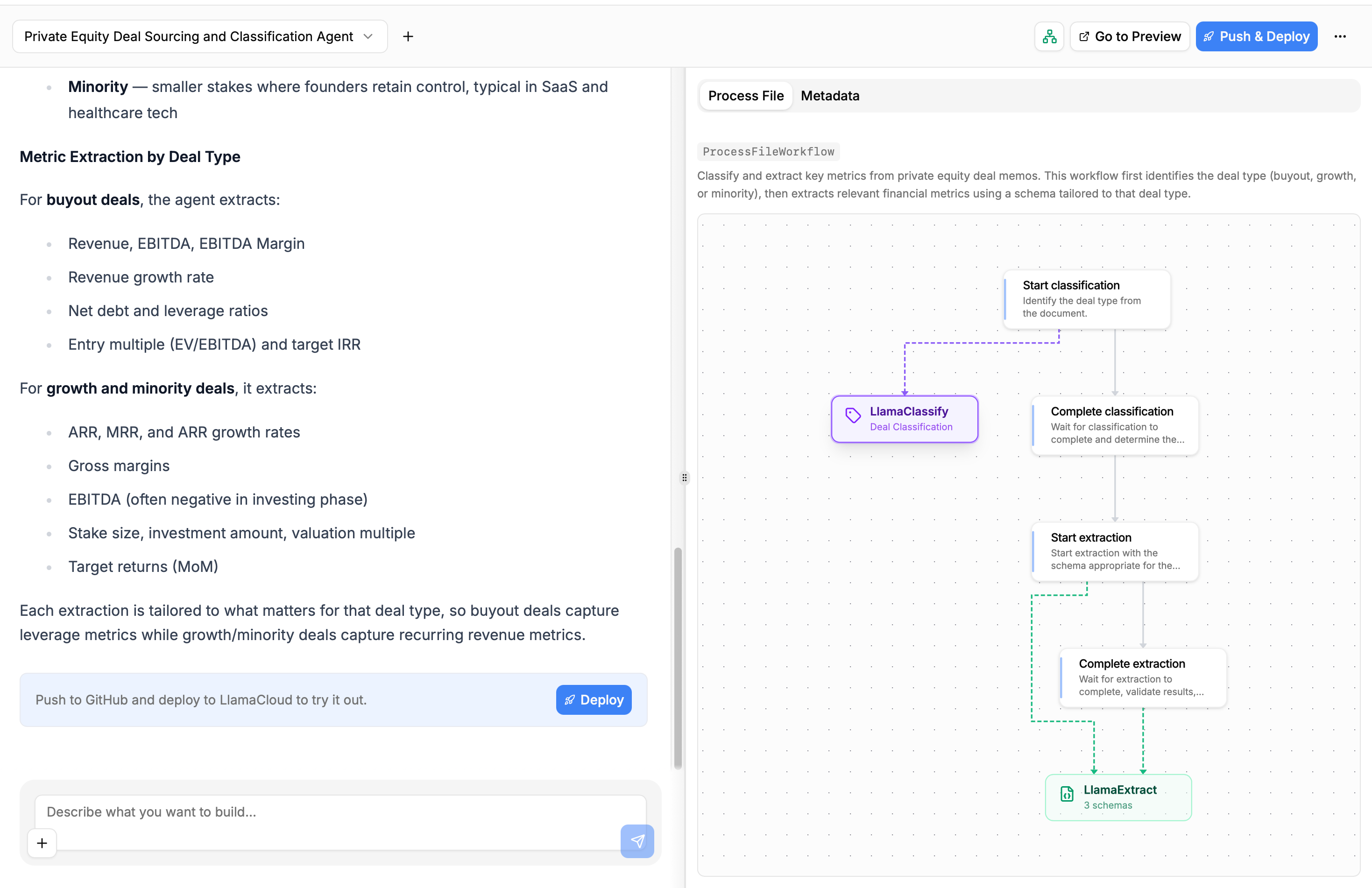
You can click on the LlamaClassify and LlamaExtract nodes to see the configurations the agent is using to classify and extract structured data from your files:
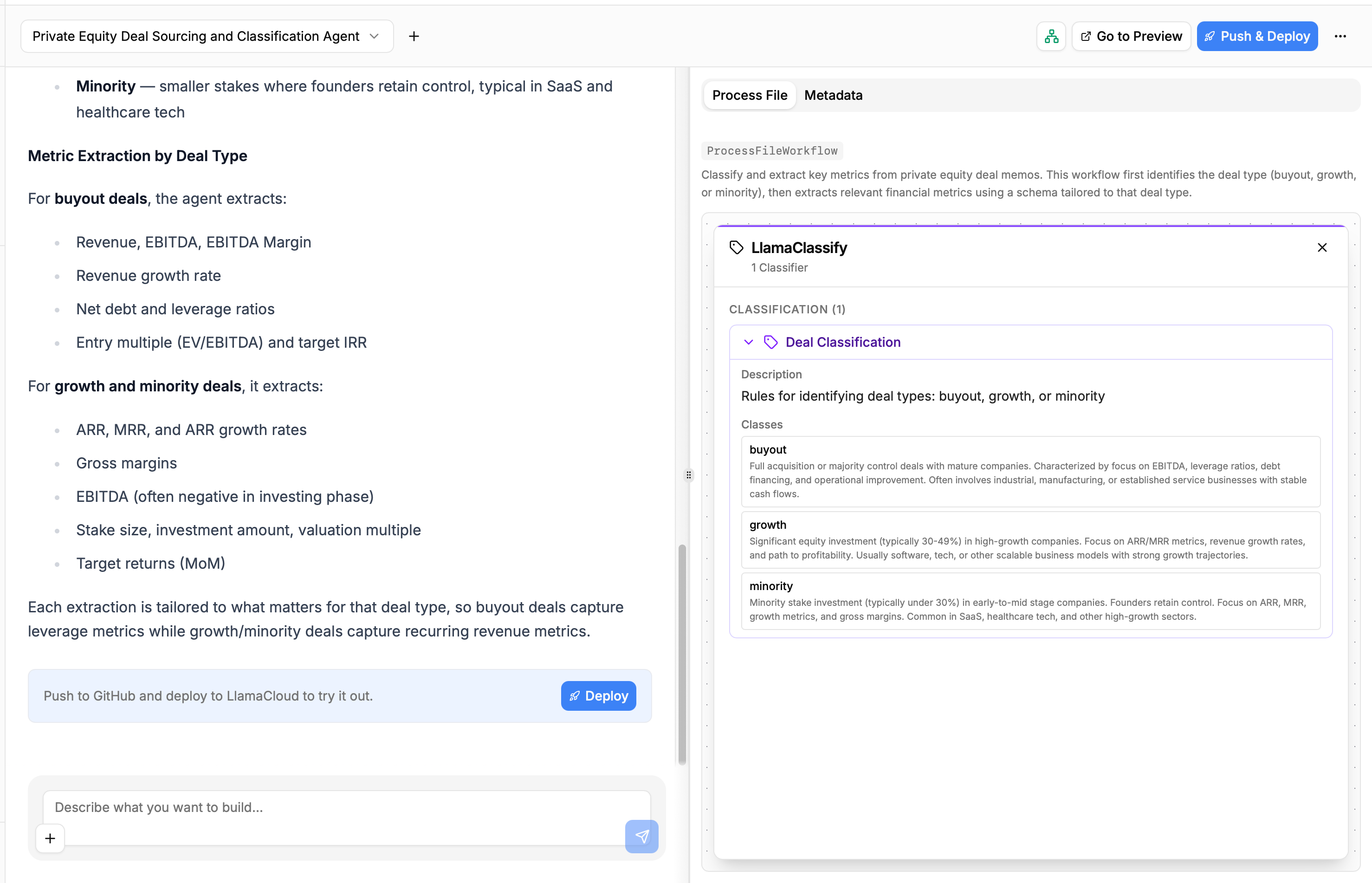
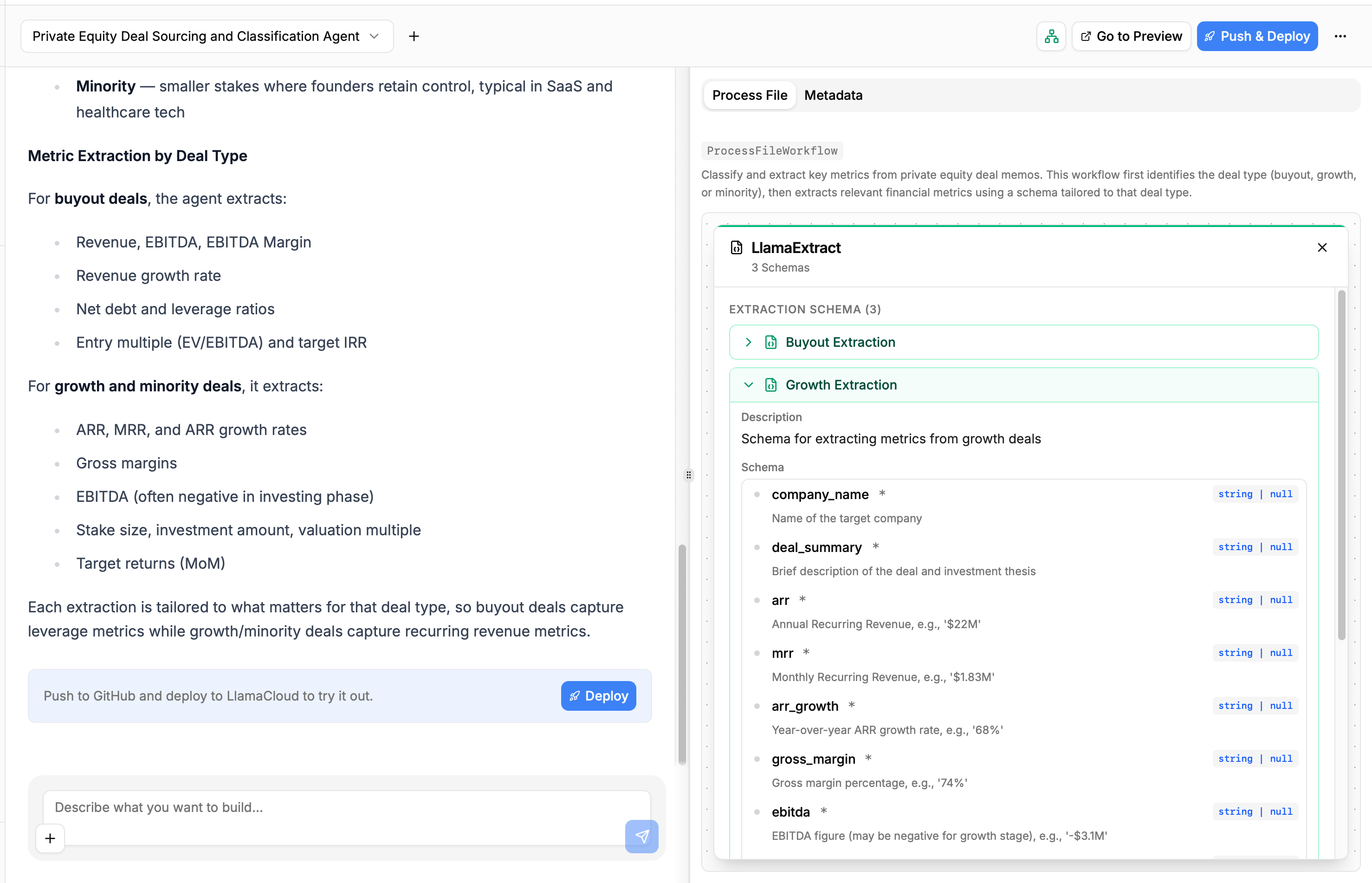
This helps you get a no-code overview of what the Builder has produced and how the data will flow through your application, allowing you to understand whether or not you should be refining the produced code with another conversation round, or if the first shot is enough.
In our case, the Builder produced an agent that satisfies our requirements, so we can move to pushing the produced to GitHub and deploy it as a LlamaAgent on the LlamaParse platform.
Connecting to GitHub and Deploying
In order to start syncing the produced code with a GitHub repository and deploying it as an agent, we need to click on the “Deploy” button that appears at the end of the conversation turn.
We will be first asked to create a repository, by choosing the owner (a personal account or one of the organizations we have access to) and assigning a name (deal-sourcing-agent in this case).
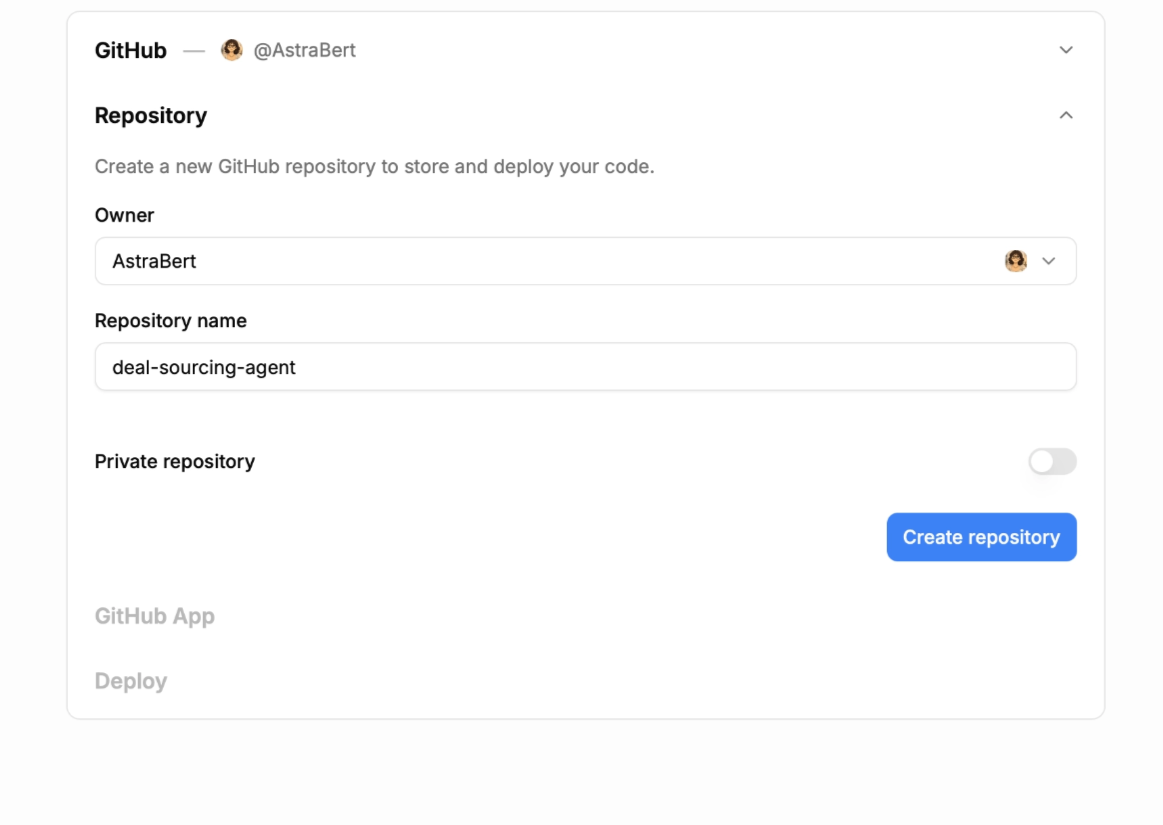
Once you set the repository metadata, we need to connect the LlamaAgents GitHub Application in order to push the created code to the repository that was just created.
Once the GitHub application is set up, we can simply click the “Deploy” button to complete the deployment, and we will be redirected to a page that will show us the deployment progress and its logs (which we can copy/download to explore potential failures).
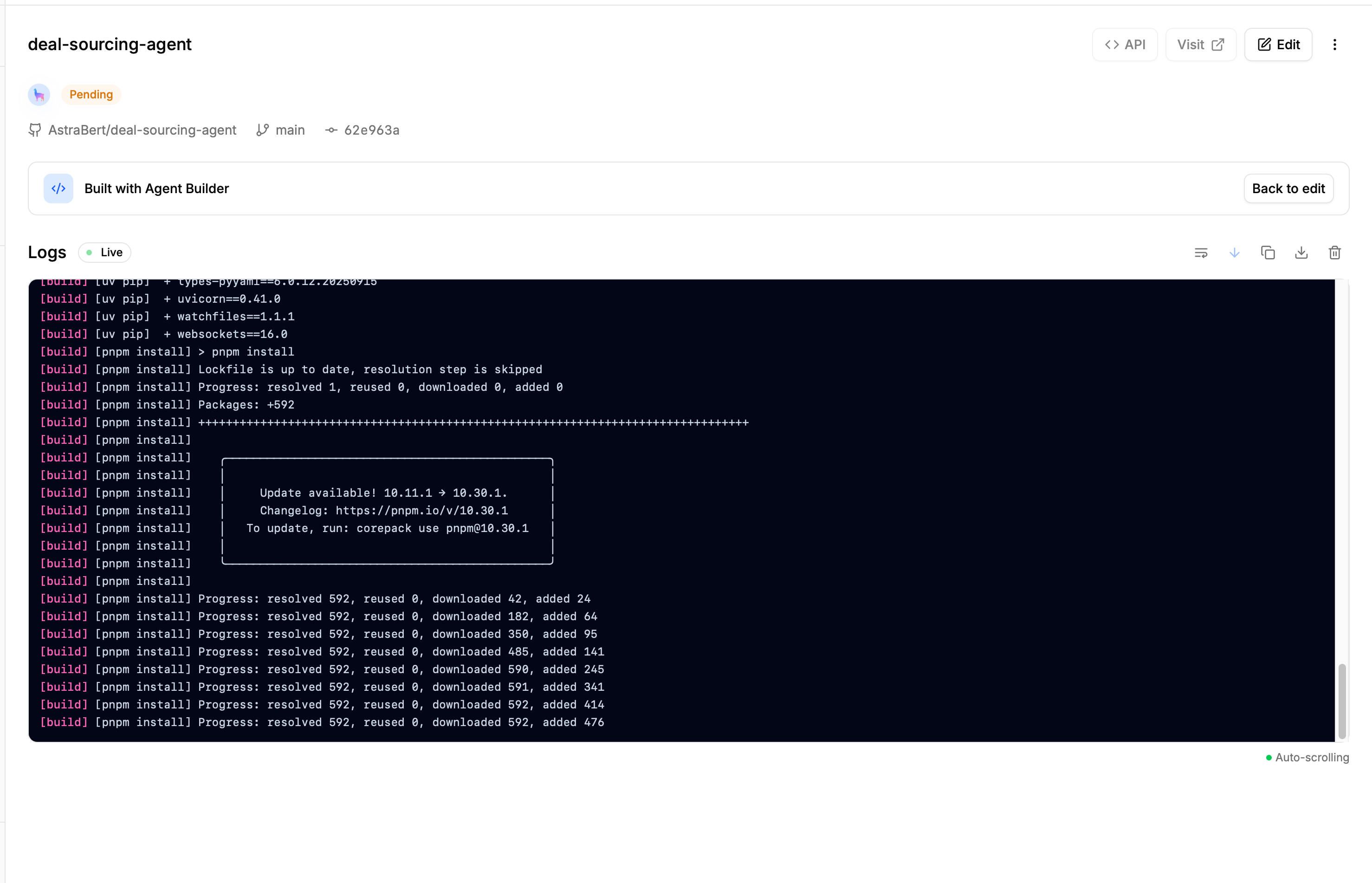
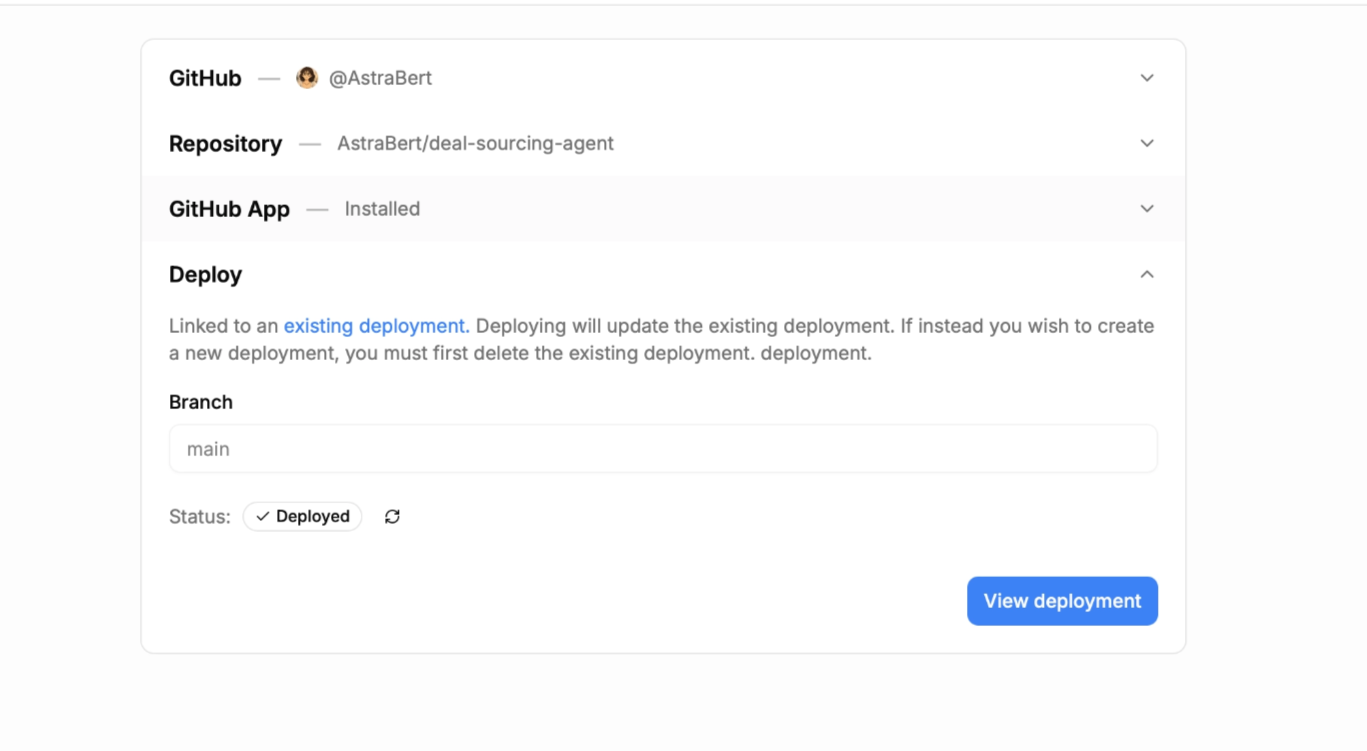
In our case, the deployment does not fail, and we can thus visit the deployed application and test it by clicking “Visit deployment”:
Testing the Deployed Application
The deployed application has a minimal UI that you can interact with to load and process our documents, which looks like this:
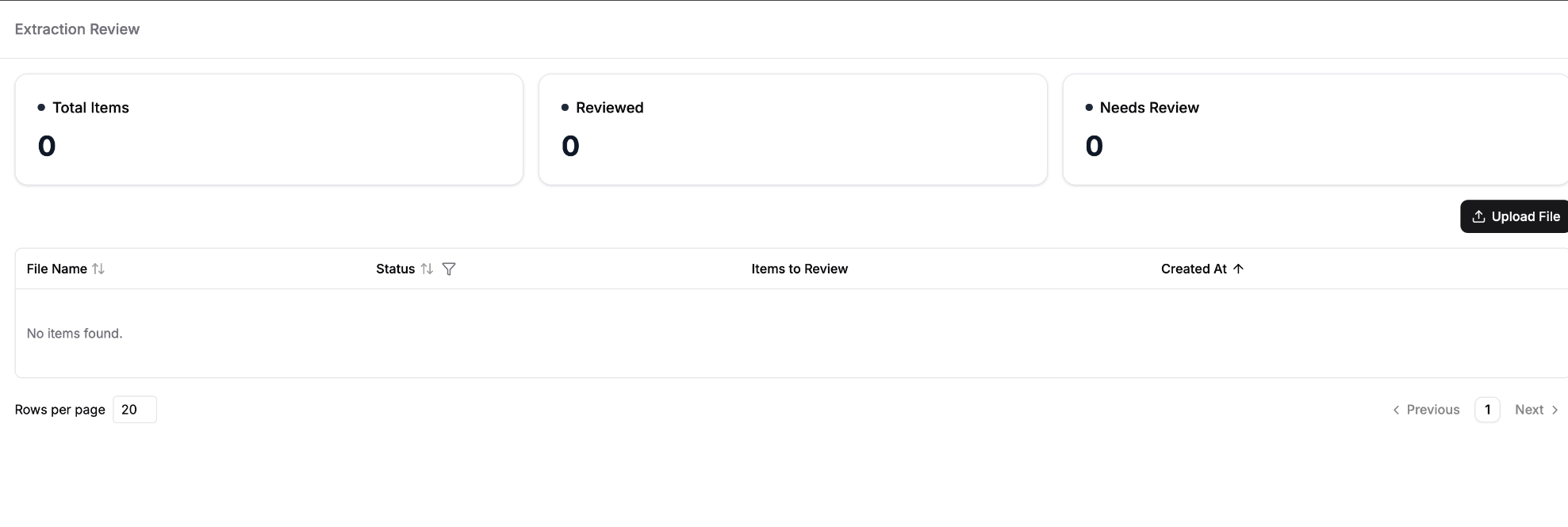
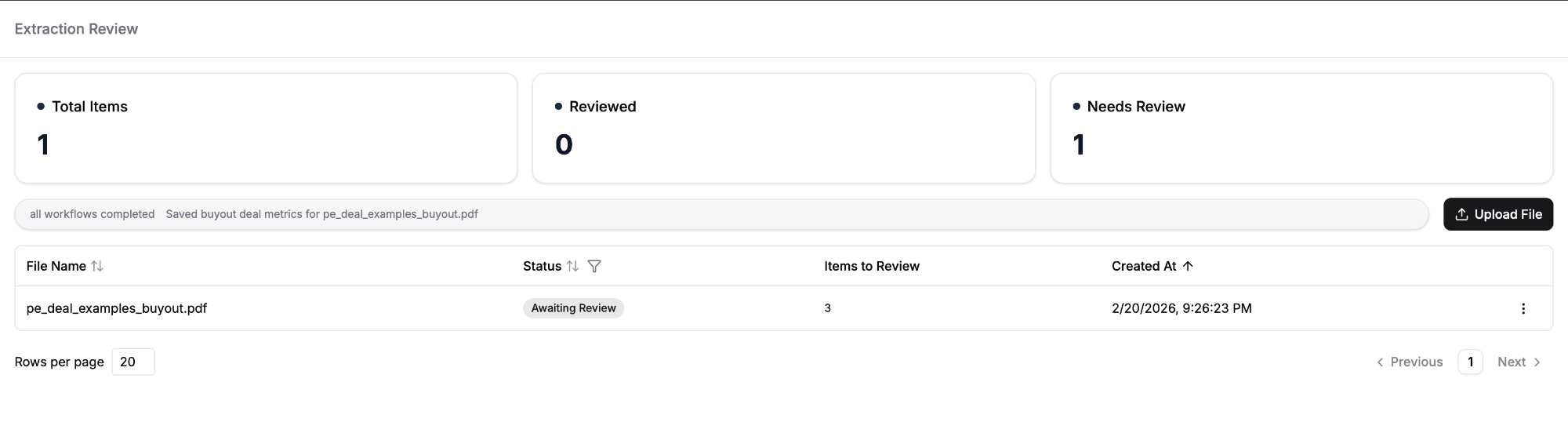
Once we click on the “Upload File” button, we can load our own files and start processing them right away. The UI will show when the processed file is ready:
We can review the file directly by clicking on it, and the review page will show the extracted data alongside with the document they were extracted from, allowing us to compare them.
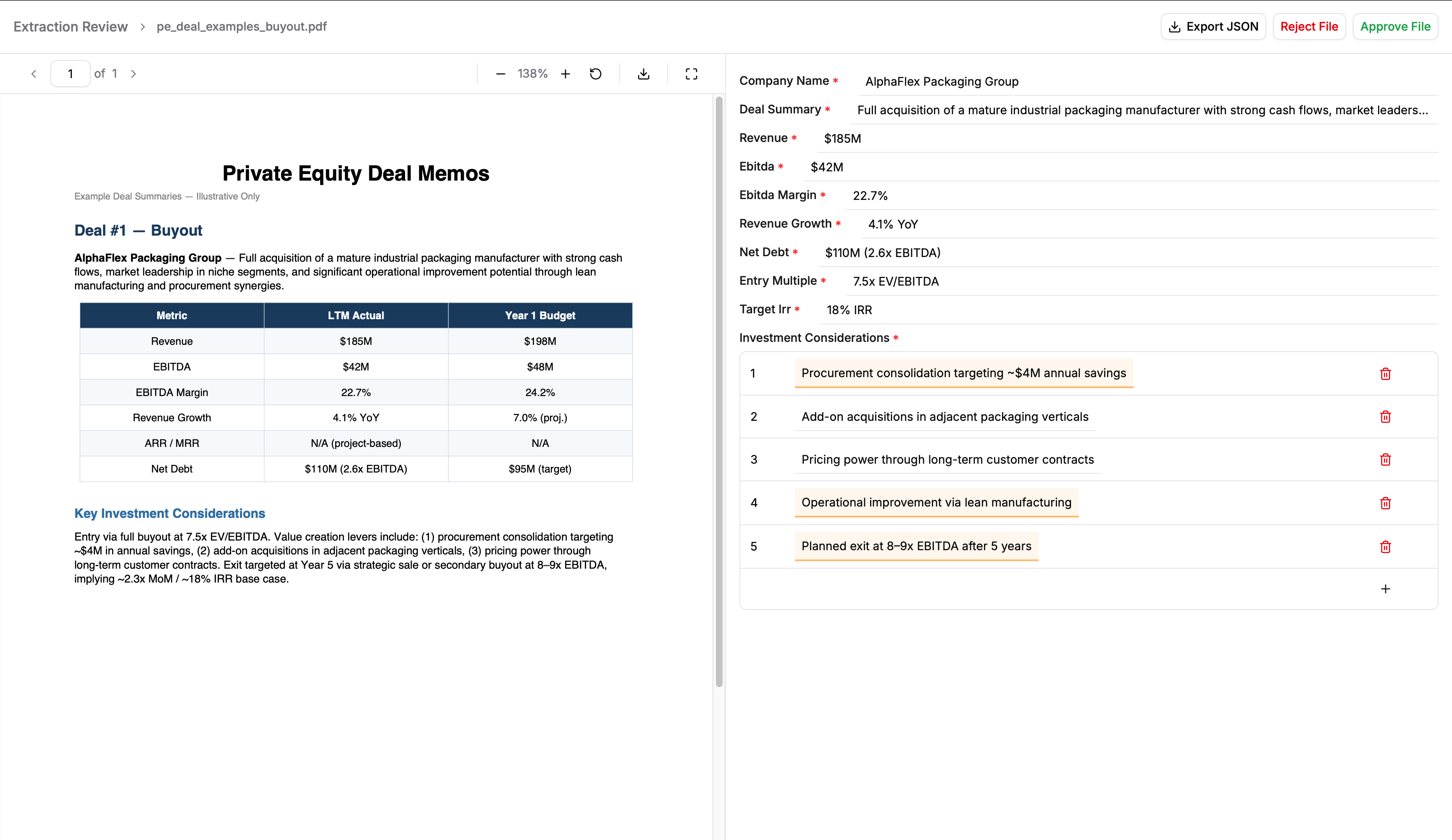
We can also download the JSON report of extracted data, and approve or reject the result once we complete the review.
In the picture above, the agent has been very precise in classifying the deal memo and extracting the information, so we can approve it.
Modifying the Deployment
If we wish to modify the deployed app, we can take two approaches:
- Start a new conversation turn with the Builder, asking it to implement the desired changes. This will automatically update the code in GitHub and will allow us to re-deploy the application once the conversation turn is completed.
- Clone the GitHub repository where the code is stored, make changes locally (the repository has a detailed README coding agents can use to help with the task) and push them to GitHub. Once the changes are pushed, we can re-deploy the application from LlamaParse.
In general, LlamaAgents Builder can always help with modifying existing deployment, but we own the code, so we can always retouch it on our own, locally.
Conclusion
In this blog, we went through all the necessary steps to build a document processing agent with LlamaAgents Builder.
There are two important messages that should be taken away from this blog:
- Inputs are critical in defining output quality: a concise-but-specific prompt, that focuses exactly on what you need, plus highly relevant example files, can be the difference between an over-generalized/over-specific agent and one that suits your use case perfectly.
- Own and refine the code: LlamaAgents Builder gives you insights in the code (with the workflow visualization) and full ownership (by syncing to your GitHub accounts): you should exploit this advantage to iterate over the produced application and perfect it for your use case (through multiple chats with the Builder or implementing changes on your own).