Just before the new year, we were excited to announce LlamaParse v2 in LlamaParse with major improvements to accuracy, speed, and cost. Today, we're pairing those powerful capabilities with a new, improved API for LlamaParse v2 as well as new llama-cloud SDKs, an upgrade over our existing llama-cloud-services that covers our entire suite of agentic document understanding modules, including LlamaParse and LlamaExtract. This change simplifies our release process for SDK updates and brings true feature parity between our Python and Typescript SDKs.
After working with thousands of developers building document agents, we've rebuilt the LlamaParse API around a core principle: letting you focus on what to parse, rather than getting lost in the details of how to parse. With cleaner configuration, structured outputs, and new llama-cloud SDKs for Python and TypeScript, you can now leverage LlamaParse v2's enhanced parsing quality with significantly less complexity. And if you're currently using v1, don't worry: we're maintaining full support via the old llama-cloud-services SDK for the time being, while making v2 the recommended path forward for all new projects.
New LlamaParse SDKs
Our SDKs are the default path to scaling for power users of our LlamaParse services. We see it as our most important product, as the true place where developers graduate from experimentation in the UI to production scale in the API. We’re excited to announce brand new SDKs (both Python and TypeScript) for all LlamaParse tools.
We’ve released the SDKs under the new llama-cloud packages. The new SDKs feature many improvements over our prior llama-cloud-services , including more consistent UX and significantly improved TypeScript support.
To get started building, you can install the new SDKs: Python: pip install llama-cloud TypeScript: npm i @llamaindex/llama-cloud
Note: While the old llama-cloud-services SDK still supports LlamaParse API v1, llama-cloud only supports API v2
We recommend the new llama-cloud SDKs for all new use cases, and we recommend existing users migrate from the old llama-cloud-services SDKs for the latest features and support.
You will notice that examples in LlamaParse docs will start to use llama-cloud as of today, while some continue to use the old llama-cloud-services (or both) while we continue to test and update the new SDK.
LlamaParse API v2
After working with thousands of developers building document agents, we've rebuilt the API to make the UX cleaner, more intuitive, and more consistent. We've cleaned up the vast set of parameters from v1 and organized them into structured configuration objects, reducing clutter and making your intent clearer. The improved output structure is now easier to use and understand, so you can spend less time wrestling with configurations and more time building.
We've published a Migration Guide for all existing users to facilitate the transition from v1 to v2. Our default Parse documentation now reflects LlamaParse v2 and the new SDKs, though you'll still find v1 documentation under the v1 tab for the time being. We recommend Parse API v2 for all new use cases.
Content-Focused Configuration for LlamaParse
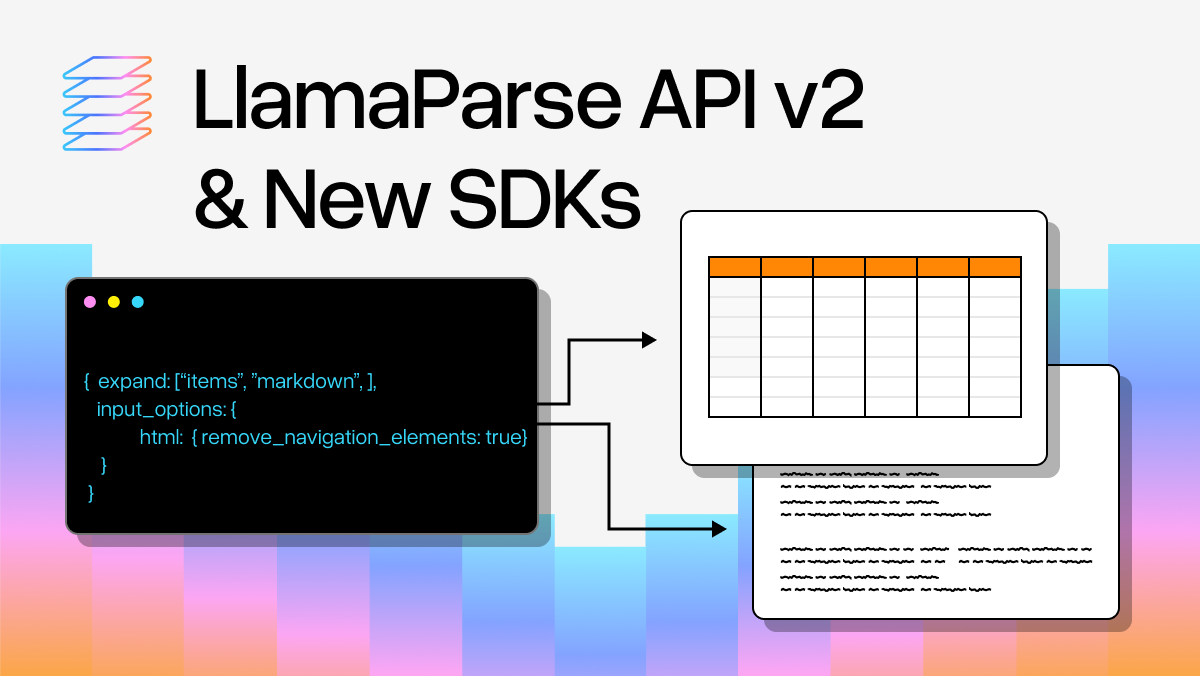
The new API v2 introduces structured configuration objects that make it easier to find and understand parsing parameters. Instead of a flat list of dozens of parameters, you now organize options into intuitive categories: input_options for file-type-specific settings, output_options for controlling output styling and content extraction, and processing_options for some finer-grained control over how a file is parsed.
We've also improved the output structure. The expand parameter gives you precise control over what parsed content gets returned, whether that's text, markdown, structured JSON, or metadata. And the returned content has more consistent typing and structure, so you (and your coding agents) can confidently navigate text, structured items, and everything in between with full type safety.
Using Parse API v2 in the new SDK:
python
% pip install llama-cloud>=1.0

from llama_cloud import LlamaParse
import httpx
import re

client = LlamaParse(api_key="llx-...")

# Upload and parse a document
file_obj = await client.files.create(file="./attention_is_all_you_need.pdf", purpose="parse")

result = await client.parsing.parse(
    file_id=file_obj.id,
    tier="agentic",
    version="latest",

    # Options specific to the input file type, e.g. html, spreadsheet, presentation, etc.
    input_options={},

    # Control the output structure and markdown styling
    output_options={
        "markdown": {
            "tables": {
                "output_tables_as_markdown": False,
            },
        },
        # Saving images for later retrieval
        "images_to_save": ["screenshot"],
    },

    # Options for controlling how we process the document
    processing_options={
        "ignore": {
            "ignore_diagonal_text": True,
        },
        "ocr_parameters": {
            "languages": ["fr"]
        }
    },

    # Parsed content to include in the returned response
    expand=["text", "markdown", "items", "images_content_metadata"],
)

print(result.markdown.pages[0].markdown)
print(result.text.pages[0].text)

# Iterate over page items to find tables
for page in result.items.pages:
    for item in page.items:
        if isinstance(item, ItemsPageStructuredResultPageItemTableItem):
            print(f"Table found on page {page.page_number} with {len(item.rows)} rows and {item.bbox} location")

def is_page_screenshot(image_name: str) -> bool:
  return re.match(r"^page_(\d+)\.jpg$", image_name) is not None

# Iterate over results looking for page screenshots
for image in result.images_content_metadata.images:
    if image.presigned_url is None or not is_page_screenshot(image.filename):
        continue

    print(f"Downloading {image.filename}, {image.size_bytes} bytes")
    with open(f"{image.filename}", "wb") as img_file:
        async with httpx.AsyncClient() as http_client:
            response = await http_client.get(image.presigned_url)
            img_file.write(response.content)
Using Parse API v1 in the old SDK:
python
%pip install llama-cloud-services

from llama_cloud_services import LlamaParse
import re

parser = LlamaParse(
  api_key="llx-",

  tier="agentic",
  version="latest",

  take_screenshot=True,

  high_res_ocr=True,

  adaptive_long_table=True,

  outlined_table_extraction=True,

  skip_diagonal_text=True,

  language="fr",

  output_tables_as_HTML=True,
)

result = await parser.aparse("./attention_is_all_you_need.pdf")

text_nodes = await result.aget_text_nodes()
markdown_nodes = await result.aget_markdown_nodes()

print(text_nodes[0].text)
print(markdown_nodes[0].text)

result_json = await result.aget_json()

# Iterate over page items to find tables
for page in result_json['pages']:
    for item in page['items']:
        if item['type'] == 'table':
            print(f"Table found on page {page['page']} with {len(item['rows'])} rows and {item['bBox']} location")

def is_page_screenshot(image_name: str) -> bool:
  return re.match(r"^page_(\d+)\.jpg$", image_name) is not None

# Iterate over results looking for page screenshots
for page in result_json['pages']:
  for image in page['images']:
    if not is_page_screenshot(image['name']):
      continue

    print(f"Downloading {image['name']}")
    await result.asave_image(image['name'], "./screenshots")
Migrating to LlamaParse API v2
To help you with the process of migrating from LlamaParse API v1 to v2, we’ve published a migration guide here.
FAQs
What about the existing llama-cloud-services SDKs?
The pre-existing SDKs will be maintained for approximately the next 3 months in order to allow a smooth transition for users. After this time, the llama-cloud-services GitHub repository will be marked as archived and we encourage users to move to the new llama-cloud-py (https://github.com/run-llama/llama-cloud-py) and llama-cloud-ts (https://github.com/run-llama/llama-cloud-ts) repositories.
During this transition period, our documentation will contain references to both the old and new SDKs.
LlamaParse API v1 Support
Current LlamaParse v1 users can continue using the existing API v1 and llama-cloud-services SDK—nothing breaks. We're maintaining v1 support, while v2 becomes the recommended path forward for new projects.