Healthcare teams deal with unstructured documents constantly: faxed referrals, scanned intake packets, handwritten notes, EOBs, prior auth forms, lab reports, and long EHR PDF exports.
The goal isn’t just “turn images into text.” It’s to extract the right data accurately, preserve context across pages, and do it all in a way that supports HIPAA-aligned workflows (security controls, auditability, and a BAA when PHI is involved).
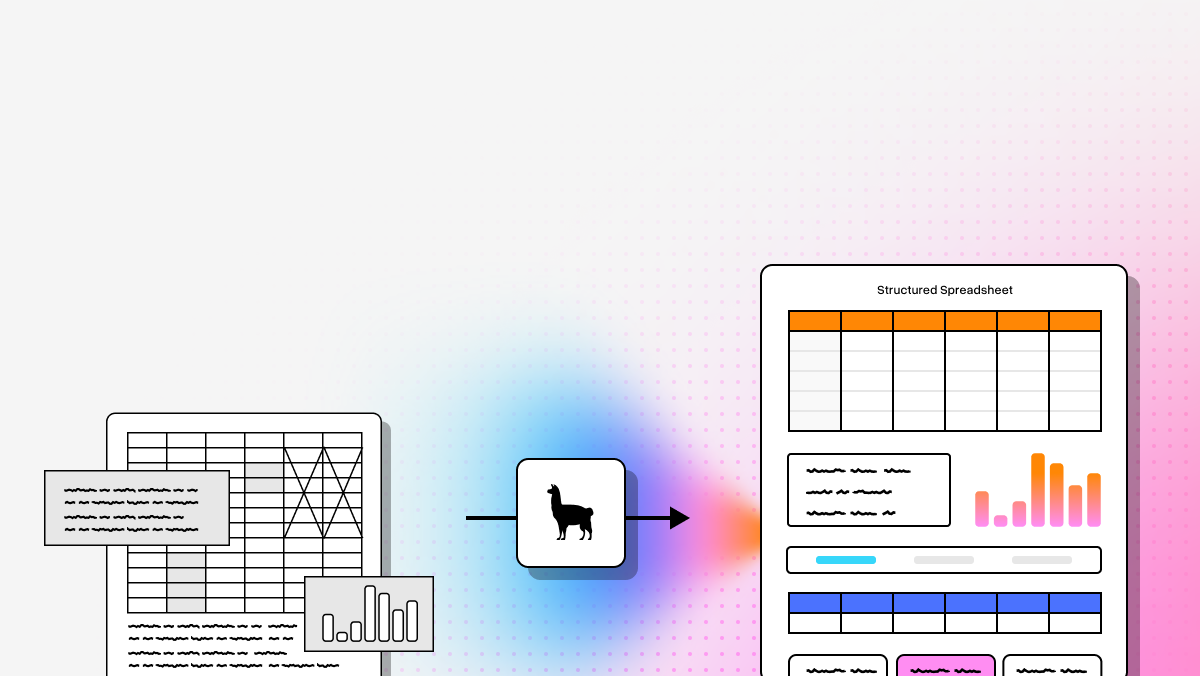
Modern Document AI platforms differ from legacy OCR because they can interpret structure and meaning—not just characters. That includes parsing tables, identifying key fields, capturing page relationships, and triggering human review when confidence is low.
| Company | Capabilities | Common Healthcare Use Cases | API / Deployment Notes |
|---|---|---|---|
| LlamaIndex (LlamaCloud & LlamaParse) | Agentic document processing, semantic reconstruction, multimodal parsing, handwriting recognition, field-level confidence scoring | Clinical assistants, automated coding, research synthesis, patient support agents, healthcare RAG pipelines | API-first; Python/TS SDKs; schema-based extraction (LlamaExtract); connectors; SaaS or self-hosted |
| Amazon Textract | OCR for text, handwriting, forms, tables, signatures | Intake automation, claims/EOB processing, insurance card capture, identity verification | AWS-managed APIs; HIPAA-eligible services; integrates with AWS stack/HealthLake |
| Google Cloud Document AI | Healthcare parsers, strong NLP/CV, HITL review, Vertex AI adjacency | Medical record digitization, prior auth support, lab result standardization | Enterprise GCP APIs; pre-trained + custom extractors; powerful but can be complex |
| Azure Document Intelligence | Neural models for text, key-value pairs, tables; strong governance and RBAC | Insurance verification, ingesting faxes/PDFs into EHR workflows, analytics pipelines | Azure-native; integrates with Microsoft security/compliance tooling |
| ABBYY Vantage | High-accuracy OCR, FlexiLayout, healthcare “skills,” multilingual; more low-code | RCM workflows, clinical trial docs, consent form archiving | Skills/low-code oriented; less developer-first than API-native platforms |
| Docling (IBM Research) | Layout-aware conversion of complex PDFs to clean Markdown/JSON; privacy-first architecture | RAG ingestion, clinical note parsing, legacy PDF migration | Developer-friendly; open-source components; enterprise options but workflow UI less mature |
| Hyperscience | Strong on degraded scans, handwriting, low-quality faxes; continuous learning with review | Faxed referrals, EOB reconciliation, handwritten trial forms | Enterprise IDP; on-prem/private cloud options; heavier implementation |
1. LlamaParse (LlamaIndex)
Platform summary
LlamaParse is built for teams that need more than classic OCR. It focuses on Agentic Document Processing and semantic reconstruction—preserving structure, intent, and context across complex healthcare documents (referral packets, lab reports, billing docs, EHR exports).
Key benefits
- Context-aware parsing (less brittle than template OCR).
- Designed for auditable, PHI-sensitive workflows.
- Fits modern AI stacks
- Strong developer control via APIs/SDKs and deployment flexibility.
Core features
- Agentic OCR + handwriting recognition
- Structured extraction with LlamaExtract (schema-guided fields like MRN, ICD-10, meds, dosages, lab values)
- Field-level confidence scores for review routing
- Enterprise/developer architecture (Python + TypeScript SDKs, modular orchestration)
Primary use cases
- Clinical assistants (longitudinal chart summarization)
- Automated medical coding (ICD/CPT-relevant extraction)
- Research & clinical trial acceleration
- Patient support agents grounded in verified records
Recent updates
- Launched LlamaExtract for schema-guided extraction + confidence-aware outputs
- Expanded Agentic Document Workflows for multi-step orchestration
- Published healthcare-focused workflows (early 2026), including blood-test PDF parsing + RAG pipeline
Limitations
- Best for technical teams (developer involvement needed)
- Less “no-code desktop tool” friendly
- Overkill for very simple flat forms
Why it stands out: strongest fit for developer-led healthcare AI initiatives (document-aware agents, extraction pipelines, healthcare RAG).
2. Amazon Textract
Platform summary
A managed OCR/document extraction service that fits naturally into AWS-centric healthcare environments. Strong for high-volume processing of standardized docs (intake forms, claims forms, insurance cards).
Core features
- Text + handwriting + forms + tables + signatures
- HIPAA-eligible AWS infrastructure (when configured correctly)
- Strong integration with AWS storage/workflow services
Primary use cases
- Patient intake automation
- Claims workflows (CMS-1500 / UB-04 style)
- ID and insurance verification
Recent updates
- Better complex layout handling (multi-column docs)
- Improved handwriting/cursive performance
- Stronger interoperability with AWS healthcare services
Limitations
- More brittle when layouts vary widely
- Pricing can be complex at scale
- Less “semantic/agentic” than newer parsers
Best for: AWS-standardized teams with relatively consistent document formats.
3. Google Cloud Document AI
Platform summary
Strong enterprise option emphasizing high-accuracy extraction, NLP-rich processing, and built-in human review. Good when you want pre-trained healthcare parsers plus customization.
Core features
- Healthcare-specific parsers
- HITL review workflows
- Vertex AI integration for advanced document understanding
Primary use cases
- Medical record digitization
- Prior auth support
- Lab result extraction + standardization
Recent updates
- Custom Document Extractor with gen-AI assistance
- Less labeled data needed for some custom tasks
- Continued enterprise security enhancements
Limitations
- Non-trivial setup/ops complexity
- Can be costly for small providers
- Specialty-specific customization can still take work
Best for: GCP enterprises that want strong NLP + HITL workflows.
4. Azure Document Intelligence
Platform summary
Microsoft’s document extraction platform with strong governance, RBAC, and Azure integration—attractive for Microsoft-heavy healthcare organizations.
Core features
- Neural extraction for text, key-value pairs, tables
- Pre-built models (e.g., health insurance card)
- Enterprise identity/security controls
Primary use cases
- Insurance verification
- Ingest faxes/PDFs into EHR-aligned workflows
- Population health/analytics pipelines
Recent updates
- Improved layout analysis (complex tables/overlapping text)
- Expanded regional availability
- Ongoing model quality improvements
Limitations
- Best if you’re already Azure-fluent
- Less consistent on extremely degraded faxes
- Pricing predictability can be difficult with variable volumes
Best for: Microsoft-first enterprises optimizing around governance/security.
5. ABBYY Vantage
Platform summary
A mature intelligent document processing platform known for OCR quality and a low-code operating model. Good for organizations that want workflow automation but don’t want everything to be developer-built.
Core features
- FlexiLayout for variable layouts
- Pre-trained healthcare skills
- Multilingual support
Primary use cases
- Revenue cycle management
- Clinical trial documentation
- Consent form indexing/archiving
Recent updates
- Added gen-AI connector skills for post-processing/summarization
- Enhanced mobile capture
- Expanded reusable skills library
Limitations
- Enterprise pricing
- Specialized expertise still needed for custom layouts
- Less LLM-native/agentic than modern API-first platforms
Best for: Low-code IDP needs with strong traditional OCR roots.
6. Docling (IBM)
Platform summary
Developer-focused tool for converting complex PDFs into clean Markdown/JSON while preserving layout/structure—particularly useful as an ingestion layer for LLMs and RAG.
Core features
- Layout-aware PDF → Markdown/JSON conversion
- Hybrid parsing for digital + scanned PDFs
- Privacy-oriented architecture
Primary use cases
- Medical knowledge base creation for RAG
- Clinical note parsing into structured formats
- Legacy PDF migration into AI-ready stores
Recent updates
- Better borderless table extraction
- Improved fit with LLM orchestration frameworks
- Continued refinement of conversion workflows
Limitations
- Smaller ecosystem vs major cloud vendors
- Open-source deployments require your own compliance/infrastructure work
- Less mature workflow UI/HITL tooling
Best for: Developers who primarily need high-fidelity document-to-LLM ingestion.
7. Hyperscience
Platform summary
Purpose-built for low-quality faxes, degraded scans, and handwriting—common in legacy healthcare environments. Strong emphasis on straight-through processing + controlled human review.
Core features
- Models tuned for degraded documents and handwriting
- Continuous learning from human corrections
- On-prem/private cloud deployment options
Primary use cases
- Faxed referral processing
- EOB reconciliation
- Handwritten trial/case report form digitization
Recent updates
- Architecture improvements to reduce compute cost for handwriting-heavy workloads
- Expanded RCM workflows
- Continued focus on straight-through processing
Limitations
- Higher TCO
- Longer implementations (services/config/tuning)
- Less agile for rapid API-first experimentation
Best for: Large enterprises with terrible document quality and strict deployment requirements.
HIPAA Compliant OCR FAQs
How to choose the right HIPAA‑compliant OCR / Document AI platform
Pick based on your document mix and workflow requirements:
- Choose LlamaParse for AI-native products, healthcare RAG, schema extraction, document-aware agents.
- Choose Textract if you’re AWS-heavy and documents are more standardized.
- Choose Google Document AI for strong NLP, pre-trained healthcare parsers, and HITL review on GCP.
- Choose Azure Document Intelligence for Microsoft governance/RBAC and Azure-centric ecosystems.
- Choose ABBYY Vantage for mature OCR + low-code IDP deployment.
- Choose Docling if the main need is high-fidelity PDF → structured formats for LLM ingestion.
- Choose Hyperscience if faxes/handwriting/degraded scans are the core problem.
What is HIPAA‑compliant OCR software?
HIPAA-compliant OCR (Optical Character Recognition) software digitizes and extracts data from healthcare documents while meeting HIPAA privacy/security expectations for PHI (Protected Health Information).
To be “HIPAA compliant” in practice, the solution typically needs:
- Strong security controls (encryption, access control, audit logs)
- Clear PHI handling policies (retention/deletion, logging, subprocessors)
- A vendor willing to sign a Business Associate Agreement (BAA) when they handle PHI on your behalf
What makes OCR truly HIPAA‑compliant?
HIPAA compliance isn’t a single feature. It’s a combination of:
- Vendor safeguards (security + policies)
- Contractual commitment (BAA)
- Your configuration and operational controls
Key areas to validate:
- BAA, encryption, RBAC/SSO, audit logs
- Retention/deletion, backups, subprocessors, model training policy
- Secure human-review workflows (HITL)
- Deployment model that matches your internal security requirements
Final takeaway
HIPAA-compliant OCR is now table stakes. The differentiator is whether a platform can preserve meaning, structure, confidence, and auditability across messy, high-stakes healthcare documents.
If your roadmap includes structured extraction, healthcare RAG, coding automation, or document-aware agents, prioritize platforms that are built for downstream AI workflows—not just text recognition.