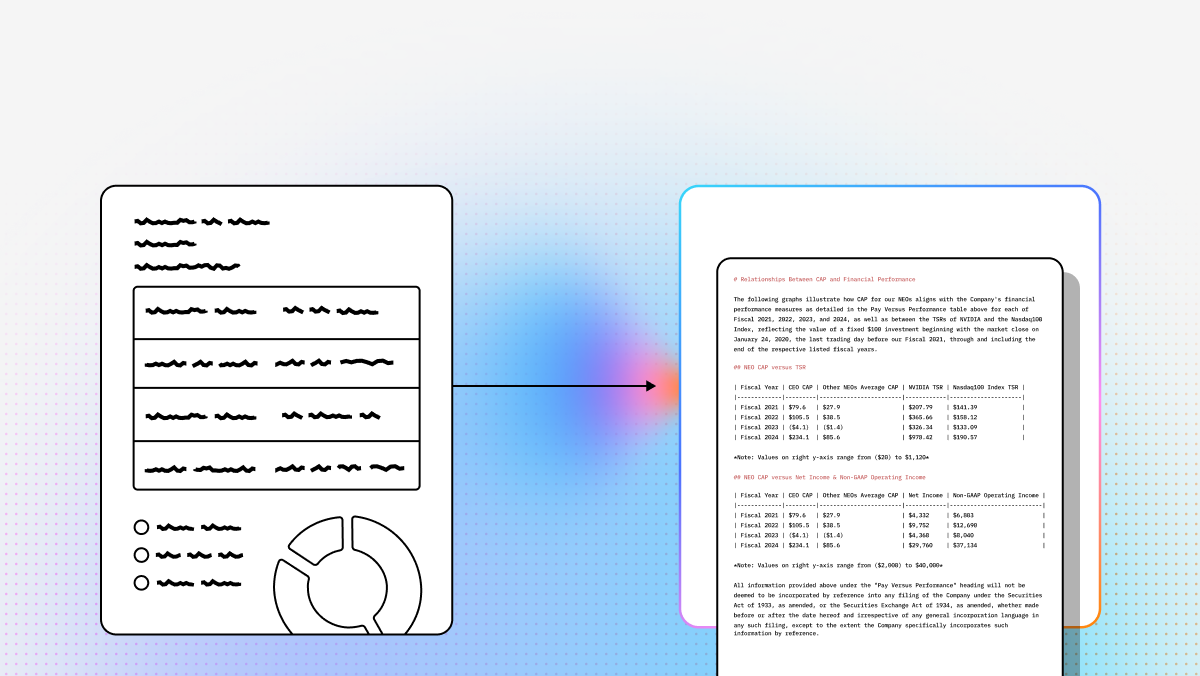
ACORD form processing is a persistent bottleneck in insurance operations. Traditional OCR can work on clean, standardized documents, but it often fails when:
- Scans are low quality
- Tables span multiple pages
- Handwriting appears in key fields
- Layouts vary between carriers/brokers
A newer generation of AI document extraction platforms goes beyond templates and bounding boxes by combining layout understanding, vision models, schema-based extraction, and workflow automation. The right tool can reduce manual review, improve straight-through processing, and make downstream systems easier to automate.
| Platform | Best For | Strengths | Tradeoffs |
|---|---|---|---|
| LlamaIndex | Complex ACORD packets + schema extraction + agent workflows | Semantic parsing, schema-first JSON, citations/confidence, multi-step reasoning | More developer/engineering oriented |
| Amazon Textract | High-volume OCR inside AWS | Scalable OCR, key-value detection, handwriting, AWS-native integrations | Less robust on highly unstructured/nested tables; needs downstream mapping |
| ABBYY | Enterprise IDP with strong review/governance | Mature workflows, human-in-the-loop, compliance-friendly, low-code tooling | Higher cost/implementation effort; more rigid than newer AI-first platforms |
| Azure Document Intelligence | Document AI in Microsoft ecosystems | Strong OCR/layout, prebuilt models, custom neural models, Power Automate/Logic Apps | Best fit for Azure-first orgs; costs can rise with high-res/custom |
1. LlamaParse (LlamaIndex)
Summary: Agentic document processing for complex insurance documents (ACORD + attachments), built for schema-based extraction and downstream reasoning.
Why it stands out
- LlamaParse handles messy layouts, tables, handwriting, and low-quality scans with more semantic understanding than template OCR.
- LlamaExtract supports developer-defined schemas and produces structured JSON with confidence scores + citations (auditability).
- Supports building multi-step workflows/agents that don’t stop at “transcribe,” but can validate and reason over the extracted data.
Strong use cases
- Submissions intake (ACORD 125/126 packets + attachments)
- Claims triage/FNOL extraction
- Policy analysis + compliance checks
- Fraud detection via cross-document validation
Limitations / fit
- Best for teams comfortable with APIs/SDKs (Python/TypeScript) and AI workflow design.
- Less “classic low-code IDP,” more “developer platform + orchestration.”
2. Amazon Textract
Summary: Managed OCR + form/table extraction at AWS scale.
Strengths
- Good key-value extraction without templates
- Handwriting support
- Integrates naturally with S3/Lambda and AWS pipelines
- Scales well for large volumes
Strong use cases
- Bulk ACORD archive digitization
- Cloud-scale intake pipelines on AWS
- Identity verification/KYC-adjacent workflows
- Invoice/billing extraction inside AWS
Limitations
- Can struggle with deeply nested tables and highly variable/unstructured layouts.
- Typically requires additional mapping/cleanup to make outputs “business-system ready.”
- No built-in agentic reasoning/orchestration.
3. ABBYY
Summary: Mature enterprise OCR/IDP with strong governance and human review workflows.
Strengths
- Pre-trained “skills” and structured/semi-structured extraction
- Strong human-in-the-loop validation tooling
- Low-code workflow design (operations-friendly)
- Enterprise governance for regulated environments
Strong use cases
- Legacy carrier automation + stable operations
- Mailroom classification/routing
- Compliance-heavy extraction where verification is mandatory
Limitations
- Higher cost and heavier implementation than API-first tools
- More rigid when documents/layouts change frequently
- Often requires services/support for custom deployments
4. Azure Document Intelligence
Summary: Microsoft’s document AI for OCR, layout, tables, and structured extraction—strong fit for Azure-first organizations.
Strengths
- OCR + key-value + table extraction with strong reading order
- Pre-built models (including insurance-oriented scenarios)
- Custom neural models for specialized forms
- Tight integration with Logic Apps and Power Automate
Strong use cases
- Underwriting automation in Microsoft ecosystems
- Policy migration to modern systems
- Audit/compliance processing across portfolios
Limitations
- Best fit if you’re already Azure-native
- Costs can rise with high-resolution/custom model processing
- Less flexible for multi-cloud teams than neutral API-first platforms
ACORD Transcriber FAQs
What is an ACORD Transcriber?
An ACORD transcriber is software (usually OCR + AI) that reads ACORD forms (scanned PDFs, images, faxes) and converts them into structured digital data usable by downstream systems (PAS, claims, underwriting, compliance).
Why is an ACORD Transcriber important?
Manual ACORD data entry is slow, expensive, and error-prone. Automating transcription can:
- reduce operational cost
- improve speed (quote-to-bind, intake, triage)
- increase accuracy and consistency
- free underwriters/adjusters from repetitive data entry
How to choose the best ACORD transcriber provider
Key criteria to evaluate:
- Accuracy on your real documents (run a POC with messy scans + handwriting)
- Schema-based outputs (clean JSON aligned to your business fields)
- Confidence + citations (auditability and exception handling)
- Integration (APIs + fit with PAS/CRM/data pipelines)
- Scalability + security (volume, SOC 2, controls, enterprise support)
What’s the difference between an ACORD transcriber and traditional OCR?
- Traditional OCR: extracts raw text.
- ACORD transcriber (AI-powered): understands structure (forms, tables, checkboxes), maps values into a schema, handles layout variation, and often returns confidence/citations for review.
Which ACORD forms and related documents can AI usually process?
Common targets include:
- ACORD 125, 126, 127, 130, 140
- loss runs and claims summaries
- certificates, endorsements, policy docs
- broker emails, submission checklists
- invoices/billing/verification docs
How accurate is AI-based ACORD transcription, and when is human review needed?
Accuracy depends on scan quality, handwriting, and layout complexity. Human review is still important for:
- low-confidence critical fields (policy number, limits, named insured)
- missing pages/incomplete submissions
- handwritten/ambiguous entries
- cross-document conflicts (e.g., effective dates differ)
Best practice is confidence-based review: auto-process everything, route only exceptions.
Can AI validate information across multiple insurance documents?
Yes. Modern systems can extract from ACORD + attachments and perform cross-document checks like:
- insured name consistency across form/email/policy docs
- limits matching application vs schedules
- address/location/class code reconciliation
- missing signatures/forms detection
- conflicting effective dates/carrier details