Top 6 Google Document AI Alternatives for Agentic OCR in 2025
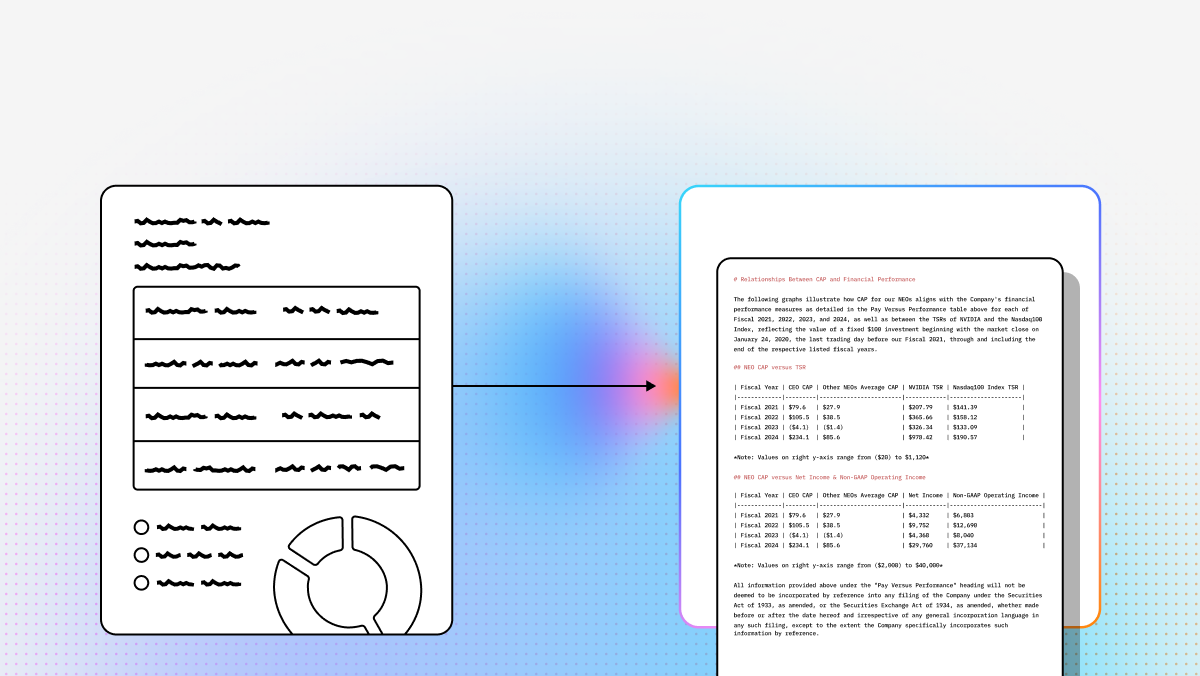
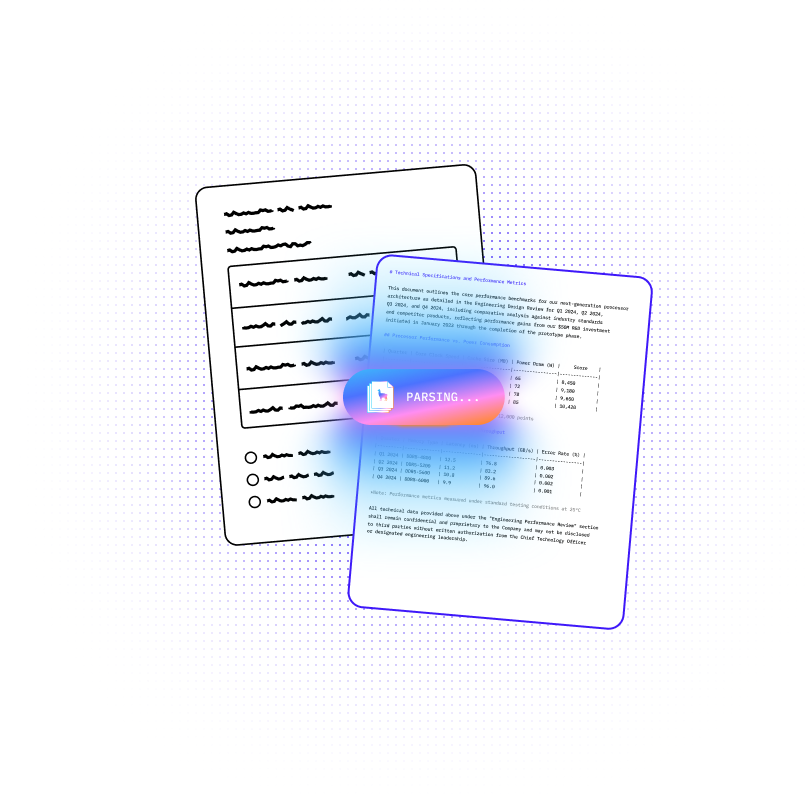
As we move into 2025, the era of “dumb” optical character recognition is officially over. Businesses are no longer satisfied with simple text extraction that breaks the moment a margin shifts or a table gets complex. The industry has shifted toward Agentic OCR: intelligent document processing that uses Vision Language Models (VLMs) to understand context, reconstruct semantic meaning, and self-correct errors in real time.
While Google Document AI has long been a heavyweight in the space, many developers and enterprise architects are hitting a wall. Between the steep learning curve of the GCP ecosystem, rigid template requirements, and the frustrating always-on hosting fees for custom models, the search for more agile, cost-effective alternatives has intensified.
Whether you are building a sophisticated RAG pipeline, automating high-volume financial audits, or looking for a privacy-first local solution, the market now offers specialized tools that outperform legacy cloud providers. This guide breaks down the top six Google Document AI alternatives to help you transform messy, unstructured documents into high-fidelity, AI-ready data.
| Platform | Capabilities | Use Cases | APIs |
|---|---|---|---|
| LlamaParse | Agentic document processing with layout-aware semantic reconstruction, multimodal parsing for charts/formulas/images, and self-correction loops. Optimized for clean Markdown/JSON output for LLM and RAG workflows. | Financial documents, invoices, legal contracts, scientific papers, technical documentation, and other complex unstructured files where layout and context matter. | Developer-first Python and TypeScript SDKs, REST API, direct LlamaIndex/LangChain integration, structured outputs with page-level metadata and confidence signals. |
| Azure Document Intelligence | Strong structured extraction for forms and tables, custom model training, composable models, and container deployment for localized processing. | Bank statements, insurance forms, standard business forms, and regulated on-prem or hybrid document workflows. | Azure APIs with strong Microsoft ecosystem connectivity, including Power Automate and Logic Apps. Best fit for teams already standardized on Azure. |
| Amazon Textract | Reliable OCR plus table, form, and handwriting extraction at AWS scale. Strong for structured documents, but less agentic and less semantically rich than VLM-based tools. | High-volume data entry, KYC and identity verification, invoices, loan applications, and large-scale document automation inside AWS. | Fully managed AWS APIs with native S3, Lambda, and A2I integration. Ideal for serverless pipelines but assumes AWS familiarity. |
| Google Document AI | Pre-trained processors, custom extractors, document splitting/classification, and Gemini-powered extraction for standard business document workflows. | Mortgage packages, procurement/invoice automation, archival digitization, and enterprises already using BigQuery and Vertex AI. | GCP-native APIs and Workbench tooling with strong Google Cloud integrations, though custom model setup and pricing can be more complex. |
| ABBYY FlexiCapture | Enterprise IDP with AI classification, heavy rule-based validation, auditability, ERP integrations, and strong human-in-the-loop controls. | Compliance-heavy invoice processing, regulated document operations, audit trails, and multi-channel enterprise ingestion. | Available as SDK/platform with cloud and on-prem deployment options. Powerful, but typically heavier to implement and maintain than API-first tools. |
| Docling | Open-source local document conversion with strong PDF understanding, layout reconstruction, formula/code extraction, and structured Markdown/JSON outputs. | Privacy-sensitive local processing, RAG ingestion, academic papers, technical PDFs, and air-gapped environments. | Python-based, developer-oriented toolkit with integrations for LlamaIndex, LangChain, Haystack, and Crew AI. Best for teams comfortable self-hosting. |
1. LlamaParse
When evaluating alternatives to Google Document AI, enterprise engineering teams are increasingly moving away from legacy OCR and brittle heuristics. Traditional Intelligent Document Processing relies heavily on custom-trained ML models that break the moment a document layout changes, forcing teams into expensive, human-heavy validation loops. LlamaParse defines a new post-GenAI category: agentic document processing. Instead of merely mapping pixel locations, it uses semantic understanding to read and reconstruct the full document contextually, which helps developers focus on shipping production-grade AI workflows instead of maintaining fragile parsing pipelines.
As the core parsing engine within the broader LlamaIndex ecosystem, LlamaParse uses an ensemble model approach to tackle especially messy unstructured data. It can apply specialized vision-language models to charts, scanned pages, and multi-page tables while combining that capability with deterministic guardrails to reduce hallucinations and formatting failures. For developer teams building AI products, internal copilots, and document-heavy workflows, it is particularly well-suited to turning PDFs and other difficult files into clean Markdown or structured JSON that downstream LLM systems can actually use.
Key Benefits
- Designed for agentic OCR rather than simple text extraction.
- Optimized for LLM-ready outputs such as Markdown and structured JSON.
- Strong fit for complex, layout-heavy, and visually rich documents.
- Supports scalable developer workflows without forcing teams into brittle template maintenance.
Core Features
- Layout-aware semantic reconstruction: Visually analyzes page layouts to preserve reading order, nested sections, tables, headers, and footers in a clean output format.
- Agentic model orchestration: Routes simpler documents to lower-cost parsing paths and reserves more advanced models for complex pages, improving both cost efficiency and accuracy.
- Multimodal parsing: Processes graphs, charts, formulas, and images in addition to plain text, helping teams capture richer context from source files.
- Agentic self-correction loops: Uses multi-pass validation and re-parsing to detect and fix inconsistencies before results reach downstream applications.
Primary Use Cases
- Financial and invoice processing: Extracts nested tables, merged cells, and line items from invoices, statements, and transaction-heavy documents.
- Scientific and technical documentation: Parses complex research papers, diagrams, and equations, including LaTeX-ready extraction for technical content.
- Legal and contract analysis: Handles long, multi-page agreements with dense formatting and can be paired with LlamaExtract for field-level extraction, confidence scores, and citations.
Recent Updates
- LlamaParse v2 rollout: Simplified parsing configuration into tier-based options such as Fast, Cost Effective, Agentic, and Agentic Plus.
- Automatic orientation and skew detection: Corrects rotated or slightly skewed scans to improve OCR quality without manual preprocessing.
- Confidence scores: Adds field-level confidence values so teams can route low-confidence outputs into review flows.
- Expanded frontier model support: Added support for newer frontier models to improve accuracy on especially difficult PDFs and presentations.
Limitations
- Requires developer integration through Python, TypeScript, or API-based workflows.
- Advanced agentic capabilities are strongest in cloud-connected deployments.
- May be more powerful than necessary for simple, highly templated forms.
2. Azure Document Intelligence
Azure Document Intelligence is Microsoft’s enterprise-grade document extraction platform and one of the strongest choices for teams already standardized on Azure. It focuses on structured extraction for forms, tables, and business documents, making it a practical option for organizations that care about predictable workflows, Microsoft-native integrations, and container-based deployment. As a Google Document AI alternative, it stands out most in enterprises that already use Power Automate, Logic Apps, or broader Azure services.
Its biggest advantage is that it balances modern AI-based extraction with enterprise deployment flexibility. Teams can train custom models, compose multiple models behind a single endpoint, and deploy in containers when data residency or localized processing matters. That makes it especially attractive for regulated industries where public-cloud-only OCR is not always acceptable.
Core Features
- Custom container deployment: Supports localized and controlled hosting for teams with security, privacy, or residency constraints.
- Advanced table labeling: Helps teams train extraction workflows for transaction-heavy documents and structured financial records.
- Composable AI models: Allows multiple custom models to sit behind one endpoint, simplifying routing across document variants.
Primary Use Cases
- Bank statement processing: Well-suited to transaction extraction and financial reconciliation workflows.
- Form automation: Useful for standard business forms, tax documents, and insurance paperwork.
- On-premise or hybrid extraction: Fits organizations that need localized deployment without abandoning cloud-era tooling.
Recent Updates
- Added a free extraction tier for early-stage prototyping.
- Removed hosting costs for deployed custom model versions.
- Continued improving model composition and enterprise deployment flexibility.
Limitations
- Infrastructure costs such as storage and bandwidth can add complexity beyond headline pricing.
- Custom layouts still require fine-tuning and labeled training data.
- Deep Azure alignment can feel restrictive for teams centered on AWS or GCP.
3. Amazon Textract
Amazon Textract is the most natural Google Document AI alternative for AWS-native teams. It is a fully managed machine learning service that extracts text, handwriting, forms, and tables from scanned documents at cloud scale. While it does not lean as heavily into agentic reasoning as newer VLM-first tools, it remains a dependable choice for structured data extraction and serverless processing pipelines.
For builders already working with S3, Lambda, and other AWS services, Textract is often the path of least resistance. It is especially effective when the goal is to process a large volume of documents, trigger extraction jobs automatically, and pass results into downstream automation or review systems without managing separate infrastructure.
Core Features
- Deep learning OCR: Extracts printed text, handwriting, and layout elements from scanned files.
- Table and form extraction: Preserves relationships between keys and values, which helps with database-ready outputs.
- AWS ecosystem integration: Connects easily with S3, Lambda, and related AWS services for scalable, event-driven workflows.
Primary Use Cases
- High-volume data entry: Automates extraction across very large document volumes.
- Identity verification: Supports KYC-style workflows involving passports, IDs, and onboarding documents.
- Financial document parsing: Commonly used for invoices, loan applications, and operational paperwork inside AWS-heavy stacks.
Recent Updates
- Improved natural language query capabilities for extracting specific data points.
- Enhanced layout recognition for handwritten and multi-column documents.
- Continued strengthening support for enterprise-scale OCR pipelines.
Limitations
- Requires meaningful AWS knowledge to set up well in production.
- Batch processing on very large documents can be slower than teams expect.
- Less semantically rich than newer agentic OCR platforms built specifically for LLM workflows.
4. Google Document AI
Google Document AI remains a strong platform in its own right, especially for organizations already invested in BigQuery, Vertex AI, and the broader GCP ecosystem. It combines pre-trained processors, generative AI extractors, and custom document workflows to handle invoices, receipts, mortgage packages, and archival documents. For standard business document types, its out-of-the-box accuracy is often a major selling point.
That said, it is also the benchmark many teams are now trying to move beyond. The biggest friction points usually come from pricing complexity, always-on hosting costs for custom models, and the operational overhead involved in training, deploying, and maintaining custom extraction logic. For developers evaluating alternatives, Google Document AI is useful as a baseline because it highlights where newer agentic platforms are trying to improve the experience.
Core Features
- Generative AI extractors: Uses Gemini-powered extraction for structured data tasks and custom fields.
- Custom splitter and classifier: Splits bundled documents into logical units and supports few-shot-style classification workflows.
- Enterprise document OCR: Handles scanned and archival material for broader digitization projects.
Primary Use Cases
- Mortgage processing: Separates large mortgage packets into individual document classes.
- Procurement automation: Extracts fields from invoices and receipts for downstream analytics.
- Archival digitization: Makes legacy scanned content more usable for search, analytics, and ML workflows.
Recent Updates
- Expanded Gemini-based foundation model support in release candidate processors.
- Added deeper metadata extraction into BigQuery-oriented workflows.
- Continued investing in pre-trained business document processors.
Limitations
- Custom model hosting fees increase total cost of ownership.
- Customization can be difficult for non-technical users navigating GCP tooling.
- Table labeling workflows are less convenient than some competitors for transaction-heavy documents.
5. ABBYY FlexiCapture
ABBYY FlexiCapture is a long-established enterprise document automation platform built for organizations that prioritize validation, compliance, and auditability over lightweight deployment. Compared with API-first tools, it is heavier and more traditional, but it also brings deep rule-based controls that many highly regulated industries still value. As a Google Document AI alternative, it is best suited to large enterprises rather than fast-moving developer teams looking for minimal setup.
Its real strength is not just OCR, but governance. ABBYY combines classification, extraction, validation, and workflow controls in one environment, which makes it particularly appealing to industries where data errors are expensive and every step needs to be traceable. If your document automation project lives close to SAP, Oracle, or a tightly controlled compliance process, ABBYY remains a serious contender.
Core Features
- AI and rule-based classification: Uses both machine learning and business rules to sort and process incoming documents.
- Advanced data validation: Verifies extracted values against logic rules and external systems.
- Enterprise-scale automation: Supports complex workflows and deep integrations into enterprise back-office systems.
Primary Use Cases
- Enterprise invoice processing: Validates invoice data before it enters ERP workflows.
- Compliance and auditing: Maintains traceability for regulated document operations.
- Multi-channel ingestion: Centralizes processing from scanners, email, file drops, and other document sources.
Recent Updates
- Improved NLP support for unstructured document understanding.
- Expanded pathways for modern cloud ERP integrations.
- Continued refining enterprise validation and workflow capabilities.
Limitations
- Significantly more expensive than lightweight API-based OCR tools.
- Setup and ongoing administration often require specialized expertise.
- Infrastructure and implementation overhead can be substantial.
6. Docling
Docling is one of the most interesting open-source alternatives in this category, especially for developers building privacy-sensitive or cost-conscious AI systems. Rather than offering a managed cloud service, it focuses on local document conversion and structured extraction into formats like Markdown and JSON. That makes it appealing for teams that want more control over deployment, data handling, and model behavior.
For RAG ingestion and technical PDF parsing, Docling is especially compelling. It understands layout, reading order, formulas, and code blocks better than many basic OCR tools, and it works well in workflows where documents need to stay inside a local or air-gapped environment. It is not as full-featured in validation and operational tooling as enterprise IDP suites, but it gives developers a lot of flexibility.
Core Features
- Open-source AI conversion: Provides local, installable document parsing without vendor lock-in.
- Advanced PDF understanding: Preserves layout structure, formulas, code blocks, and technical content.
- Agentic AI integrations: Works with frameworks like LlamaIndex, LangChain, Haystack, and Crew AI.
Primary Use Cases
- Local data processing: Useful for privacy-sensitive and air-gapped environments.
- RAG pipeline ingestion: Converts complex PDFs into cleaner, LLM-friendly formats for retrieval systems.
- Academic paper parsing: Helps extract formulas, citations, and structured content from research documents.
Recent Updates
- Added improved support for complex formulas and code extraction.
- Expanded native integrations across the agentic AI ecosystem.
- Strengthened its usefulness for technical-document pipelines.
Limitations
- Geared toward developers and lacks a business-user-friendly interface.
- Focuses more on conversion than business-rule validation.
- Running advanced layouts locally can require meaningful compute resources.
Which Google Document AI Alternative Is Best?
The right choice depends on what kind of document workflow you are building.
If your team needs the strongest option for complex, messy, unstructured files in AI-native workflows, LlamaParse is the standout choice. It is especially well matched to developers building RAG systems, agentic applications, and high-fidelity ingestion pipelines where layout, semantics, and multimodal context matter.
If you are deeply embedded in Microsoft infrastructure, Azure Document Intelligence is a strong fit for forms, tables, and hybrid deployment needs. If you are all-in on AWS and want scalable serverless extraction, Amazon Textract remains a practical option. If compliance, validation, and audit controls dominate the buying criteria, ABBYY FlexiCapture is still a serious enterprise platform. And if you want a local, open-source option for privacy-first parsing, Docling is one of the most compelling tools available.
For most developer teams building modern LLM-powered products, the key shift is this: the market is moving away from brittle OCR pipelines and toward agentic document understanding. That is exactly where LlamaParse has the clearest advantage.
FAQs
What is the difference between traditional OCR and agentic OCR?
Traditional OCR typically relies on brittle, coordinate-based extraction or rigid templates that break when layouts change. Agentic OCR uses vision-language models and semantic reconstruction to understand the document more like a human would, which makes it better at handling nested tables, charts, variable layouts, and other messy real-world files.
Why look for a Google Document AI alternative?
Google Document AI is powerful, but many teams look for alternatives because of pricing complexity, custom model hosting fees, GCP-specific operational overhead, and limitations when dealing with highly unstructured documents. Newer tools often provide more flexible integration paths and better support for AI-native workflows.
Is there a free or open-source alternative to Google Document AI?
Yes. Docling is a strong open-source alternative for local document parsing, especially for developers comfortable managing their own infrastructure. LlamaParse also offers a generous free tier for prototyping, which makes it appealing for teams that want managed agentic OCR without a large upfront commitment.
What is a Google Document AI Alternative?
A Google Document AI alternative is an advanced Optical Character Recognition (OCR) and Intelligent Document Processing (IDP) solution designed to extract, classify, and manage data from complex documents outside of Google's ecosystem. These enterprise-grade platforms leverage proprietary machine learning models to convert unstructured document data into structured, actionable insights. Often tailored for specific business needs, these alternatives provide specialized data extraction capabilities for organizations that require flexible deployment options, niche industry compliance, or highly customized document workflows.
Why is it Important?
Exploring alternatives to Google Document AI is critical for enterprises looking to avoid vendor lock-in and optimize their document processing ROI. While Google offers a robust general-purpose tool, enterprise OCR alternatives often provide superior accuracy for highly specialized industry documents, such as complex financial forms, medical records, or logistics bills of lading. Furthermore, independent providers frequently offer more transparent pricing structures, dedicated customer support, and flexible hosting options—including on-premise deployments—which are essential for organizations with strict data privacy and regulatory compliance requirements.
How to Choose the Best Software Provider
Selecting the best Google Document AI alternative requires a strategic evaluation methodology focused on accuracy, scalability, and integration capabilities. Start by testing the provider's OCR engine against your own complex, real-world documents to measure extraction accuracy and processing speed. Next, evaluate the platform's ability to seamlessly integrate with your existing ERP, CRM, or RPA systems through robust APIs. Finally, prioritize vendors that offer enterprise-grade security certifications (such as SOC 2 or HIPAA), transparent pricing models, and responsive technical support to ensure the solution can scale alongside your growing business needs.
How do I choose the right Google Document AI alternative for my use case?
The best alternative depends less on raw OCR accuracy and more on the kind of documents, workflows, and deployment constraints you have.
If your documents are complex and unstructured, such as financial statements, contracts, research papers, or technical PDFs with tables, charts, and mixed layouts, you will usually want an agentic OCR platform like LlamaParse that can reconstruct document meaning rather than just extract text blocks. This is especially important for LAG and LLM pipelines where preserving hierarchy, reading order, and semantic structure matters.
If your workflow is centered on structured forms and enterprise automation, Azure Document Intelligence and Amazon Textract are often better fits. Azure is particularly strong for organizations already using Microsoft services and hybrid deployment patterns, while Textract works well for AWS-native, serverless document pipelines.
If privacy, data residency, or air-gapped deployment is the top priority, tools like Docling or containerized Azure deployments may be more appropriate. For highly regulated, rules-heavy processes with human review and audit trails, ABBYY FlexiCapture is often the better enterprise choice.
A practical way to choose is to evaluate platforms across these criteria:
- Document complexity: simple forms vs. messy multi-page documents
- Output quality: plain text vs. structured JSON/Markdown with layout preserved
- Integration path: REST APIs, SDKs, RAG frameworks, orchestration tools
- Deployment model: SaaS, self-hosted, containerized, or fully local
- Validation needs: confidence scores, human-in-the-loop review, auditability
- Total cost: usage pricing, hosting fees, implementation overhead, and maintenance
For most technical teams building AI applications, the biggest differentiator is whether the tool produces outputs that downstream models can reliably use without extensive cleanup.
Which Google Document AI alternative is best for RAG and LLM workflows?
For RAG and LLM-based applications, the best alternative is usually the one that produces semantically clean, structured output rather than raw OCR text.
Traditional OCR systems often return fragmented text with broken reading order, missing table relationships, and poor handling of figures or multi-column layouts. That makes retrieval worse because your chunking, embeddings, and citations are all built on noisy source data. In contrast, tools designed for AI-native pipelines aim to preserve the structure of the original document in Markdown or JSON so the downstream system has better context.
LlamaParse stands out here because it is built specifically for developer workflows involving LLMs, agents, and retrieval systems. It is strong when you need:
- Layout-aware parsing for PDFs and scans
- Better table reconstruction
- Multimodal understanding for charts, formulas, and images
- Structured outputs that are easier to chunk, embed, and cite
- Metadata and confidence signals that help with routing and review
Docling is also a strong option for RAG, especially if you want an open-source and local approach for technical PDFs or privacy-sensitive environments. It is appealing to teams comfortable self-hosting and managing their own parsing stack.
If your use case is more operational than AI-native, such as extracting fields from standardized forms into databases, Azure Document Intelligence or Textract may still be sufficient. But if your goal is high-quality retrieval, question answering, or agentic reasoning over documents, output quality and semantic reconstruction usually matter more than basic OCR speed alone.
Can I replace Google Document AI with a self-hosted or privacy-first alternative?
Yes, but the right option depends on how strict your privacy and infrastructure requirements are.
If you need documents to stay fully inside your environment, open-source and local tools like Docling are among the most relevant alternatives. They allow teams to process documents without sending sensitive files to a third-party hosted API, which can be important for healthcare, legal, defense, financial services, or internal enterprise knowledge systems.
Azure Document Intelligence can also support more controlled deployment models through containers, which may be useful for organizations that want enterprise support while keeping processing closer to their own infrastructure. ABBYY is another common fit in regulated environments where governance, review workflows, and controlled deployment matter.
That said, self-hosting comes with tradeoffs. You usually gain privacy and control, but you may need to handle:
- Infrastructure and scaling
- Model updates and maintenance
- Performance tuning for large or complex files
- Monitoring, retries, and error handling
- Security hardening and operational support
For developer teams, the decision often comes down to whether privacy requirements outweigh the convenience and speed of a managed API. If you need rapid integration and strong AI-native parsing, managed platforms can reduce engineering effort. If compliance or internal data policy is the hard constraint, local or containerized alternatives become much more attractive.
What should developers look for when comparing OCR accuracy on complex documents?
Developers should avoid evaluating OCR tools on text extraction alone. The more useful question is whether the system preserves the meaning and structure of the document well enough for your downstream application.
For modern document workflows, accuracy should be tested across several layers:
- Text recognition accuracy on clean and noisy scans
- Reading order in multi-column or irregular layouts
- Table reconstruction, including merged cells and nested rows
- Handling of headers, footers, footnotes, and repeated page elements
- Extraction of charts, formulas, images, and captions
- Consistency across long multi-page documents
- Confidence scoring and recoverability when errors happen
A tool can score well on basic OCR benchmarks and still perform poorly in production if it breaks tables, scrambles sections, or loses relationships between fields. That is why agentic OCR platforms are gaining traction: they aim to interpret the document semantically rather than only returning detected text regions.
The best way to evaluate vendors is to run a real-world test set that reflects your production documents. Include edge cases like:
- Rotated or skewed scans
- Handwritten annotations
- Dense legal formatting
- Financial statements with nested tables
- Scientific PDFs with formulas and figures
- Mixed batches with variable templates
For AI applications, also check how much post-processing is required before the output is usable for chunking, retrieval, extraction, or agents. A slightly higher per-page price can still be cheaper overall if it eliminates manual cleanup and custom parsing logic.
What should I consider when migrating from Google Document AI to another platform?
Migration is usually less about swapping APIs and more about redesigning the document pipeline around better outputs, lower costs, or more flexible deployment.
Start by identifying what Google Document AI is currently doing in your stack:
- OCR and text extraction
- Form or field extraction
- Document classification or splitting
- Custom processor logic
- Downstream integrations with storage, search, analytics, or LLM systems
Then evaluate how the replacement platform handles those same responsibilities. Some tools are strongest at structured field extraction, while others are better at semantic parsing for AI pipelines. A common mistake is choosing a tool with strong headline OCR performance but weaker output formats or integration ergonomics.
During migration, developers should pay close attention to:
- Output schema differences, including JSON structure and metadata
- Table representation and page-level layout handling
- Confidence scores and fallback logic
- Rate limits, batch processing behavior, and latency
- Integration with existing orchestration frameworks and vector pipelines
- Cost changes, including hosting, storage, and model deployment fees
It is also worth rethinking whether your old Google Document AI workflow was optimized for traditional IDP rather than modern LLM use cases. In many cases, migration is a chance to simplify the stack by moving away from brittle templates and excessive post-processing. For example, if the goal is retrieval, summarization, or agent workflows, a parser that emits clean Markdown or semantically structured JSON may reduce a large amount of glue code.
A good migration plan usually starts with a side-by-side benchmark on a representative document set, followed by testing downstream effects on extraction quality, retrieval performance, and total engineering effort.