Best AI for 1099 OCR
Tax season has a way of exposing every weak point in a document pipeline. A few dozen 1099s might be manageable by hand, but once teams start processing hundreds or thousands of forms across multiple variants, manual entry becomes slow, expensive, and risky. That is where modern AI driven OCR changes the equation.
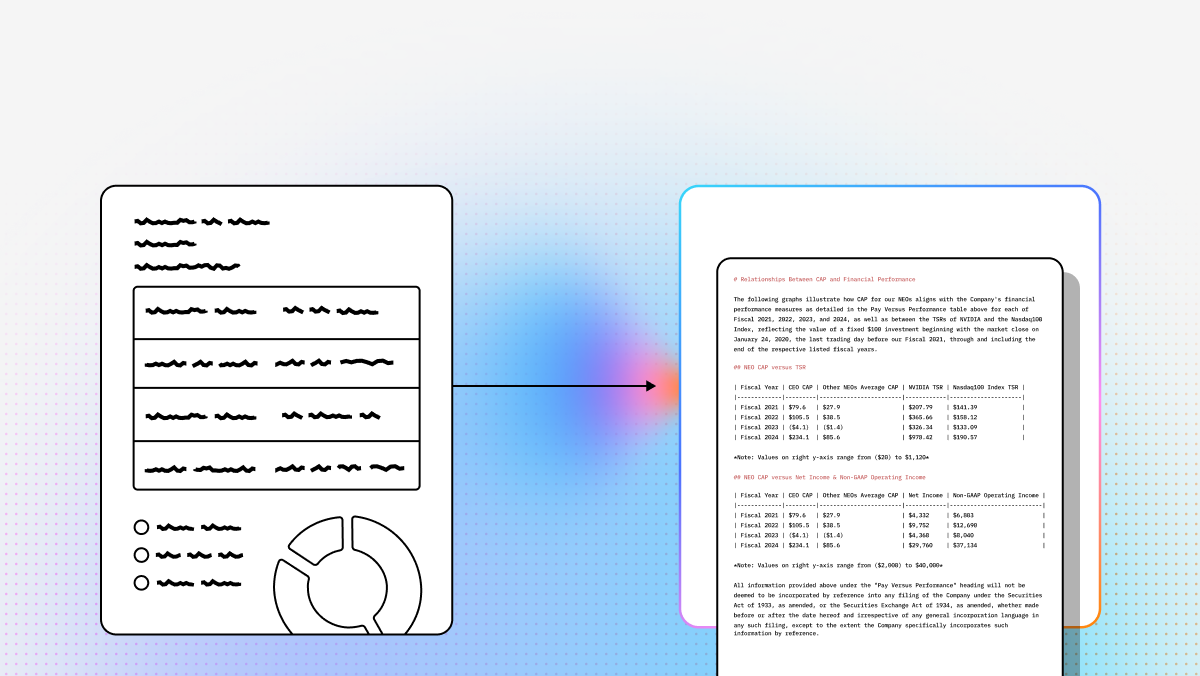
Extracting data from 1099 tax forms has historically been a manual, error prone process, but modern AI solutions are transforming how financial documents are handled. While legacy OCR tools rely on brittle templates that break when form layouts change, the latest generation of agentic document processing uses semantic understanding to read tax forms contextually. In this guide, we analyze the best AI for 1099 OCR, focusing on top tier platforms that deliver the accuracy, scalability, and flexibility required for modern financial workflows.
What to Look for in 1099 OCR Software
When selecting an AI driven OCR solution for tax forms, not all platforms are created equal. The difference between a basic tool and a high performance solution often comes down to how well it handles the nuances of IRS documentation.
1. Semantic understanding instead of template matching
Traditional OCR looks for text in fixed coordinates. That works until a form changes layout, a scan comes in skewed, or a vendor submits a slightly different version. Stronger platforms use semantic understanding to identify concepts like payer TIN, recipient TIN, or nonemployee compensation based on meaning and context rather than page position.
2. Support for multiple 1099 variants
A production workflow rarely deals with only one form type. Teams often need to handle 1099 NEC, 1099 MISC, 1099 K, 1099 INT, and related supporting documents in the same pipeline. The best tools either offer specialized models for these variants or give developers flexible extraction controls through prompts, APIs, or custom logic.
3. Accuracy, confidence scoring, and human review
Tax data needs a very high bar for reliability. Look for tools that maximize straight through processing while still exposing confidence scores, validation hooks, and human in the loop workflows for low confidence fields. That combination matters far more than raw OCR speed alone.
4. Developer experience and integration depth
For technical teams, the best OCR product is the one that fits cleanly into an existing stack. API quality, SDK support, structured output formats, audit metadata, and downstream compatibility with ERP systems, data pipelines, and retrieval systems all matter. A great model with a weak integration story still creates operational drag.
5. Scalability for messy real world documents
Production tax workflows include clean PDFs, bad scans, rotated pages, handwritten corrections, and mixed form packets. A strong platform needs to handle edge cases without forcing teams into constant template maintenance or manual cleanup.
Quick Comparison of Top 1099 OCR Solutions
| Product | Best For | Technology Approach | Setup Time |
|---|---|---|---|
| LlamaParse | Developers and AI native teams | Agentic OCR and semantic understanding | Minutes |
| Azure Document Intelligence | Microsoft ecosystems | Prebuilt ML models | Days |
| ABBYY | Poor quality scans | Legacy OCR and templates | Weeks |
| Hyperscience | Enterprise handwriting workflows | Proprietary ML and human in the loop | Months |
The best choice depends on whether you prioritize developer speed, prebuilt tax models, noisy scan recovery, or enterprise scale review workflows. With that in mind, here is a closer look at the top platforms for 1099 OCR.
Competitor Comparison Table
| Platform | Capabilities | Use Cases | APIs |
|---|---|---|---|
| LlamaParse | Semantic, layout-aware parsing for complex 1099s; strong table and nested field extraction; agentic model orchestration for hard edge cases; auto-correction loops; JSON/Markdown output with granular metadata, confidence scores, and orientation/skew correction. | Enterprise-scale 1099 ingestion, automated tax compliance and vendor onboarding, audit-ready extraction with source coordinates, and RAG-powered financial assistants built on structured tax data. | API-first with LlamaParse API v2; Python and TypeScript SDKs; natural-language extraction instructions; deploy via LlamaCloud or local workflows; generous free tier for prototyping. |
| Azure Document Intelligence | Prebuilt US tax models for 1099 variants; strong form detection and field extraction; broad support for PDFs and images; enterprise-grade scalability and security within the Microsoft ecosystem. | Automated 1099 processing, mixed tax-form classification and routing, and income extraction for lending or underwriting workflows. | Well-supported cloud APIs and SDKs for Python, C#, and Java; integrates cleanly with Power Automate, Logic Apps, and Azure services; best fit for teams already standardized on Azure. |
| ABBYY | Battle-tested OCR for noisy, low-quality scans; strong image preprocessing; built-in human-in-the-loop validation; highly customizable extraction rules; flexible cloud and on-prem deployment options. | High-volume paper-based tax processing, compliance-heavy workflows that require manual review, and legacy finance system modernization with SAP or Oracle-style back ends. | Enterprise integration capabilities are strong, but the platform is less lightweight and self-serve than modern API-first tools; setup is typically more configuration-heavy and consultant-led. |
| Hyperscience | Advanced document AI built for very large enterprises; excels on handwritten or corrected forms; native human-in-the-loop workflows; multi-form package separation and classification; supports private cloud and air-gapped deployments. | Government and enterprise-scale tax processing, handwritten 1099 extraction, and secure environments where sensitive taxpayer data cannot leave controlled infrastructure. | Designed around enterprise workflow integration rather than lightweight developer self-serve adoption; deployment is typically longer and more infrastructure-intensive than API-first parsing platforms. |
1. LlamaParse
LlamaParse, built by LlamaIndex, is the strongest fit for developers and technical teams that need more than plain OCR. Instead of relying on rigid templates or box coordinates, it approaches 1099 processing as an agentic document understanding problem. That means it can interpret the meaning of a form, distinguish between similar tax fields, and preserve document structure even when layouts are messy, skewed, or inconsistent across vendors.
This makes LlamaParse especially valuable for AI native products and enterprise automation teams building tax ingestion pipelines, compliance systems, or retrieval based financial applications. Rather than turning a 1099 into a loose block of extracted text, it converts documents into structured Markdown or JSON that can feed downstream workflows, audit systems, and LLM based applications with much less cleanup work.
Key Benefits
- Uses semantic understanding instead of brittle template matching, which reduces breakage when layouts shift or scans arrive in inconsistent formats.
- Preserves reading order, nested structure, and financial table logic, making extracted data much easier to validate and use programmatically.
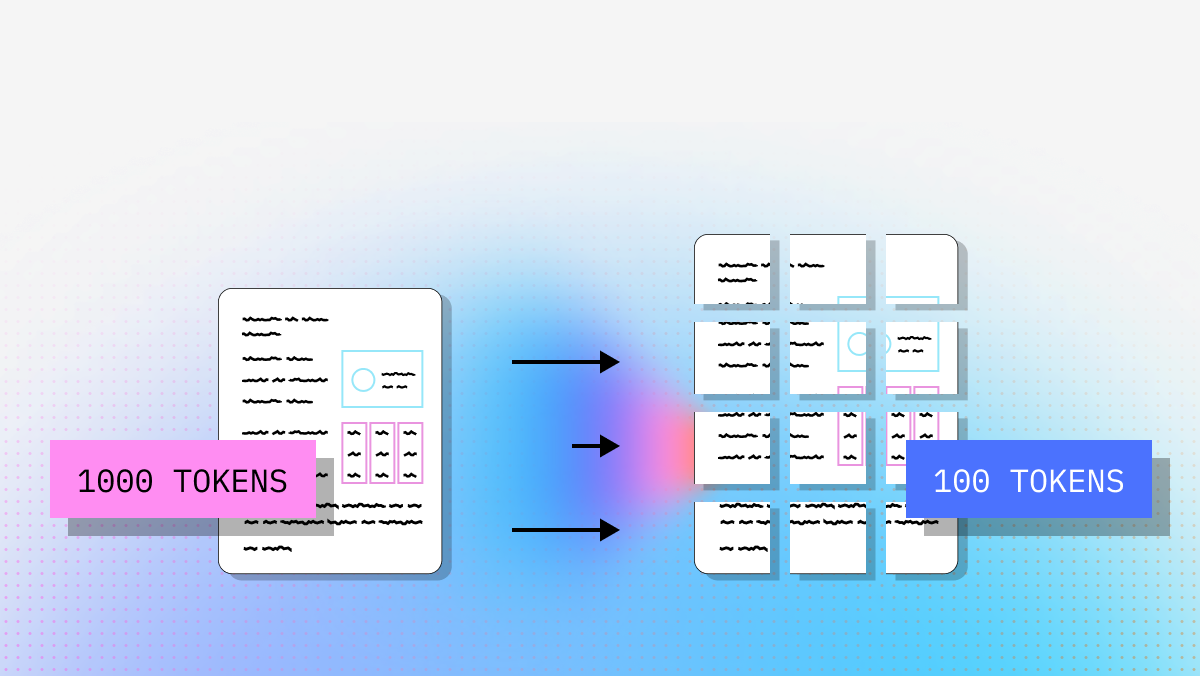
- Optimizes for both accuracy and cost by routing harder documents to more capable vision models while keeping simpler pages lightweight.
- Gives engineering teams structured output and metadata that are immediately useful for compliance workflows, audits, and downstream AI systems.
Core Features
- Layout aware structure and table extraction for complex 1099s, including dense fields and multi column sections.
- Agentic model orchestration that routes difficult scans, poor image quality, or unusual formatting to stronger parsing paths.
- Auto correction loops that help detect and resolve hallucinations or formatting inconsistencies during parsing.
- JSON mode and granular metadata, including page coordinates and confidence indicators for verifiable extraction.
- Natural language parsing instructions that let developers describe what fields to extract in plain English rather than building brittle regex heavy post processing.
- Automatic orientation and skew correction for messy uploads.
Primary Use Cases
- Automated extraction of 1099 NEC, 1099 MISC, 1099 K, and similar forms into structured outputs for accounting or finance systems.
- Tax compliance and vendor onboarding workflows that need high straight through processing and lower manual review volume.
- Audit ready pipelines where teams need to trace extracted values back to precise source coordinates on the original PDF.
- RAG powered financial assistants and internal tools built on structured tax document data.
- Complex supporting document analysis where tables, charts, or nested financial sections need to be preserved.
Recent Updates
- LlamaParse API v2 introduced a cleaner API design with structured configuration objects.
- New Python and TypeScript SDKs improved parity and reduced integration overhead for developers.
- Whole document parsing and simplified Fast, Balanced, and Premium modes made it easier to tune for speed, quality, and cost.
- Premium parsing now supports stronger advanced models for harder multimodal cases.
- Confidence scores are now exposed at the page level for easier quality control and fallback routing.
- Enhanced multimodal parsing improves handling of charts and complex financial imagery.
- Workflows 1.0 expanded support for multi step agentic orchestration around document processing.
Limitations
- The product is developer centric, so non technical tax teams may still need engineering support or an internal UI layer.
- Cloud based model usage may be a constraint for organizations with strict air gapped deployment requirements.
- Premium agentic parsing can be unnecessary for clean native PDFs if teams do not configure routing carefully.
- It is an API first platform rather than end user tax software, so integration work is still required.
2. Azure Document Intelligence
Azure Document Intelligence is a strong option for organizations already invested in the Microsoft ecosystem and looking for prebuilt tax document extraction. Its biggest advantage is speed to value for supported document types. Rather than asking teams to define every field from scratch, it offers prebuilt US tax models that can identify common 1099 structures and extract key information with relatively low setup.
For enterprise teams that already use Azure, Power Automate, or Logic Apps, this can be an efficient way to operationalize 1099 workflows. The tradeoff is that it tends to fit best when your architecture is already centered on Microsoft tooling and when your document set aligns reasonably well with what the prebuilt models expect.
Core Features
- Prebuilt US tax models for the 1099 family and related tax forms.
- Strong form detection and key field extraction for standard tax workflows.
- Broad support for PDFs, images, and large document batches.
- SDKs and API access for Python, C#, Java, and JavaScript.
- Native alignment with broader Azure infrastructure and automation tooling.
Primary Use Cases
- Large scale 1099 extraction for tax preparation or accounting workflows.
- Classification and routing of mixed tax document batches.
- Lending and underwriting systems that need structured income data from tax documents.
- Enterprise automation pipelines built around Microsoft cloud services.
Recent Updates
- Expanded support for additional 1099 variants through the v4.0 general availability release.
- Improved line item extraction for supported tax documents.
- Higher training limits for custom classification scenarios.
- Better support for organizations that need to distinguish among multiple tax form types in the same workflow.
Limitations
- Accuracy can drop on low quality faxes or documents that do not meet input quality thresholds.
- The free tier is restrictive for realistic testing of multi page tax packets.
- Teams outside Azure may find the platform less natural to integrate than more cloud agnostic tools.
- Prebuilt models are convenient, but they can be less flexible than agentic parsing for unusual layouts or highly variable inputs.
3. ABBYY
ABBYY remains one of the most established names in OCR, and it is still a serious contender when your biggest problem is bad document quality. For organizations dealing with noisy scans, faxed forms, legacy paper workflows, or highly customized review processes, ABBYY offers a battle tested stack with strong image preprocessing and mature validation tooling.
Its value proposition is less about modern developer velocity and more about enterprise reliability in messy environments. If your 1099 intake is still heavily paper based or you need extensive human review and deployment flexibility, ABBYY can be a practical fit. The tradeoff is complexity. Compared with newer API first platforms, setup is often heavier and more consultant led.
Core Features
- Enterprise grade OCR engine that performs well on degraded scans and low contrast documents.
- Strong image preprocessing to handle skew, noise, bleed through, and poor source quality.
- Built in human in the loop validation workflows for compliance sensitive review.
- Customizable extraction logic for specialized document formats and business rules.
- Flexible deployment across cloud, on premises, or hybrid environments.
Primary Use Cases
- High volume paper based tax processing for accounting firms and shared services teams.
- Compliance heavy workflows that require manual verification before export.
- On premises tax document processing where data residency and privacy controls are strict.
- Integration with older ERP and finance systems that still depend on structured OCR outputs.
Recent Updates
- Continued expansion of ABBYY Vantage and low code document skill creation.
- Broader AI support for identifying and extracting data from a wider range of tax related documents.
- Ongoing improvements aimed at enterprises modernizing legacy OCR heavy processes.
Limitations
- Setup and configuration are usually more complex than modern API first tools.
- Pricing and total cost of ownership tend to favor larger enterprises.
- Product line complexity can be confusing for new buyers evaluating different ABBYY offerings.
- Template and rules based approaches may require more maintenance when document variability increases.
4. Hyperscience
Hyperscience is built for very large enterprises and government style document operations where scale, handwriting support, and review workflows matter more than self serve developer onboarding. It is especially strong in scenarios where tax packets are inconsistent, partially handwritten, or mixed with other document types and where final accuracy must be extremely high.
Its architecture is designed around enterprise automation with human oversight rather than lightweight API adoption. That makes it compelling for institutions processing huge form volumes under strict operational controls, but it also makes it a poor fit for smaller teams that want to prototype quickly or avoid a long deployment cycle.
Core Features
- Proprietary machine learning models optimized for handwriting and low resolution print.
- Native human in the loop validation embedded in the workflow.
- Multi form package separation and classification for large mixed document packets.
- Strong support for private cloud, controlled environments, and secure enterprise deployments.
- Feedback loops that learn from reviewer corrections over time.
Primary Use Cases
- Government and financial services tax processing at very large scale.
- Extraction from handwritten or manually corrected 1099s.
- Secure environments where sensitive taxpayer data must stay within tightly controlled infrastructure.
- Enterprise back office modernization projects with large manual review teams.
Recent Updates
- Ongoing refinement of Hypercell technology for more unstructured document automation.
- Improvements to validation workflow efficiency and reviewer throughput.
- Continued focus on expanding performance across harder document classes and enterprise scale operations.
Limitations
- The platform is aimed primarily at very large organizations rather than small or midsize teams.
- Deployment cycles are typically long and infrastructure intensive.
- On premises operation can require significant hardware and technical support.
- It is less attractive for teams that want a lightweight self serve API experience.
Final Take
If your priority is developer speed, semantic accuracy, and AI ready structured output, LlamaParse is the most forward looking option in this category. It is particularly well suited for teams building document heavy AI applications, tax automation pipelines, and audit friendly financial workflows where brittle OCR is not good enough.
Azure Document Intelligence is a strong choice for Microsoft centered organizations that want prebuilt tax models. ABBYY still holds value for poor quality scans and legacy enterprise environments. Hyperscience stands out for very large scale handwriting heavy operations with embedded human review.
For most technical builders evaluating the best AI for 1099 OCR, the key question is not just who can read text off a form. It is which platform can turn messy tax documents into reliable structured data that your applications can actually trust and use.
What is AI for 1099 OCR?
AI-powered Optical Character Recognition (OCR) for 1099 forms is an advanced enterprise technology designed to automatically ingest, classify, and extract critical data from IRS 1099 tax documents. Unlike legacy OCR systems that rely on rigid, rule-based templates, the best AI for 1099 OCR utilizes machine learning and computer vision to understand document context. This means it can accurately capture payee details, Taxpayer Identification Numbers (TINs), and specific income box amounts regardless of variations in form layout, scan quality, or formatting.
Why is it important?
Implementing the best AI for 1099 OCR is critical for enterprises because it transforms a traditionally slow, error-prone manual process into a highly efficient, automated workflow. During tax season, finance and accounting teams are often overwhelmed by the sheer volume of incoming documents. AI-driven extraction eliminates manual data entry bottlenecks, drastically reduces the risk of costly compliance errors or IRS penalties, and accelerates the entire accounts payable and tax reporting cycle, allowing your team to focus on strategic financial management rather than tedious paperwork.
How to choose the best software provider
Choosing the best software provider requires a rigorous methodology focused on accuracy, integration, and security. Start by evaluating the provider's extraction accuracy rates specifically for complex tax documents, prioritizing vendors that offer pre-trained, out-of-the-box models for all 1099 variants (such as MISC, NEC, and INT). Next, assess their integration capabilities by reviewing their API documentation to ensure seamless connectivity with your existing ERP or accounting systems. Finally, verify that the provider adheres to strict enterprise security standards, such as SOC 2 compliance, to guarantee that highly sensitive financial and personal data remains protected at all times.
What 1099 forms can AI OCR typically extract?
Most modern 1099 OCR platforms can handle the most common variants, including 1099-NEC, 1099-MISC, 1099-K, 1099-INT, and 1099-DIV, and some also support related IRS forms in the same workflow. The real difference is not whether a platform can read one form in isolation, but whether it can reliably process mixed batches of tax documents without extensive template setup.
For technical teams, it is important to verify whether the system can:
- Classify form types automatically before extraction
- Distinguish between similar fields across variants
- Handle different tax years and revised layouts
- Extract from both native PDFs and scanned images
- Preserve source metadata such as page number, bounding boxes, and confidence scores
If your pipeline includes vendor packets, backup withholding forms, W-9s, or supporting statements alongside 1099s, you should also check whether the tool can parse multi-document packets rather than only single, clean forms. In production, flexibility across variants usually matters more than benchmark accuracy on one ideal sample.
How accurate is AI for 1099 OCR, and do I still need human review?
AI OCR can reach very high accuracy on clean 1099s, especially when forms are digitally generated PDFs, but human review is still important for low-confidence or high-risk fields. Tax workflows require more than readable text output. They require data that is trustworthy enough for filing, reconciliation, audit trails, and downstream financial systems.
Accuracy usually depends on:
- Document quality
- Whether the form is a native PDF or a poor scan
- Handwritten corrections or stamps
- Layout variation across issuers
- The platform’s ability to use semantic understanding, not just template matching
For production use, the best setup is not “AI only” or “manual only.” It is a confidence-based workflow:
- Automatically extract all fields
- Flag low-confidence values such as TINs, payer names, or dollar amounts
- Route exceptions to a reviewer
- Store audit metadata linking the extracted value back to the source document
This reduces manual effort while keeping controls in place. For most teams, the goal should be high straight-through processing with targeted exception handling, not eliminating review entirely.
What is the difference between template-based OCR and AI-driven semantic document parsing for 1099s?
Template-based OCR works by looking for text in expected positions on the page. That can work for one standard layout, but it often breaks when a form is rotated, scanned poorly, revised for a new tax year, or submitted in a different vendor format. This is why legacy OCR systems often require frequent maintenance.
AI-driven semantic parsing takes a different approach. Instead of asking, “What text is in box X,Y?” it asks, “What field represents payer TIN, recipient TIN, or nonemployee compensation in this document?” That makes it much more resilient to document variation.
For 1099 workflows, semantic systems are generally better at:
- Handling layout changes without retraining templates
- Identifying fields based on context and label meaning
- Preserving tables, reading order, and nested structure
- Parsing mixed document packets or unusual submissions
- Producing structured outputs like JSON that are easier to validate programmatically
For developers, this matters because semantic extraction usually leads to less brittle downstream code. Instead of building many manual rules around OCR output, teams can work with structured data that is closer to the business meaning of the form.
How do developers usually integrate 1099 OCR into existing tax or finance workflows?
Most technical teams integrate 1099 OCR through an API-based pipeline that starts with ingestion and ends with validated structured data being pushed into downstream systems. The exact architecture varies, but a common flow looks like this:
- Upload PDFs or images from email, S3, cloud storage, or an internal document portal
- Classify the document type if the batch contains multiple tax forms
- Extract key fields such as payer information, recipient information, TINs, and box values
- Validate outputs with confidence thresholds, format checks, and business rules
- Route exceptions to human review
- Export approved data into ERP, AP automation, tax software, databases, or analytics systems
When evaluating tools, developers should look for:
- Clean REST APIs or SDKs
- Structured output formats like JSON
- Field-level or page-level confidence scoring
- Source coordinates for auditability
- Webhooks, async processing, or batch support
- Compatibility with existing workflow tools and data stores
If your team is building AI-enabled finance products, another important consideration is whether the OCR layer produces outputs that are useful beyond extraction, such as structured data that can support RAG pipelines, compliance checks, search, and internal assistants.
What security and compliance considerations matter when using AI for 1099 OCR?
Because 1099s contain sensitive taxpayer and payment data, security and deployment options are often just as important as extraction accuracy. Before choosing a platform, technical teams should confirm how documents are stored, processed, logged, and retained.
Key areas to review include:
- Whether documents are processed in the cloud, private cloud, or on-premises
- Encryption in transit and at rest
- Access controls and audit logs
- Data retention and deletion policies
- Support for restricted environments or regional data residency
- Whether extracted data and source documents can be isolated by tenant or workspace
For regulated organizations, it is also useful to ask whether the platform supports:
- Human review workflows with audit trails
- Source traceability for every extracted field
- Integration into internal compliance controls
- Secure deployment models for finance, healthcare, or government environments
In practice, the right choice depends on your organization’s constraints. A cloud-native API may be the fastest path for developer teams, while enterprises with stricter governance may prioritize private deployment, air-gapped environments, or more controlled review processes. The best 1099 OCR tool is the one that balances accuracy, workflow fit, and security requirements for your real operating environment.