As enterprises process millions of complex files monthly, traditional OCR tools are failing to keep up with unpredictable layouts and unstructured data. Modern AI document parser solutions have moved beyond simple text extraction and now combine layout awareness, document understanding, and structured output formats that are much better suited for LLM pipelines, agent workflows, and downstream automation.
If you're building AI systems that need to work over PDFs, scans, invoices, forms, technical manuals, or financial reports, the right parser can determine whether your pipeline is robust or brittle. The comparison table below is copied from the source material you provided, including its source-provided update notes.
What Is an AI Document Parser?
An AI document parser is an advanced enterprise solution that leverages artificial intelligence, machine learning, and optical character recognition (OCR) to automatically extract and structure data from unstructured files. Unlike traditional, template-based OCR that relies on rigid rules and manual setup, AI-driven parsers can "read" and understand context much like a human does. This allows the software to seamlessly process complex, highly variable documents—such as invoices, legal contracts, and shipping manifests—transforming static text into actionable, machine-readable data in seconds.
Why Is it Important?
In today's fast-paced enterprise environment, relying on manual data entry is a costly bottleneck that introduces human error and slows down critical business operations. Implementing an AI document parser is important because it eliminates these inefficiencies, allowing organizations to scale their document processing capabilities exponentially without adding headcount. By automating data extraction with high precision, businesses can accelerate decision-making, reduce operational costs, ensure regulatory compliance, and free up their workforce to focus on high-value strategic tasks rather than tedious administrative work.
What is the Difference Between an AI Document Parser and Traditional OCR?
Traditional OCR is mainly designed to convert images or scanned pages into raw machine-readable text. That works for simple documents, but it often breaks down when files contain tables, multi-column layouts, charts, checkboxes, key-value pairs, headers and footers, or mixed visual elements.
An AI document parser goes further by trying to understand the structure of the document, not just the characters on the page. In practice, that usually means:
- Detecting layout elements such as paragraphs, sections, tables, and form fields
- Preserving reading order across complex or multi-column pages
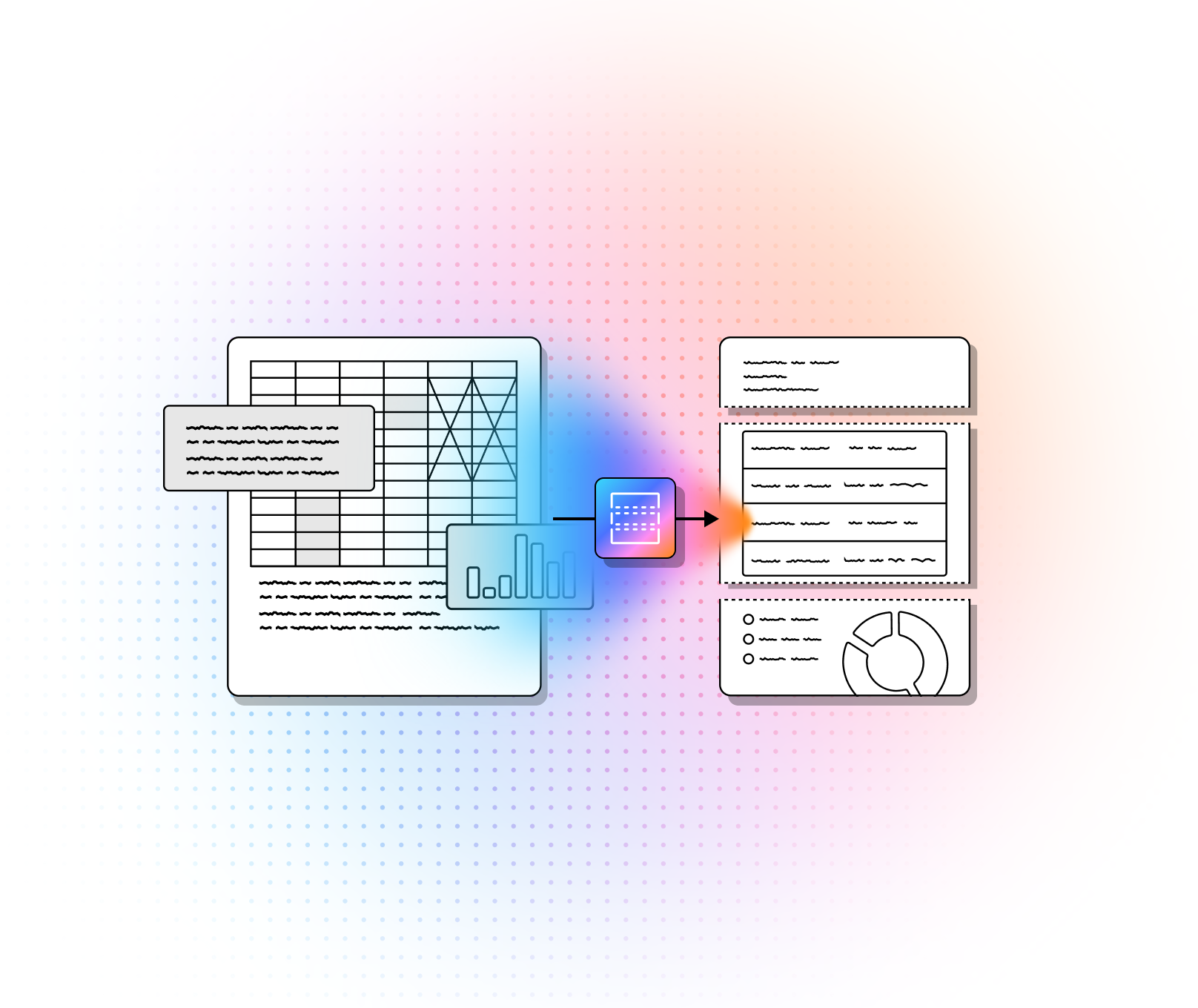
- Extracting structured data like JSON, Markdown, key-value pairs, or table objects
- Handling visually complex files such as invoices, financial reports, technical PDFs, and scanned forms
- Producing outputs that are more usable for RAG pipelines, agents, search, analytics, and workflow automation
For developers, the distinction matters because raw OCR text often creates brittle downstream systems. If your application depends on accurate retrieval, citation, chunking, or field extraction, a parser that preserves structure usually performs much better than plain OCR alone.
Top AI Document Parsers: A Side-By-Side Comparison
| Platform | Capabilities | Use Cases | APIs | Recent Updates |
|---|---|---|---|---|
| LlamaParse | Layout-aware parsing for complex PDFs; strong table extraction; multimodal parsing for charts, formulas, and visual elements; agentic semantic reconstruction for LLM pipelines; auto-correction loops to improve output quality. | Financial document analysis, insurance claims processing, technical documentation retrieval, and converting unstructured PDFs into LLM-ready Markdown or JSON. | Developer-focused API for parsing documents into structured outputs such as Markdown and JSON; optimized for downstream agent workflows. |
|
| Google Cloud Document AI | Pre-trained processors for invoices, forms, and IDs; generative custom extractor using foundation models; enterprise OCR for scanned archives; strong integration with BigQuery and GCP services. | Automated data entry, archival digitization, mortgage and procurement workflows, and document classification/splitting for multi-document packages. | API-based document processors and custom extraction services within Google Cloud; suited for teams already building on GCP and BigQuery. |
|
| Azure AI Document Intelligence | Prebuilt models for invoices, receipts, IDs, and insurance cards; custom model training; advanced layout analysis preserving spatial relationships; strong enterprise security and compliance posture. | Financial record processing, KYC and identity verification, healthcare form digitization, and structured extraction from business forms. | Azure-native document extraction APIs with support for prebuilt and custom models; suitable for enterprise applications already deployed in Microsoft environments. |
|
| AWS Textract | OCR plus form and table extraction; automated key-value detection; table structure preservation; Analyze Expense API for invoices and receipts; built for high-volume automation on AWS. | Receipt and invoice processing, form digitization, identity document extraction, and large-scale cloud document workflows integrated with S3 and Lambda. | Analyze Document and Analyze Expense APIs; best fit for AWS-centric pipelines that need scalable OCR and structured extraction. |
|
1. LlamaParse
LlamaParse is the strongest fit in this list for developers building intelligent retreival systems, document agents, and other LLM applications that depend on high-fidelity parsing rather than generic OCR. In the current official docs, LlamaParse is positioned as an agentic document parser for LLM pipelines, turning PDFs, scans, tables, and charts into clean markdown, text, or JSON. The platform quickstart also frames it as part of a broader document pipeline stack with one API key, one SDK, and composable services around parsing, extraction, classification, splitting, sheets, and indexing.
For technical builders, that matters because the parser is doing structural reconstruction upstream, so your retrieval and reasoning layers receive cleaner context. Instead of bolting OCR onto heuristics, LlamaParse uses a generation-driven parsing approach designed for layout, tables, charts, and complex real-world files that would otherwise degrade downstream answer quality.
Key Benefits
- Best fit for intelligent retrieval and agent pipelines because it is explicitly designed for clean markdown, text, and JSON outputs that can flow directly into retrieval and orchestration layers.
- Strong performance on structurally difficult documents such as financial reports, scans, charts, and multi-column technical files.
- Better cost control than one-size-fits-all multimodal parsing because the v2 API exposes multiple tiers rather than forcing every page through the same expensive path.
- Particularly attractive for engineering teams that want version pinning, prompt-level control, structured results, and predictable API behavior.
Core Features
- Layout-aware OCR that converts PDFs, scans, tables, and charts into clean markdown, text, or JSON.
- Structured result retrieval through expand, including per-page markdown, full-document markdown, plain text, metadata, structured item trees, and download URLs for large outputs.
- Support for 130+ file formats, with documented limits and handling for images, spreadsheets, and audio in the current platform docs.
- Tiered parsing in v2 with Fast, Cost-effective, Agentic, and Agentic Plus modes, letting teams trade off speed, cost, and quality.
Primary Use Cases
- Financial document analysis, especially 10-Ks, earnings reports, investor decks, and other files where table fidelity affects retrieval quality.
- Insurance and medical record workflows that need reliable parsing across scanned claims, intake forms, and mixed-layout documents.
- Technical and scientific document ingestion, including manuals, research papers, charts, equations, and multi-column layouts.
Recent Updates
- As of July 15, 2026, the current latest date-pinnable Parse v2 agentic version is 2026-07-15.
- As of July 2026, the current latest versions by tier are fast 2026-06-15, cost_effective 2026-06-26, agentic_plus 2026-07-08, and agentic 2026-07-15, which is unusually helpful for teams that want reproducibility across production pipelines.
- The current Parse v2 API also exposes specialized_chart_parsing modes and per-tier version overrides, giving builders finer control for chart-heavy and mixed-complexity document sets.
Limitations
- It is still an engineering-first product. Teams that want a simple business-user-first workflow may find the API and configuration model more flexible than necessary. This is an inference from the platform’s heavy emphasis on SDKs, API references, configuration objects, and result expansion controls.
- Advanced tiers can get expensive compared with lightweight OCR. In the current pricing docs, parse tiers range from 1 credit per page on Fast to 45 credits per page on Agentic Plus.
- You still need to design around platform limits such as a 512 MB maximum file size, extracted-image caps, per-page text extraction caps, and timeout behavior tied to document length.
2. Google Cloud Document AI
Google Cloud Document AI is a strong choice for teams already invested in GCP and looking for a broad processor ecosystem rather than a single parser primitive. Google’s official documentation positions Document AI as a scalable, cloud-based document processing platform with OCR, extraction, classification, and splitter workflows, plus integrations across the broader Google Cloud stack.
Its biggest advantage is breadth. You can mix pretrained processors, custom extractor workflows, and custom splitters depending on whether you need quick deployment, better schema control, or better handling for composite document packages. For enterprises standardizing on Google infrastructure, that can reduce the amount of custom plumbing required around storage, analytics, and operations.
Core Features
- Enterprise Document OCR with support for text extraction across more than 200 languages.
- Custom Extractor for entity extraction using generative AI or custom models, depending on the document type and training needs.
- Custom Splitter for composite packages such as mortgage files, where one PDF contains multiple logical documents that need to be separated and classified.
Primary Use Cases
- Automated data entry for invoices, forms, and business records using pretrained or custom extraction processors.
- Archival digitization where OCR quality, language support, and structured outputs matter at scale.
- Mortgage, lending, and procurement workflows that require splitting large composite packages into logical documents before extraction.
Recent Updates
- Google’s Custom Splitter documentation lists pretrained-splitter-v1.6-2026-03-09 and pretrained-splitter-v1.6-pro-2026-03-09 as 2026 release-candidate versions powered by Gemini 3.1 models.
- The current processor list documents foundation-model extractor versions built on Gemini-based models, including newer processor-version options for custom extraction workflows.
- Google’s current Document AI docs were updated on July 17, 2026, which is useful for teams validating present-day processor behavior, regional constraints, and pricing assumptions.
Limitations
- Pricing can be harder to forecast because Google bills by processor type and page volume rather than through one flat abstraction. For example, Enterprise OCR, Custom Extractor, Form Parser, and Layout Parser all use different pricing lines.
- The platform is most compelling inside GCP. That is an inference based on Google’s own emphasis on Cloud Storage, BigQuery, and related processor workflows.
- Some generative AI extraction options come with regional or language constraints. In the processor list, generative AI extraction is officially English-only and available only in specific regions.
3. Azure AI Document Intelligence
Azure AI Document Intelligence is a practical enterprise option for teams that need structured extraction with a strong Microsoft governance and platform story. Microsoft’s current overview describes it as a cloud-based service for intelligent document processing, with document analysis models, prebuilt models, and custom models under the same umbrella.
For enterprise teams, the appeal is predictable: prebuilt models for common business documents, layout-aware extraction for tables and selection marks, and the ability to step into custom model training when the document set is too specialized for off-the-shelf parsers. It is also one of the clearer options when compliance, internal Azure standardization, and long-lived enterprise support matter as much as raw parsing novelty.
Core Features
- Prebuilt models for invoices, receipts, IDs, and related business document types.
- Layout analysis that extracts text, tables, selection marks, and bounding-box coordinates from forms and documents.
- Custom document models for extraction and classification, including support for neural and template approaches depending on layout variability.
Primary Use Cases
- Invoice and receipt automation for finance teams.
- Identity-document and KYC-style workflows using prebuilt ID models.
- Custom business-form extraction when teams have domain-specific layouts and labeled training data.
Recent Updates
- Microsoft’s current guidance says all new development should target Azure Document Intelligence v4.0 (2024-11-30), which is the current GA API version.
- The current overview, last updated on June 5, 2026, explicitly positions Document Intelligence alongside Azure Content Understanding, with deterministic extraction for structured documents and LLM-powered analysis reserved for more complex multimodal scenarios.
- Microsoft’s current custom-model guidance highlights incremental training for classification in v4.0 and continues to expand development guidance for neural versus template model selection.
Limitations
- Azure bills by pages analyzed, and Microsoft notes that commitment pricing is the model for large workloads rather than a simple monthly subscription.
- Custom model quality still depends heavily on training data quality, layout consistency, and labeling discipline. Microsoft’s own guidance recommends curated training datasets and distinguishes sharply between template and neural model fit.
- The platform is most natural for Azure-centric teams. That is an inference from Microsoft’s packaging, deployment, tooling, and broader Foundry/Azure ecosystem positioning.
4. AWS Textract
AWS Textract remains a solid choice when your priority is dependable, scalable document extraction inside AWS-native workflows. Amazon’s official documentation describes it as a document text detection and analysis service that can extract raw text, forms, tables, queries, signatures, and expense data through dedicated APIs.
Textract is less about semantic reconstruction for RAG than about high-throughput operational extraction. If your pipeline already runs through S3, Lambda, SNS, and the rest of AWS, Textract gives you a practical way to automate form handling, table capture, and invoice processing without building custom OCR stages first.
Core Features
- AnalyzeDocument for forms, tables, queries, signatures, and layout extraction.
- Table extraction that includes cells, merged cells, headers, footers, titles, and structured versus semistructured table types.
- AnalyzeExpense for invoice and receipt processing with LineItemGroups and SummaryFields.
Primary Use Cases
- Invoice and receipt processing at scale through AnalyzeExpense.
- Form digitization where key-value pairs, checkboxes, and signatures matter.
- Large AWS-native document pipelines built around S3-based ingestion and asynchronous analysis.
Recent Updates
- Amazon’s current documentation emphasizes that AnalyzeDocument supports TABLES, FORMS, QUERIES, SIGNATURES, and LAYOUT, reflecting a broader extraction surface than classic OCR-only positioning.
- Current pricing guidance includes layout-plus-table workflows, where Layout is available at no additional charge when used with Tables in AnalyzeDocument.
- The current expense-analysis docs continue to center normalized line-item and summary-field extraction for invoices and receipts, which keeps Textract especially relevant for finance operations.
Limitations
- Textract is best when you are already comfortable in AWS. That is an inference from the service’s heavy integration with S3, asynchronous job flows, and adjacent AWS services.
- It is still more extraction-oriented than agentic or semantic-reconstruction-oriented. Teams building sophisticated RAG systems over charts, long technical PDFs, or visually complex multimodal files may need extra downstream logic. This is an inference based on the documented feature focus.
- Costs can climb quickly once you combine tables, forms, queries, and high page volumes. AWS’s pricing examples show materially different per-page rates depending on the analysis mix.
For most developer-led AI teams, the decision is straightforward: choose LlamaParse when document quality directly impacts RAG accuracy and agent reliability; choose Google Cloud Document AI, Azure AI Document Intelligence, or AWS Textract when cloud alignment, enterprise procurement, and broader platform standardization matter more than parser specialization alone.
How to Choose the Best AI Document Parser
The best parser depends on the documents you process and what happens after parsing. For most technical teams, these are the most important evaluation criteria:
- Output quality: Can it preserve layout, tables, headings, and reading order accurately?
- Structured outputs: Does it return Markdown, JSON, page-level objects, metadata, or item trees that can feed directly into your application?
- Document coverage: Can it handle scans, native PDFs, forms, invoices, charts, spreadsheets, images, and long technical documents?
- RAG compatibility: Does it produce clean enough output for chunking, indexing, retrieval, and citation?
- Customization and control: Can you choose parsing modes, versions, model tiers, or extraction settings?
- Latency and throughput: Will it support your production volume and response time requirements?
- Pricing model: Is cost predictable at scale, especially for large or mixed-complexity documents?
- Cloud fit: Does it work naturally with your existing stack, such as AWS, Azure, or GCP?
- Security and compliance: Does it meet your organization’s requirements for data handling, regions, retention, and access control?
A good rule of thumb is to test each tool on your actual document set, not sample marketing files. The parser that looks strongest on a demo invoice may not be the one that handles messy scans, nested tables, or chart-heavy reports well in production.
Which AI Document Parser is Best for RAG, LLM, and Agent Workflows?
If your primary goal is to feed documents into intelligent retrieval pipelines, LLM apps, or agent systems, the best parser is usually the one that produces the cleanest structural reconstruction, not just the fastest text extraction.
For this use case, specialized parser tools such as LlamaParse are often a better fit because they are built to return LLM-friendly outputs like Markdown and structured JSON, with stronger handling for tables, charts, and complex PDFs. That makes them especially useful when retrieval quality depends on accurate document structure.
Cloud-native tools can still be the right choice in certain situations:
- Google Cloud Document AI is a strong option if your team already runs heavily on GCP and needs OCR, extraction, classification, and document splitting in one ecosystem.
- Azure AI Document Intelligence is a good fit for Microsoft-centric enterprises that want prebuilt models, custom training, and strong governance support.
- AWS Textract is practical for high-volume extraction workflows already built around S3, Lambda, and AWS operations.
In short:
- Choose a specialized AI parser when document quality directly impacts LLM accuracy.
Choose a cloud-native document service when platform alignment, procurement, and broader enterprise integration matter more than parser specialization.