

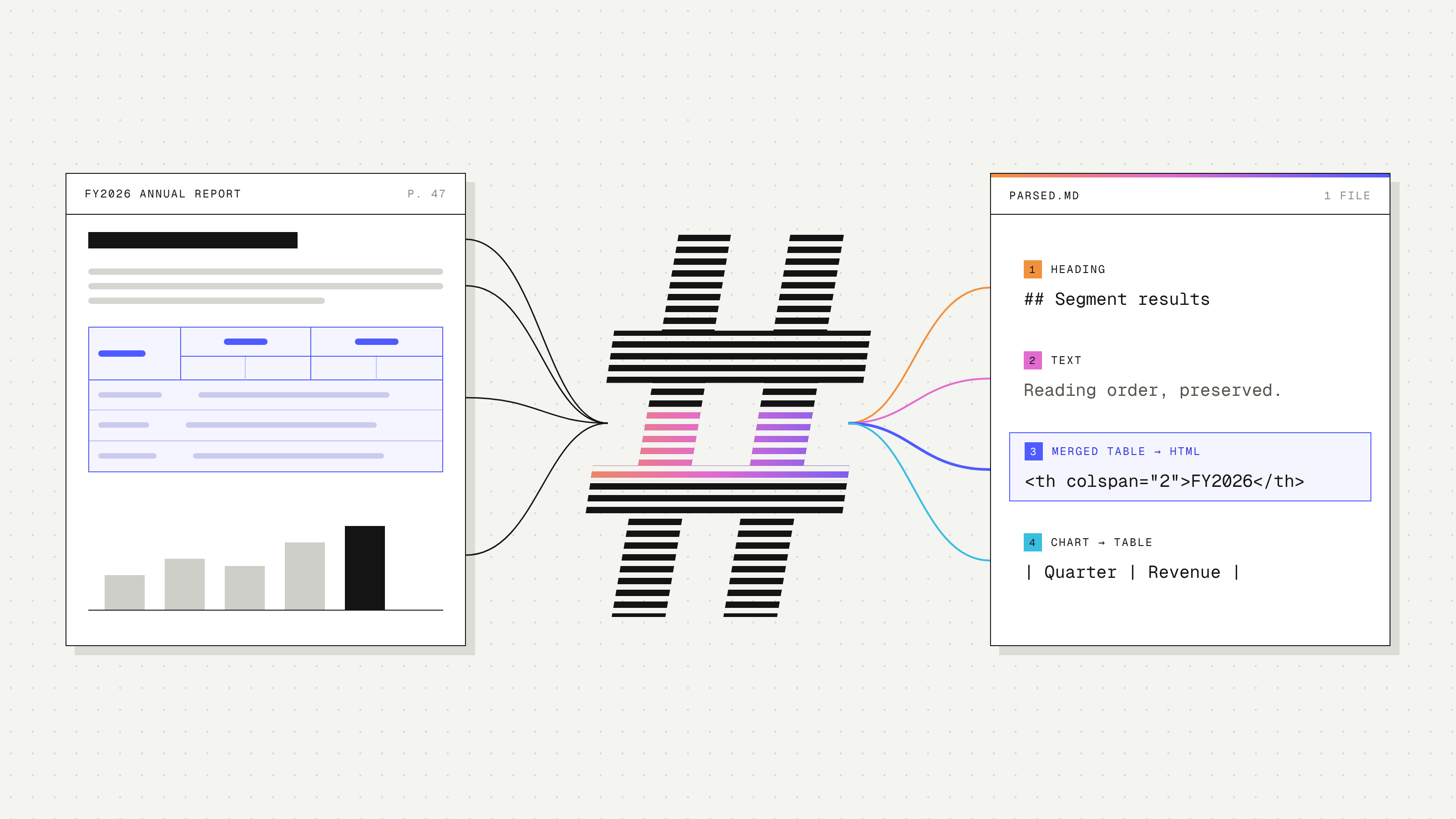
A parser can extract every word from a PDF and still produce unreliable parsed content. The values and text might be correct, but if you lose which table or section they belong to, a model has to assume those relationships before it can answer a question.
This is why the output format matters. For document search and extraction, we need to preserve headings, reading order, table structure, and the context around each element. We also want output that’s easy to inspect when something goes wrong.
Markdown is a practical default for this and is the format that the general industry has settled on. It supports most of the structure we need with relatively little formatting overhead, and we can include HTML tables when a table needs more than Markdown can express. Today, this is how LlamaParse delivers the most accurate outputs possible.
What Markdown preserves
Most documents contain some combination of headings, paragraphs, lists, and tables. Markdown gives us a straightforward way to represent these:
- Heading levels preserve the relationship between sections and subsections.
- Lists keep steps and nested items together.
- Simple tables give values explicit row and column labels.
- Links connect text to references and supporting material.
That structure is useful throughout a document pipeline. A chunker can use headings as section boundaries and carry the section title into each chunk. A developer investigating a bad answer can read the parsed text and check whether the problem started during parsing, retrieval, or generation.
Markdown can also reduce the amount of formatting sent to a model. Representing a heading with ## takes less text than wrapping it in an object with a type, style, and coordinates. The actual token savings depend on the document and the formats you’re comparing.
Handling complex tables with HTML
Consider a financial report with two years of results. Each year has a Revenue and Margin column, and the rows are grouped by region. On the page, a year label might span two columns, while a region label applies to several rows below it.
A direct conversion to a Markdown table might produce this:
html
| Segment  | FY2026  |        | FY2025  |        |
|----------|---------|--------|---------|--------|
|          | Revenue | Margin | Revenue | Margin |
| Americas |         |        |         |        |
| Cloud    | 1,240   | 34%    | 1,050   | 31%    |
| Services | 610     | 18%    | 590     | 17%    |
A reader can probably work out what this means. But the format no longer explicitly says that FY2026 covers both Revenue and Margin. The second header row is represented as a data row, and the Americas grouping depends on interpreting the otherwise empty row.
For this example, you could flatten the headers into names like FY2026 Revenue and add a Region column. That’s a reasonable solution when the table is simple enough to normalize reliably.
For more complex tables, HTML lets us retain the merged cells. colspan expresses a header spanning multiple columns, rowspan handles cells spanning multiple rows, and <thead> groups the header rows. These table blocks can sit alongside the rest of the document’s Markdown. LlamaParse supports both pipe tables and HTML tables in its Markdown output.
Preserving that structure still depends on the parser reading the table correctly. HTML gives it a way to express the relationships it finds; it doesn’t guarantee they’re right.
Where JSON fits
JSON is useful for storing document elements and their metadata, as well as for returning extracted fields to an application. If you’re extracting financial results, your application might need a record like:
json
{
  "segment": "Cloud",
  "region": "Americas",
  "fiscal_year": "FY2026",
  "revenue": 1240,
  "margin_pct": 34
}
Parsing into Markdown first gives you an intermediate representation you can inspect and reuse for different questions or extraction schemas. Direct extraction from a document can also work. Having a separate parsing step is particularly useful when several downstream tasks need the same content.
Keeping images and layout information
Some content needs more than formatted text. A chart may benefit from extracted values and a description, while a diagram may require the original image to explain spatial relationships. Keep those images available when a text conversion would omit information the task needs.
Page numbers and bounding boxes are useful too, especially for citations and highlighting. You can keep them associated with the parsed content and include them when needed. Our LiteParse visual grounding work is one example of pairing Markdown elements with their locations on the original page.
Try it with LlamaParse
For many document pipelines, Markdown provides a useful starting point: readable text, explicit structure, and output you can reuse across search, extraction, and agent workflows. HTML extends that representation for complex tables, while images and layout metadata preserve information that text alone can’t capture.
To try this with LlamaParse, start with a document you know well and inspect the parsed tables. Check that each value still has the right headers, units, and footnotes. Those details will tell you much more about the output’s usefulness than whether it looks tidy.