
Getting document processing into production means deciding where it fits in your infrastructure. You might want a managed API that your team can start using right away. Or you might need to keep documents in your own cloud account, use existing model provider agreements, or run on hardware you already operate.
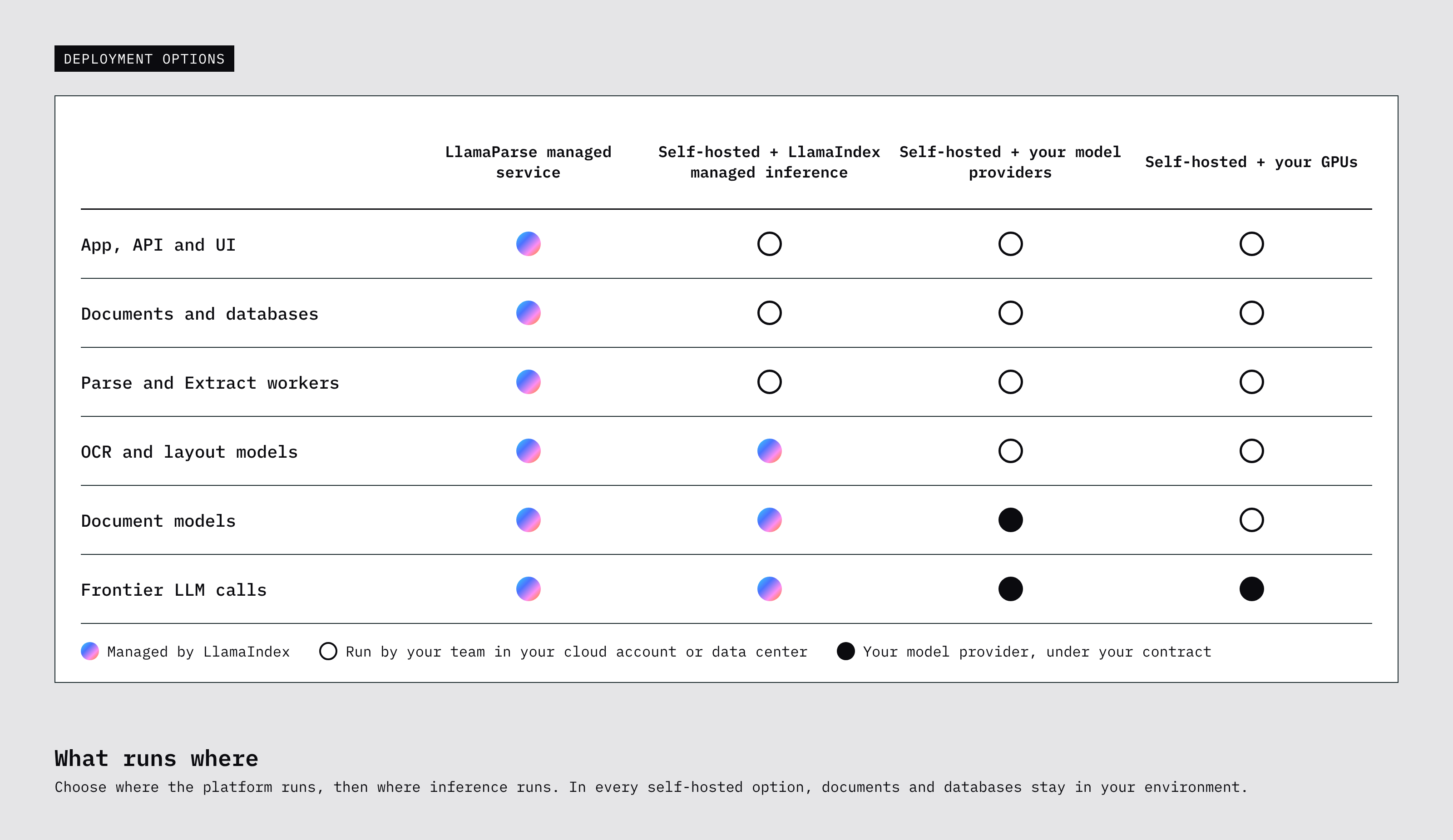
LlamaParse gives you options for each of these setups. You can use our managed service, deploy the platform in your own cloud account, or run it in your data center. When you operate the platform yourself, you also have choices about inference: use your model providers, host supported models on your own GPUs, or let LlamaIndex manage inference for you.
With the managed service, LlamaIndex operates the platform and inference infrastructure. The rest of this post focuses on the choices available when you deploy in your own cloud or data center: what runs where, what your team manages, and how the options fit different requirements.
Running the platform in your environment
If you want to run LlamaParse yourself, you can deploy it in your AWS, Azure, or Google Cloud account, or on Kubernetes in your own data center. Self-hosting is available on Enterprise plans.
A Helm chart installs the web UI, REST API, and processing workers. Your team provisions the supporting infrastructure, keeps the deployment running, and decides when to upgrade. Source documents and processed outputs live in your object storage, with databases and job orchestration in your environment.
You choose how inference runs separately. That lets you keep the platform in your account while deciding which models process page content and where those models run.
Choosing how inference runs
LlamaParse uses different models for different parts of document processing. OCR and layout models identify text and page structure, document models interpret complex content, and frontier language models handle steps that need additional reasoning.
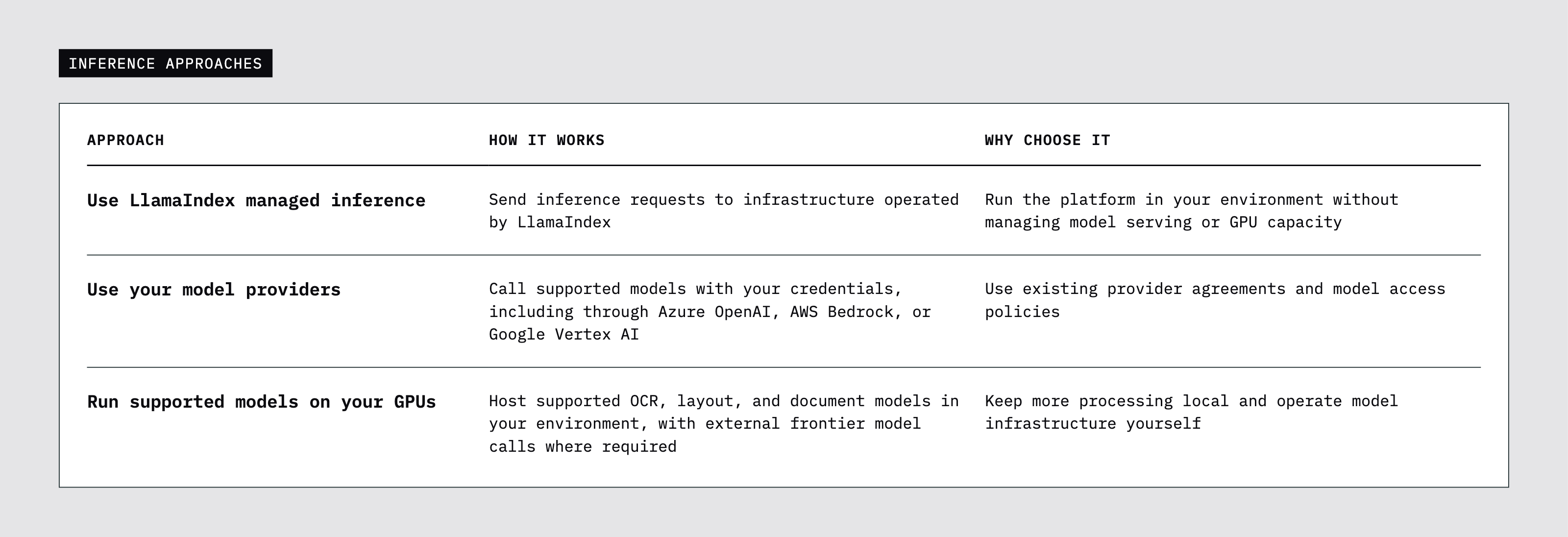
These models don’t all have to run in the same place. You can host supported document models locally, for example, while using an external provider for frontier models. There are three approaches to consider:
Let LlamaIndex manage inference
LlamaIndex managed inference is our recommended starting point for teams that want the platform in their own environment without operating model infrastructure. Your team runs the platform, storage, and databases, while we manage model serving and GPU capacity.
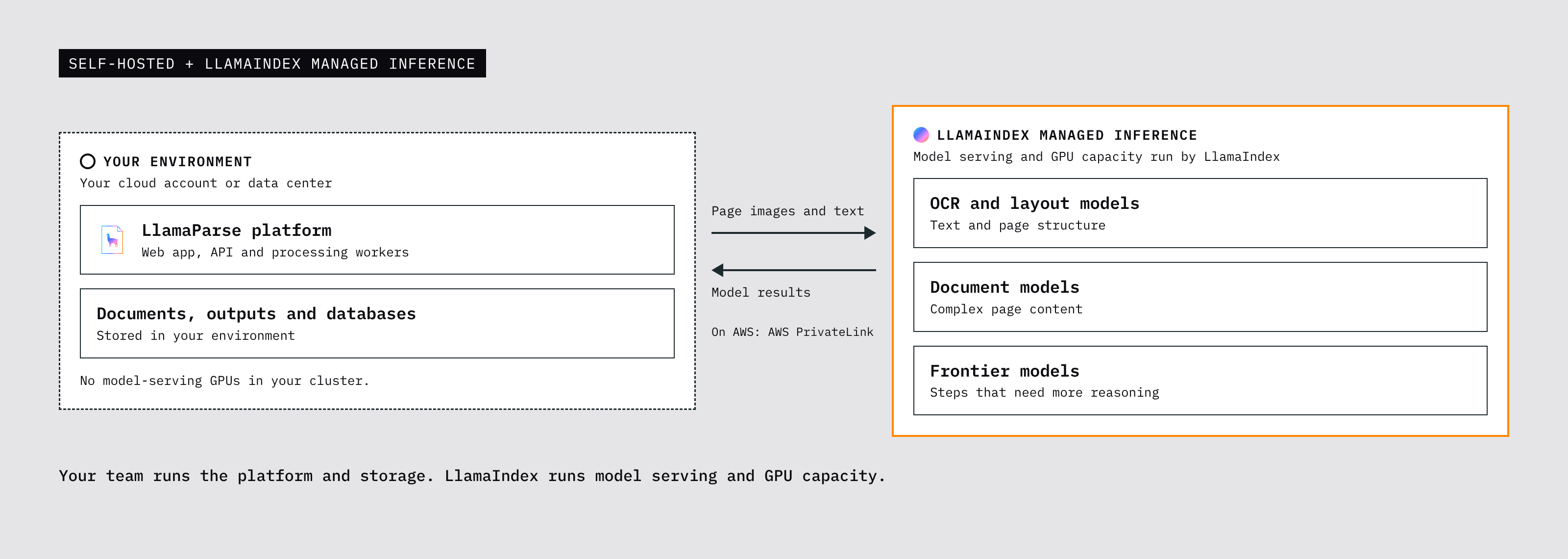
This reduces the infrastructure your team needs to maintain: your cluster can use CPU nodes without hosting the document models itself. Page images and text leave your environment for inference, so the connection and processing region need to fit your requirements.
On AWS, that connection uses AWS PrivateLink.
Use your existing model providers
Your team may already have model providers approved, contracts in place, and a process for managing access. You can use those arrangements with LlamaParse by configuring supported models with your own credentials.
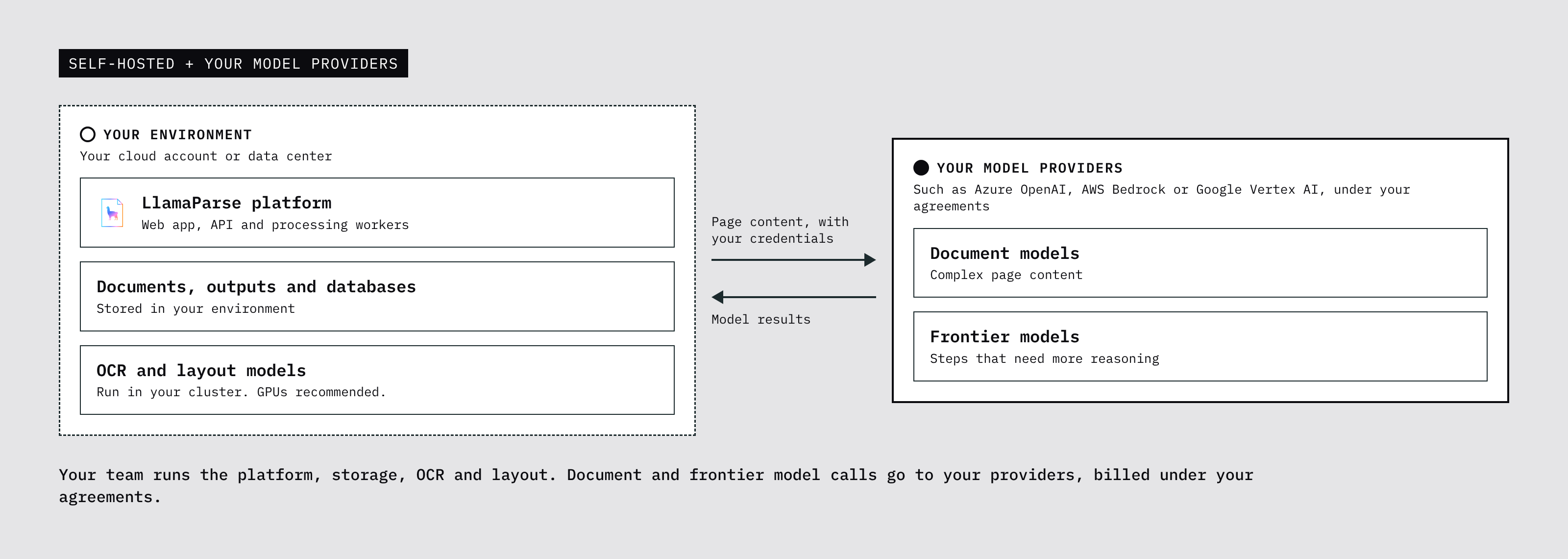
Your team manages provider access, quotas, regions, and billing. When a processing step needs a model, page content goes to the provider you’ve configured.
Your providers handle the document-model inference. For OCR and layout processing running in your environment, we recommend GPUs for cost effectiveness.
Run supported models on your own GPUs
If your team wants to operate models locally, you can host supported OCR, layout, and LlamaIndex document models alongside the platform. Your team manages model serving, capacity, and availability, giving you control over the hardware and keeping supported processing steps in your environment.
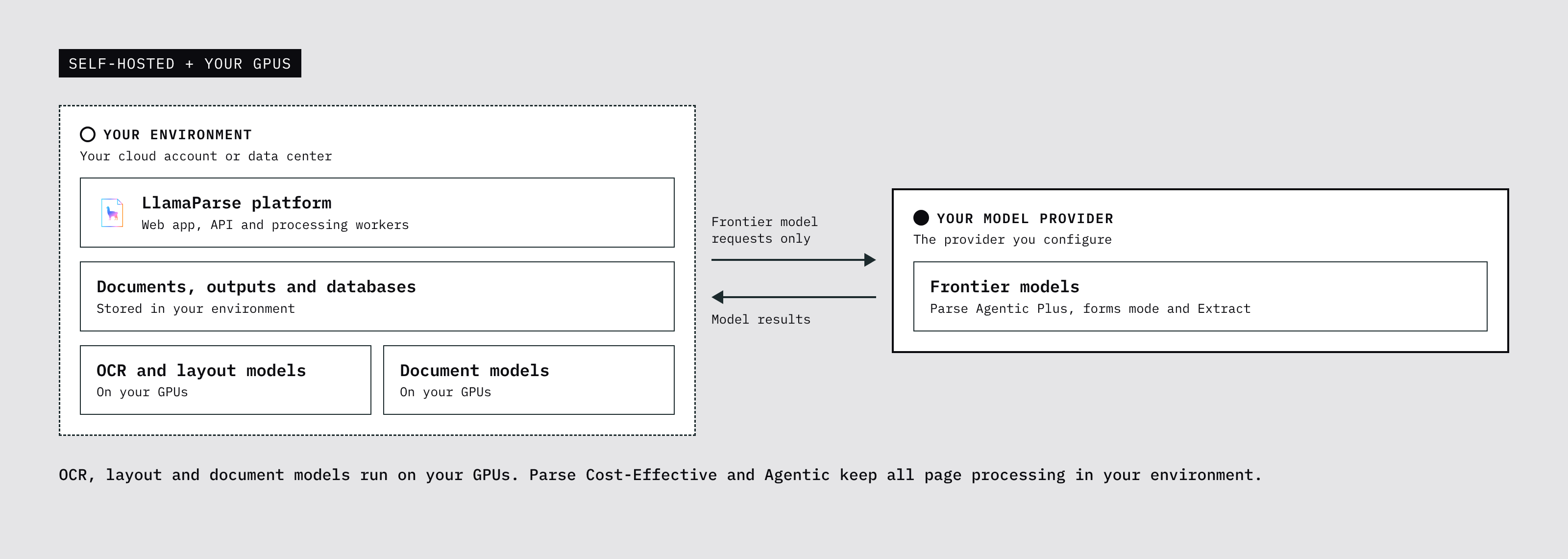
We recommend GPUs for OCR, layout, and document models. Hardware sizing depends on document density, cloud provider, and whether you process a steady flow of documents or a large backfill.
With locally hosted document models, Parse Cost-Effective and Agentic keep all page processing in your environment. Parse Agentic Plus, forms mode, and Extract use frontier models, with requests going to the provider you configure.
Understanding cost and processing quality
Your inference choice affects both what you pay for and what your team operates.
With your own model providers, inference is billed under your existing agreements. With locally hosted models, you pay for GPU capacity and take on model-serving operations. With managed inference, LlamaIndex operates model serving and GPU capacity, while your team continues to run the platform.
For local models, utilization makes a difference. A steady workload can make good use of provisioned GPUs. Occasional bursts can leave that capacity idle between jobs, so sizing needs to account for expected volume, peak demand, and acceptable wait times.
Parse Cost-Effective and Agentic should deliver the same quality with locally hosted document models as in the managed service. For Extract, results can differ if your deployment uses different frontier models.
Use representative documents and extraction schemas to evaluate Extract with your intended models, and compare latency and cost across your planned workloads.
Getting started
Start with where you want LlamaParse to run and what your team wants to manage. From there, choose an inference setup that fits your model agreements, infrastructure, and data requirements.
Talk to our team about deploying LlamaParse in your cloud account or data center.