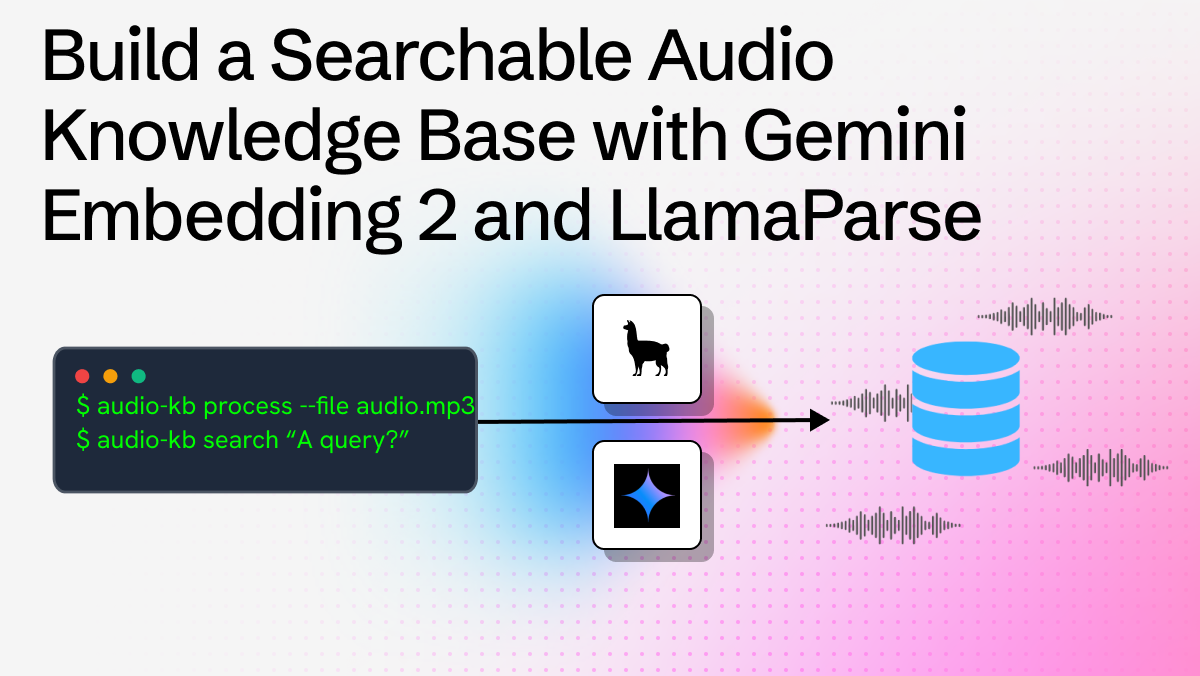
Gemini Embedding 2 is here: it comes with 3072-dimensional vectors, state-of-the-art semantic quality and full support for multimodal data (PDFs, audio, images…), and it's one of the most capable embedding models available today. To showcase what you can build with it inside the LlamaIndex ecosystem, we created audio-kb, a CLI tool that lets you record or upload audio notes from the terminal, transcribe them with LlamaParse, index them, and search them semantically.
In this post we'll walk through how audio-kb works and how each piece of the LlamaIndex stack fits together.
What audio-kb Does
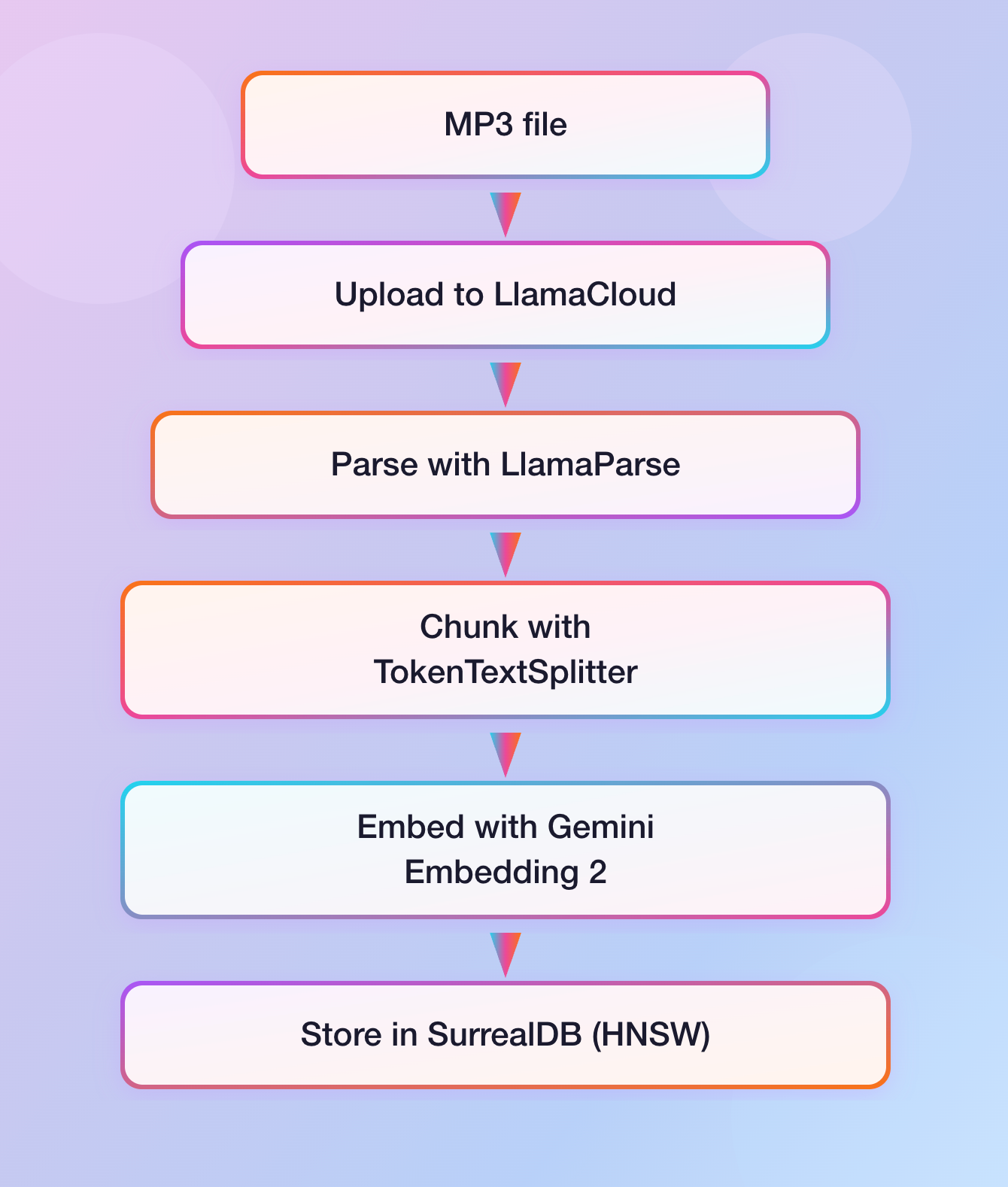
audio-kb works as a minimal but complete pipeline:
- You record an audio note from your terminal, or use an existing MP3 file.
- The file is uploaded to LlamaParse, which extracts the full transcript.
- The transcript is chunked and embedded with Gemini Embedding 2 via the LlamaIndex
GoogleGenAIEmbeddingclient. - The embeddings are stored in a local SurrealDB instance with a HNSW index.
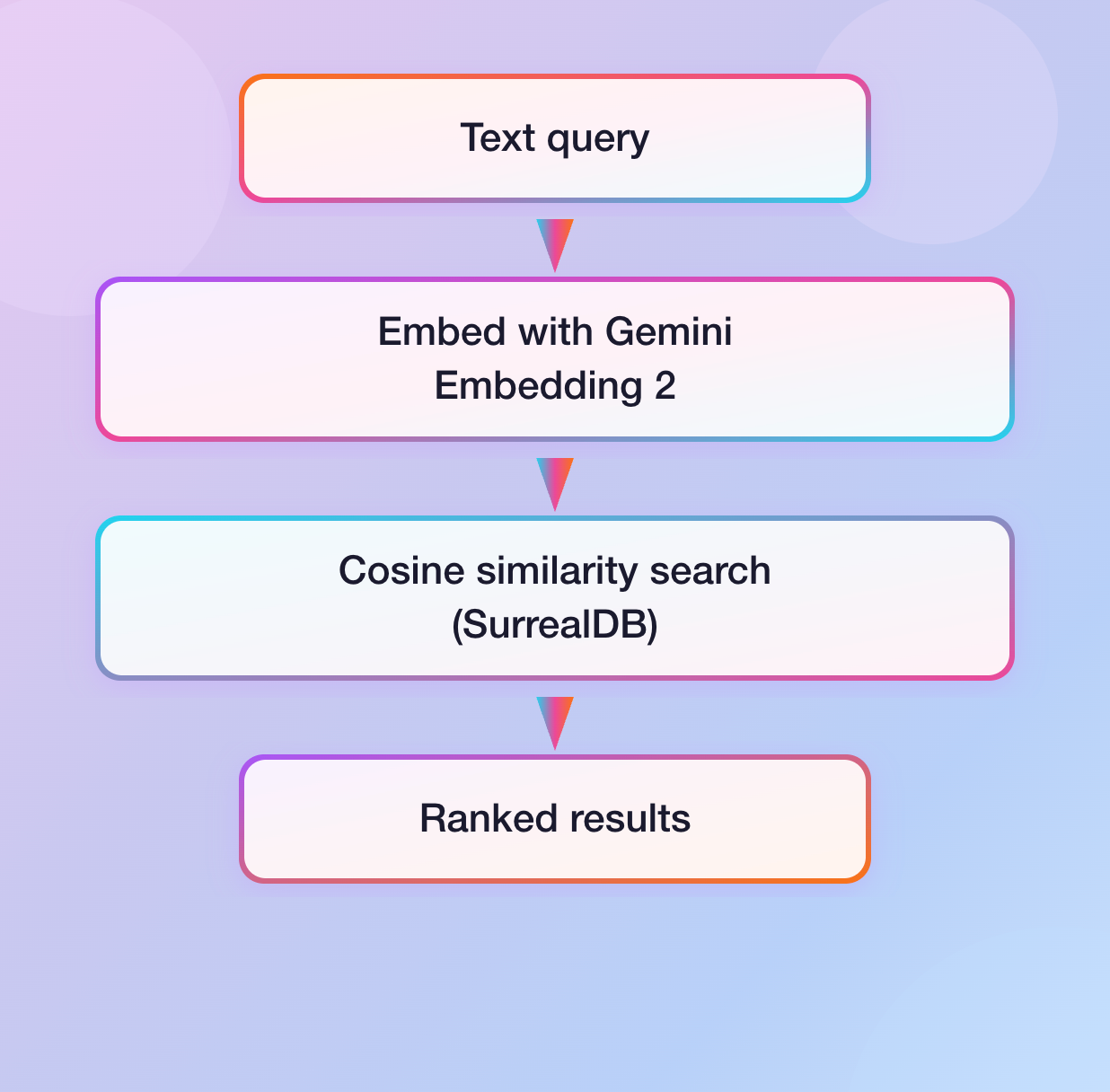
- At query time, your search string is embedded with the same model and a cosine-similarity search retrieves the most relevant chunks.
The ingestion pipeline and the retrieval are both orchestrated by LlamaAgent Workflows.
Using LlamaParse For Audio Transcription
Rather than bundling a local speech-to-text model, audio-kb delegates transcription to LlamaParse via the llama-cloud SDK, leveraging the agentic parsing tier by default, giving high-quality results on unstructured speech.
The parsing step is a single workflow step that calls the LlamaParse async client, referencing the input MP3 file through its ID, as it has been uploaded to the LlamaParse file storage in the previous step:
python
@step
    async def upload_file(
        self,
        ev: InputEvent,
        llama_cloud_client: Annotated[
            AsyncLlamaCloud, Resource(get_llama_cloud_client)
        ],
        ctx: Context[WorkflowState],
    ) -> FileUploadedEvent | FileStoredEvent:
        if not _is_mp3_file(ev.file):
            return FileStoredEvent(error="Unsupported file type")
        try:
            file_obj = await llama_cloud_client.files.create(
                file=ev.file,
                purpose="parse",
            )
            async with ctx.store.edit_state() as state:
                state.file = ev.file
            return FileUploadedEvent(file_id=file_obj.id)
        except Exception as e:
            return FileStoredEvent(error=f"An error occurred during file upload: {e}")

@step
async def parse_file(
    self,
    ev: FileUploadedEvent,
    llama_cloud_client: Annotated[AsyncLlamaCloud, Resource(get_llama_cloud_client)],
    llama_parse_config: Annotated[
        LlamaParseConfig,
        ResourceConfig(
            config_file="config.json",
            path_selector="llama_parse",
        ),
    ],
    ctx: Context[WorkflowState],
) -> FileParsedEvent | FileStoredEvent:
    result = await llama_cloud_client.parsing.parse(
        tier=llama_parse_config.tier,
        version=llama_parse_config.version,
        expand=llama_parse_config.expand,
        file_id=ev.file_id,
    )
    if result.text_full is not None:
        return FileParsedEvent(content=result.text_full)
    ...
Integrating Gemini Embedding 2 with the LlamaIndex Ecosystem
Once the transcript is available, it's split into chunks with LlamaIndex's TokenTextSplitter and each chunk is embedded with GoogleGenAIEmbedding . Setting up the model takes just a couple lines of code:
python
from llama_index.embeddings.google_genai import GoogleGenAIEmbedding

embedding_model = GoogleGenAIEmbedding(
  api_key=config.api_key,
	model_name=config.model_name,  # "gemini-embedding-2-preview"
)
The chunking and embedding step runs all chunks concurrently, with a semaphore to stay within API rate limits:
python
@step
async def chunk_and_embed(
    self,
    ev: FileParsedEvent,
    embedding_model: Annotated[GoogleGenAIEmbedding, Resource(get_embedding_model)],
    splitter: Annotated[TokenTextSplitter, Resource(get_token_text_splitter)],
    ctx: Context[WorkflowState],
) -> EmbeddingsEvent | FileStoredEvent:
    chunks = splitter.split_text(ev.content)
    semaphore = asyncio.Semaphore(10)

    async def get_embedding(chunk: str, ith: int) -> list[float] | None:
        async with semaphore:
            return await embedding_model.aget_text_embedding(chunk)

    embeddings_ls = await asyncio.gather(
        *[get_embedding(chunks[i], i) for i in range(len(chunks))]
    )
    ...
The embeddings, along with metadata about the chunk content, ID and file provenance, are then stored in a SurrealDB database table, which indexes the embeddings field with an HNSW index.
At search time, the query is embedded using the dedicated query embedding method before the vector search:
python
@step
async def get_embedding(
    self,
    ev: SearchInputEvent,
    embedding_model: Annotated[GoogleGenAIEmbedding, Resource(get_embedding_model)],
) -> QueryEmbeddingEvent | SearchOutputEvent:
    embd = await embedding_model.aget_query_embedding(ev.query)
    return QueryEmbeddingEvent(embedding=embd)
Putting It All Together
Here's what the full ingestion flow looks like end to end:
And for search:
Try It Yourself
Install audio-kb with a single command:
uv tool install git+https://github.com/run-llama/audio-kb
You'll need a LlamaCloud API key (for LlamaParse) and a Google API key (for Gemini Embedding 2), plus a running SurrealDB instance. You might also need extra dependencies (like ffmpeg and portaudio ) depending on your operating system.
Once installed, you can then run it, as in the following examples:
bash
# Process an audio file
audio-kb process --file meeting.mp3

# Or record directly from the terminal
audio-kb process

# Search your notes
audio-kb search "What did I say I would buy tonight for dinner?"
As you can see from this blog post, Gemini Embedding 2 brings high semantic quality to an already powerful LlamaIndex stack: whether you're building personal knowledge tools, enterprise document search, or multimodal pipelines, the combination of LlamaParse, Gemini Embedding models, and LlamaIndex Workflows gives you a clean, composable foundation to build on.